Risk-Based Notifications for IT & MSPs

Stop drowning in alerts. Get the urgent stuff immediately and the rest in clean digests at the times that work for your team.

Notifications that respect your attention

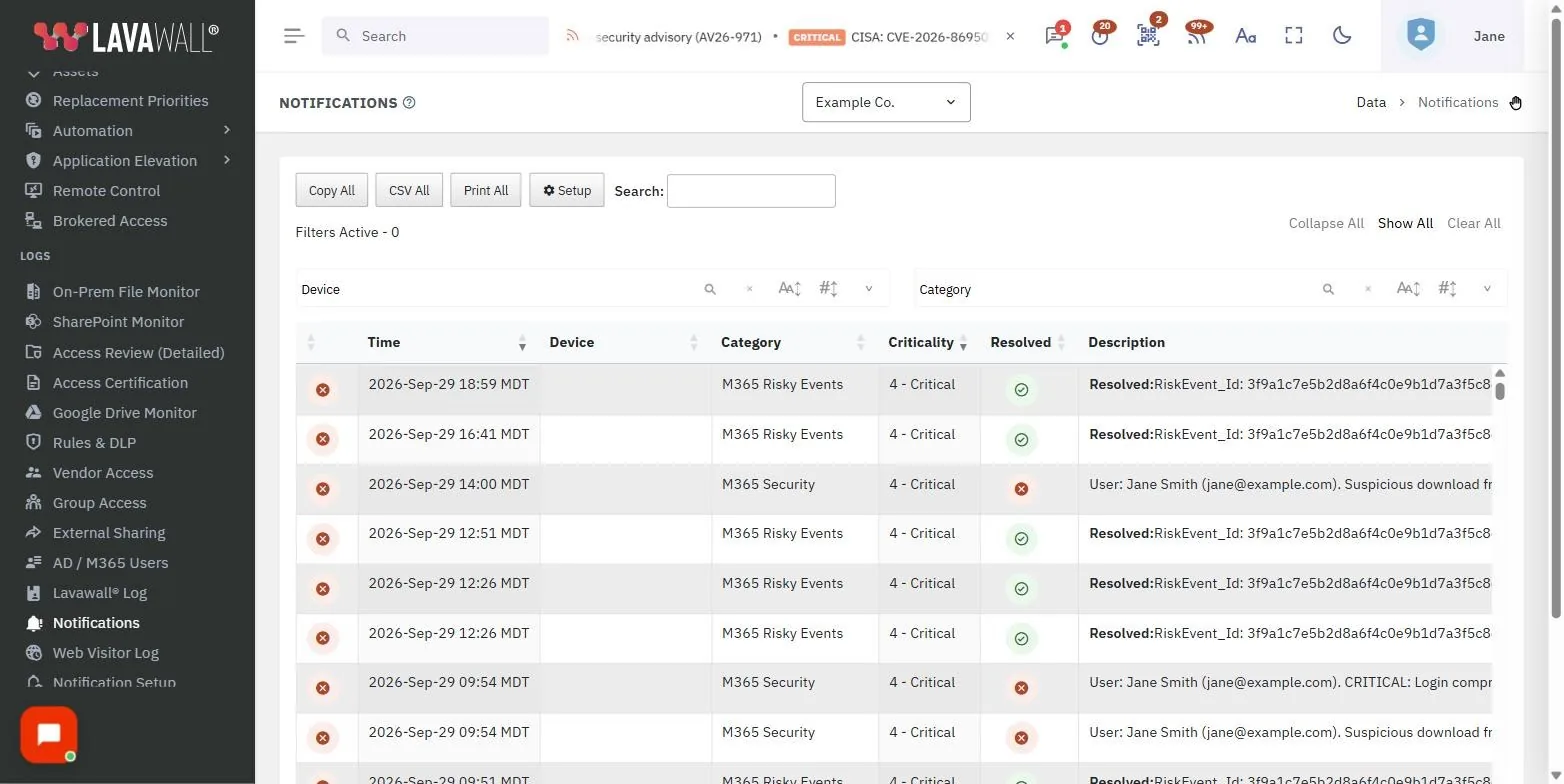
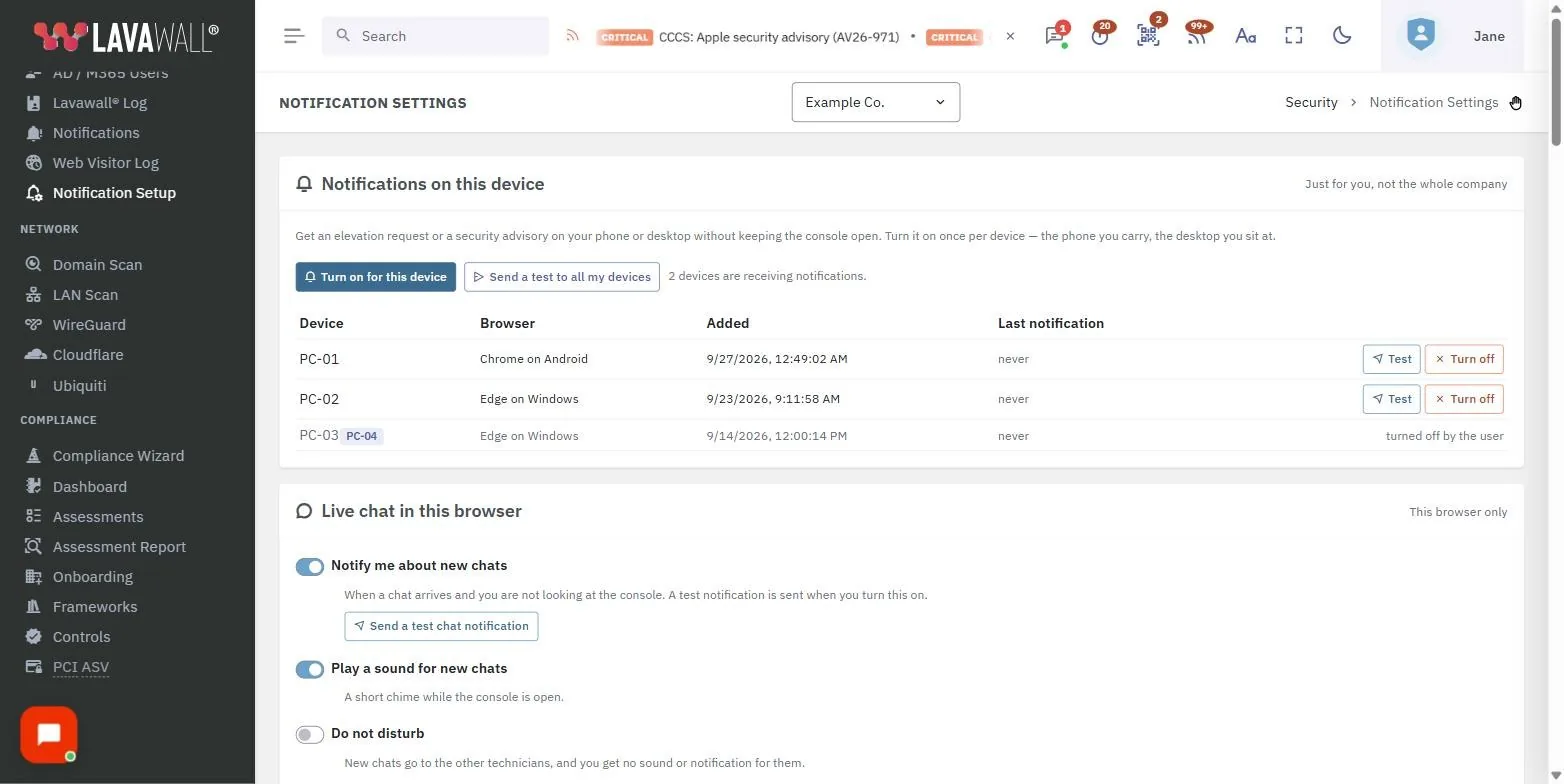
Most monitoring tools have one volume knob: everything. Lavawall® treats every alert as data with a risk level, an audience, and a time-of-day. Critical issues page someone right away. Lower-risk events queue up and arrive in a single readable digest at the times you choose — at the start of shift, after lunch, before everyone goes home. The result is fewer interruptions, faster response on the things that matter, and an inbox you can actually trust.

Out of the box, your MSP’s primary contact receives notifications for every client you support, batched into digests so the inbox stays manageable. From there, every recipient can be tuned independently: which severities they receive, which categories they care about, how often each severity can repeat, when the digests fire, and which days of the week each digest is active.

What you get on day one

  • Five risk bands routed automatically
  • Sensible default digest schedule (9 AM, noon, 4 PM local)
  • All client companies covered under one MSP subscription
  • Inactive-user alerts for AD, Microsoft 365, and Google Workspace

What you can tune per recipient

  • Per-severity rate limits and “do not send” toggles
  • Two daily digest slots with day-of-week selection
  • Recipient timezone (DST-correct, year-round)
  • Specific notification types or all types
Lavawall Notification options
The Lavawall® notification settings modal: every severity, every digest slot, every recipient—tuned independently.

Jump to: severity bands · digest schedules · per-recipient control · inactive-user alerts · timezones · for MSPs · FAQ

Five severity bands, routed automatically

Every Lavawall® event is classified into one of five severity bands. Each band has its own rate limit (how often it can repeat as an immediate email) and an optional digest schedule, and the routing happens automatically — you do not have to maintain a tagging scheme or write rules.

Band What it means Default delivery
Critical Active compromise indicators, ransomware-pattern behaviour, anti-malware failures on production hosts. Immediate, no more than once per minute per recipient.
Server outage A monitored server is unreachable or has stopped reporting. Immediate after a 1-minute grace period, no more than once per minute.
High Confirmed exposures, missed backups, account lockouts, configuration drift on security controls. Immediate, no more than once per minute. Also included in any High, Moderate, or Low digest slot the recipient has configured.
Moderate Patching status, certificate expiry warnings, unusual but not yet suspicious activity. Immediate, no more than once per minute. Also included in any Moderate or Low digest slot.
Low Routine inventory changes, informational events, completed jobs. Immediate, no more than once per minute. Also included in any Low digest slot.

Digest scope follows a “this band and above” rule. A Low digest at 9 AM catches every event since the last fire — Low, Moderate, High, Critical, and Server-outage. A Moderate digest catches Moderate, High, Critical, and Server-outage. A High digest catches High, Critical, and Server-outage. This means one well-placed digest can give you a complete summary without subscribing to three separate ones.

Every value above is a default. Each recipient can override their own rate limits, turn off any band’s immediate path entirely (so it appears only in digests), or configure two digest slots per band with their own time and day-of-week rules.

============================================================ -->
Inactive M3
One digest email, every band above the configured level — no separate digests to manage.

How Lavawall handles the hard parts

Digest schedules that match your shifts

Two digest slots per severity, each with its own time and day-of-week selection. A digest at Low catches every band; at Moderate it catches Moderate and above; at High it catches High, Critical, and Server outages. Configure 9 AM weekdays for the morning team and 11 AM Saturdays for the weekend on-call — from one set of controls.

Per-recipient routing

Every subscriber has independent settings: severities, types, rate limits, digest times, day-of-week rules, and reporting scope. The on-call pager and the morning newsletter can use the same data source with completely different behaviour.

Timezone-aware, DST-correct

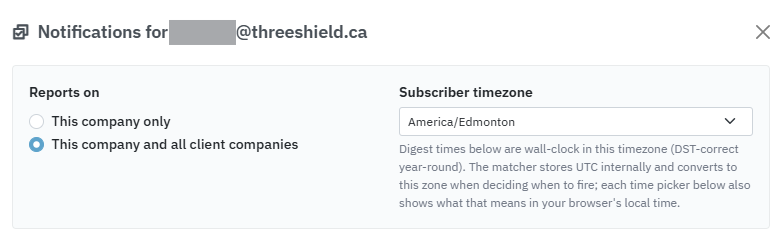
Recipients in different regions get their digests in their local time. A 9 AM digest stays at 9 AM through every daylight-saving transition. Times are stored unambiguously and shown in the recipient’s zone with a live preview of what that means in your own local time.

Subscribe to exactly what you care about

Receive every notification type by default, or pick a specific list — security events for the SOC, identity changes for HR, server outages for the on-call rotation. New types are picked up automatically when you opt in to all.

Catch dormant accounts before someone else does

Stale user accounts are one of the most common ways an environment quietly turns into a breach. Lavawall® watches active sign-in activity across the three places most organizations live and tells you when someone has gone quiet for too long.

Active Directory

Enabled, unlocked AD accounts whose last logon is older than your threshold — including service accounts you may have forgotten about.

Microsoft 365

Licensed Entra ID accounts that have not signed in to any Microsoft 365 service for the configured number of days. Shared mailboxes and external guests are excluded by default.

Google Workspace

Active Workspace users whose last sign-in is past your threshold, with optional flagging of accounts that have never enrolled in 2-step verification.

The default threshold is 90 days. Each source has its own threshold and an optional re-notify interval, so a long-dormant account does not silently flood the inbox — you hear about it once, then again later if it is still inactive. All of these are tunable per recipient as well as per company.

Inactive M365, Google Workspace, and Active Directory account notifications
Per-source thresholds and re-notify intervals across all three identity systems.

Built for managed service providers

Lavawall’s notification model is multi-tenant from the ground up. An MSP subscription can be scoped two ways, and both modes can be active simultaneously:

This company only
The recipient only sees notifications generated for the company they belong to. Use this for client-side IT contacts.
This company and all client companies
The recipient sees notifications for their own company and every client company underneath it in the hierarchy. Use this for MSP service desk distribution lists, NOC pagers, and account managers.
Example. An MSP has 40 client companies. The service desk distribution list is configured to include all client companies, with a 9 AM weekday digest and a separate 11 AM weekend digest. Each client’s primary IT contact has their own subscription scoped to just that client, with Low-severity events turned off. A single Critical event at a client triggers an immediate page to both the service desk and the client’s IT contact — while routine Moderate events for that same client only appear in the next service-desk digest, and never reach the client contact at all.
Include children for MSPs
One subscription for the service desk, separate scoped subscriptions for client contacts — same console.

When Lavawall notifications are the right fit

Small in-house IT teams

One or two admins covering everything. You need the Critical stuff to page you, the rest to wait until a sane hour, and an honest picture of identity hygiene without having to remember to look. Default settings do most of this on day one.

Managed service providers

Dozens of client companies, an on-call rotation, a service desk inbox, and a leadership team that wants weekly visibility without the daily noise. Per-recipient scopes and timezone-aware digests let one platform serve all three audiences without cross-contamination.

Security-focused organizations

You want every High and Critical event in real time, Moderate events digested twice a day for review, and stale-account alerts across AD, Microsoft 365, and Google Workspace running on a schedule you control. Different team members get different scopes — SOC analysts, IAM owners, and management.

How it works under the hood

The Lavawall® notification engine runs every five minutes on a designated host in your environment. On each tick it looks at every active subscription, every event currently open, and the current local time in each recipient’s timezone. A single matcher decides:

  1. Has enough time passed since the last notification for this severity?
  2. Is the event newer than the recipient’s last delivery for that severity?
  3. Has a digest slot just become eligible — correct time-of-day, correct day-of-week, not already fired today?
  4. Does the recipient subscribe to this notification type and this company?

When all four are true, the event is included. Outbound messages are signed with DKIM and delivered through Lavawall’s own mail relay, so deliverability to Microsoft 365, Google Workspace, and on-premises mail systems is consistent. Empty digests are suppressed automatically — if nothing accumulates, nothing sends.

Frequently asked questions

Lavawall ranks every notification by severity and applies per-recipient rules to decide what to send immediately and what to roll up into a daily digest. Critical issues and server outages page right away. Lower-priority events are batched into clean summaries delivered at the times you choose — for example, 9 AM weekdays for the team lead and a single 10 AM Saturday digest for the on-call engineer.

Yes. Every recipient has their own subscription with independent settings: which severity levels they receive, which notification types they care about, how often each severity can repeat, and when their daily digests fire. One company can have a security lead who gets only High and Critical events, a service desk distribution list that receives the daily roll-up, and an after-hours pager that only triggers on Critical and Server outages.

Yes. Each recipient picks an IANA timezone (such as America/Edmonton or Europe/London). Digest times are wall-clock in that timezone and stay correct through daylight-saving transitions. Each severity supports two digest slots with independent day-of-week selection; the defaults are Monday-Friday for slot 1 and Saturday-Sunday for slot 2, but every day is editable on every slot.

Yes. Digests follow a "this band and above" rule. A High digest catches High, Critical, and Server-outage events accumulated since the last fire. A Moderate digest catches Moderate, High, Critical, and Server-outage. A Low digest catches every band. This means one well-placed digest gives a recipient a complete summary without subscribing to three or four separate ones. Critical and Server-outage events also page immediately when their per-band rate-limit path is enabled, so the digest is a complete record of the day rather than the only way those events arrive.

Yes. A single MSP subscriber can be scoped to receive notifications from all client companies they support, with optional per-company exclusions. Alternatively, individual client contacts can each have their own subscription scoped just to their own organization. The two modes coexist, so the MSP gets the full picture while client contacts only see what concerns them.

Every severity band has a per-recipient "Send notifications" toggle. Turn it off for Low and you stop getting Low-priority emails right away. The Low events still appear in any Low digest slot you have configured, so you can review them in a single email at, say, 4 PM weekdays instead of being interrupted. The same toggle works for every band: a recipient can disable the immediate path for Moderate, High, or even Critical and rely entirely on the digest schedule to surface them in batched form.

Lavawall scans Active Directory, Microsoft 365, and Google Workspace for active accounts that have not signed in for a configurable number of days, defaulting to 90. Each source has its own threshold and a re-notify interval so a long-dormant account does not silently flood your inbox. Inactive-user alerts can be enabled, disabled, or tuned per recipient and per company.

No. If nothing has accumulated by the time a digest slot fires, no email is sent. Recipients only get a message when there is something to read.

Yes. Each subscriber can either receive every notification type (the default, which automatically includes any new types Lavawall introduces) or pick a specific list. The list covers categories such as endpoint health, security events, identity changes, server outages, backup status, and inactive users.

Ready to quiet the noise?

Talk to us about how Lavawall’s risk-based notifications would fit your environment — in-house team, managed service provider, or security operations.

Contact us

Questions, demos, or a walk-through: reach out through the contact page.