M365 / Entra / Azure config backup
The breach that costs you a client is config drift nobody noticed.
Lavawall® snapshots your Microsoft 365, Entra, and Azure configuration and catches the changes EDR never sees: a junior admin disabling the MFA Conditional Access policy, a compromised user consenting an OAuth app to Mail.ReadWrite.All, a transport rule forwarding the CFO’s inbox out. It diffs every change, notifies you the moment a risky one lands, and lets you roll it back.
Start my free trial, no credit cardSee M365 breach detection
~30 object types · risk alerts · audit-log correlation · plan → approve → execute rollback
See it in the Lavawall® console
Real screens, shown with example data.
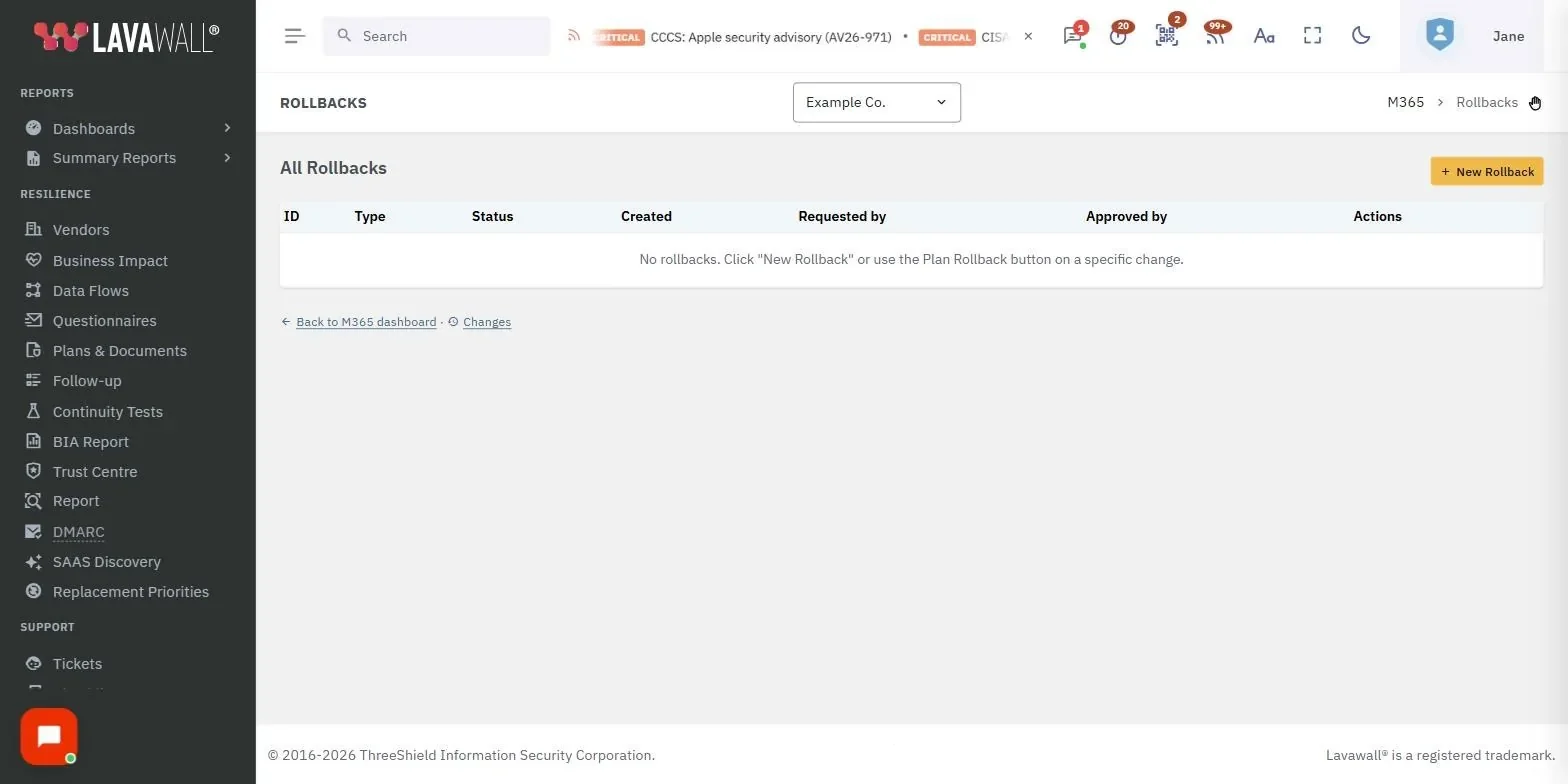
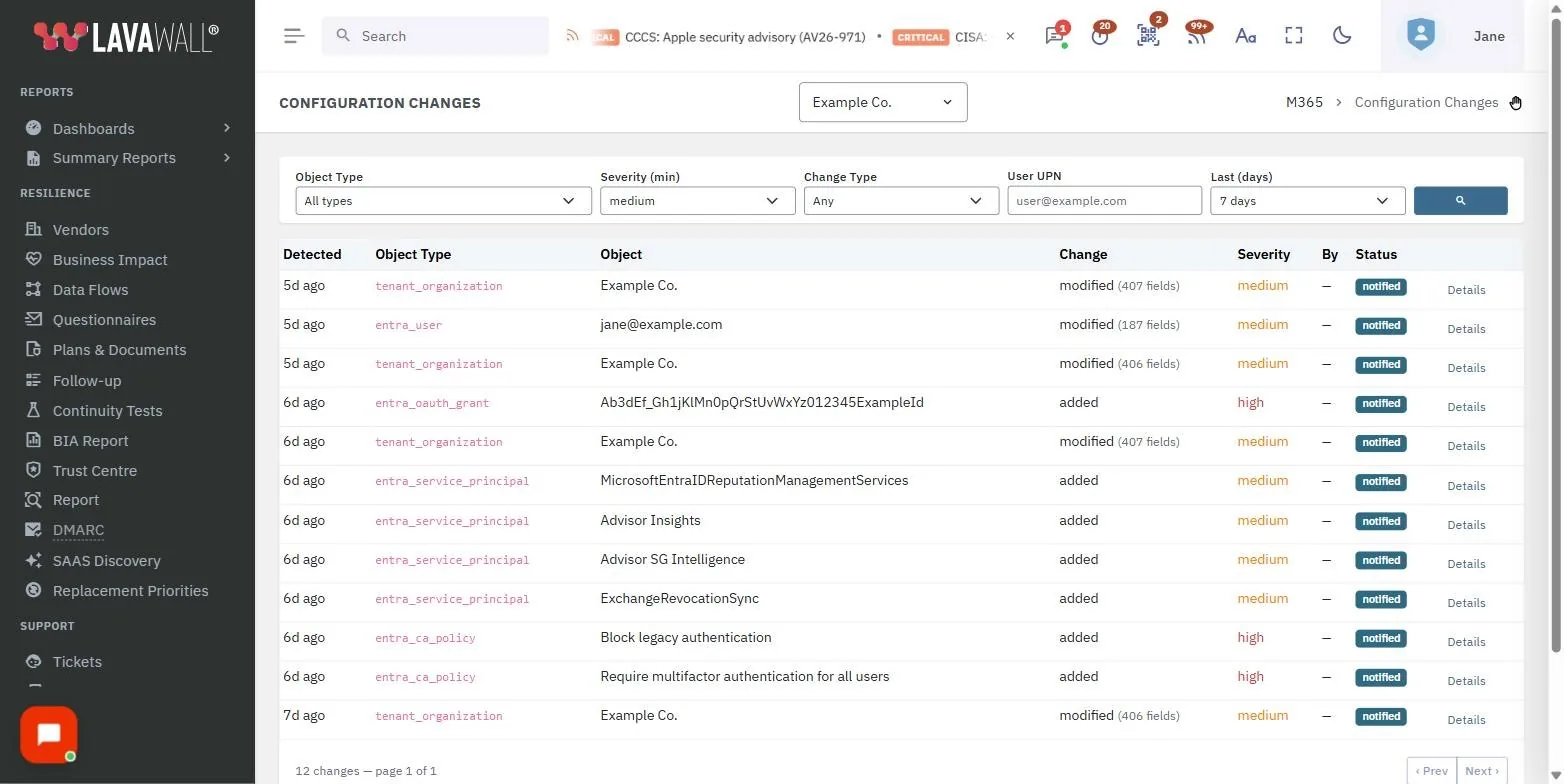
Detect the change, alert you, prove who, undo it
Lavawall® snapshots your tenant, records the actual object state every time it changes, computes a path-level diff (JSON‑Patch, RFC 6902) against the previous snapshot, and rates its severity, so config drift surfaces the moment it happens instead of at the next review.

Broad object scope, ~30 object types
Across Entra ID, Microsoft 365, Intune, and Azure subscriptions. The more covered, the fewer blind spots.
- Conditional Access policies
- Named locations & authentication strengths
- Authentication-methods policy
- Role assignments (active & PIM)
- App registrations & service principals
- OAuth permission grants (delegated & admin-consented)
- Entra users (cloud & hybrid, attribute-level diffs)
- Group memberships & custom security attributes
- Exchange transport rules
- Teams & org-wide settings
- Intune device-config, compliance & app-protection profiles
- Azure NSG rules & Key Vault access policies
- Azure RBAC role assignments & managed identities
- Subscription-level policy assignments
Attribute-level user diffs track accountEnabled, assignedLicenses, manager, jobTitle, department, on-prem sync status, and proxy addresses. The first snapshot pass is silent, so there is no change-feed noise; later passes diff and produce per-attribute change rows.
Five severity levels, so the important changes stand out
Every change is rated. Critical: a Conditional Access policy disabled or deleted, Global Admin assigned, high-privilege Graph scopes (Mail.ReadWrite.All, Directory.ReadWrite.All) granted to an app, an NSG rule opening RDP/SSH to the internet, a Key Vault policy granting full secret access. Down through high, medium, and low to informational renames, so alerting can key off what actually matters.
Notifications the moment a risky change lands
Rollback only helps if you know something changed. When a risky change hits Entra, M365, or Azure, Lavawall® sends a notification right away. Rules are configurable per company, object type, and severity: immediate alerts for critical and high changes, and weekly digests for the quieter ones.

Audit-log correlation on every change
“Policy X was modified” is half the story. Lavawall® matches each change to the M365 audit log within a ±30‑minute window and shows the actor’s UPN, originating IP, geolocation, the M365 audit event ID, and the exact timestamp in every change row. If no matching audit event exists, the row is flagged so you know the actor couldn’t be identified.
Rollback you can defend
Revert a single change, not just “restore the whole tenant.” A plan → approve → execute workflow: plan computes the exact list of Microsoft Graph or Azure Resource Manager calls needed to revert, in dependency order, with no Graph calls made; approve shows an administrator each endpoint, HTTP method, request body, and expected response; execute runs the operations, with a dry-run mode that previews every call and a continue-on-error mode that surfaces all failures at the end. That is the difference between a defensible workflow and an outage waiting to happen.
Endpoint coverage in the same platform
Config backup is necessary but not sufficient. Lavawall® also runs file integrity monitoring and event-log analytics on Windows, Mac, and Linux endpoints, the layer tenant-only tools miss.
Change monitoring (detect, log, notify) is in the Professional tier; full backup & rollback is bundled in the Complete plan, or a-la-carte at C$3.95 / US$2.95 per user / month. Snapshots are content-addressable (SHA‑256, gzip-compressed), typically under 100 MB a year for a 50-user tenant.


Worried a config change already slipped through?
ThreeShield, the CISSP/CISA team behind Lavawall®, will baseline your tenants, review what’s drifted, and set the alerting and rollback approvals so the next change is caught in minutes.
Common questions
- How is this different from mailbox or file backup?
- Those capture user data. Config backup captures tenant settings (CA policies, role assignments, OAuth grants, transport rules, NSG rules), so changes can be detected, alerted on, logged, and reverted. For mail, OneDrive, SharePoint, and Teams content, use Lavawall® Backup, in the same console.
- Why isn’t Microsoft’s audit log enough?
- It retains 30 days at most and records that a change happened, not the previous value, with no undo. Lavawall® snapshots object state and provides rollback with who/when/where.
- Is rollback safe against production?
- Yes. It’s a plan → approve → execute workflow with dry-run preview, not an accidental one-click revert.