LAN scan & asset management
Find and secure every computer, printer, and network device
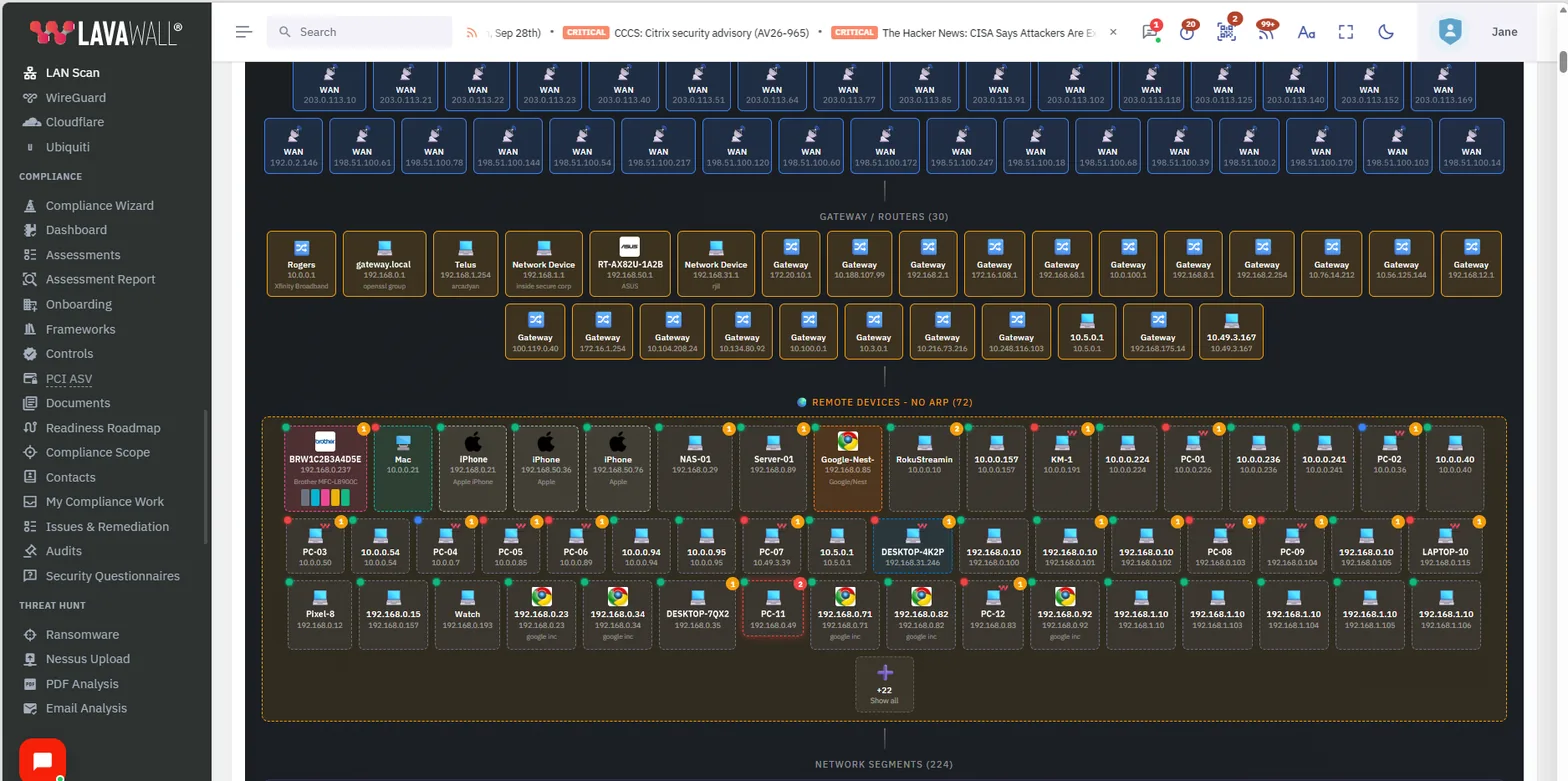
Lavawall® scans the LAN and gives you a quick, honest view of what is really on the network. See which devices are online, which are managed, which printers are running low on consumables, and which workstations and servers are exposing risky services. Click any device for the full detail.
Start free, no credit card See what it finds
Computers · printers · phones · servers · websites · network devices
See it in the Lavawall® console
Real screens, shown with example data.
An intuitive view of the whole network
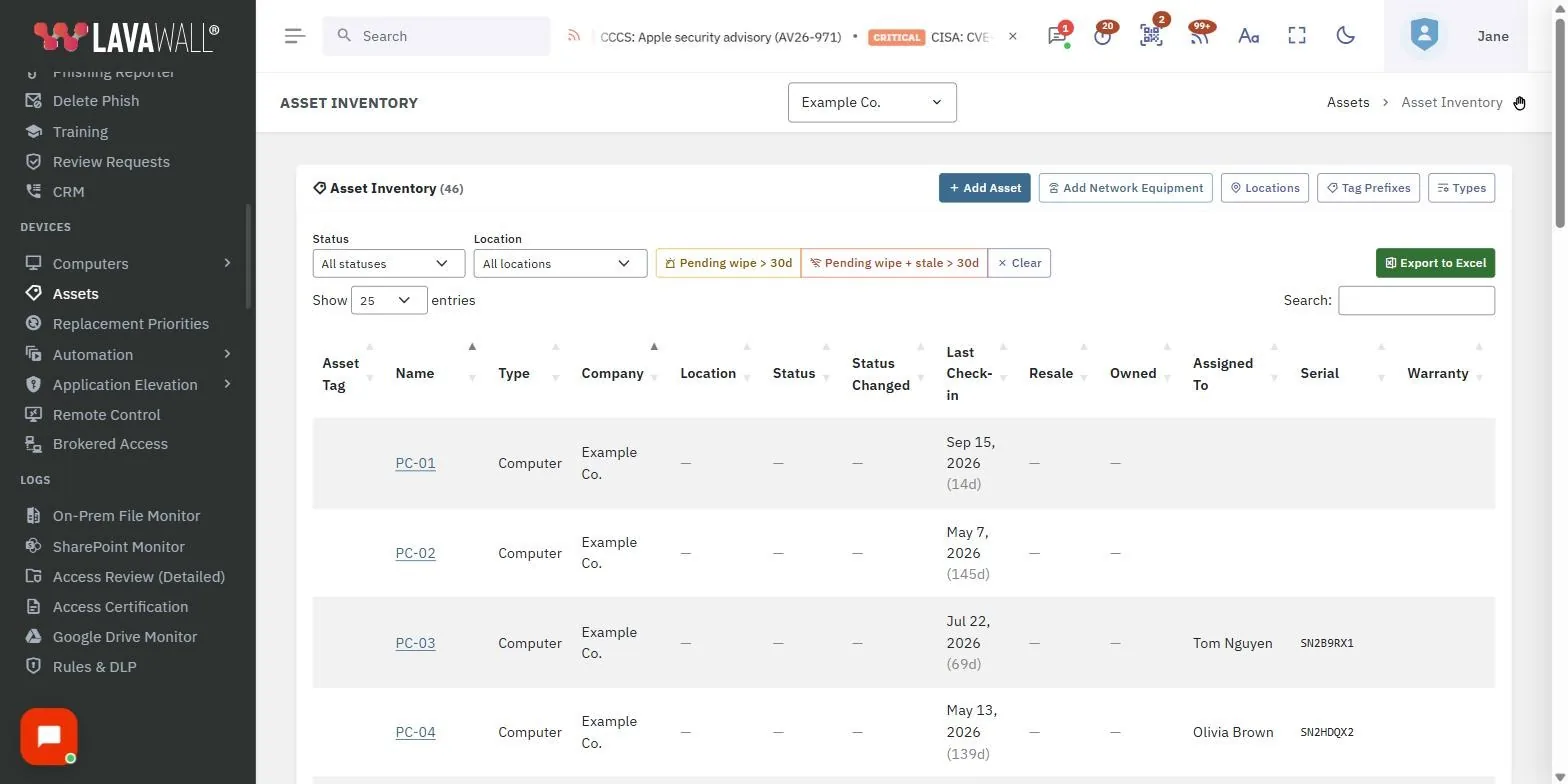
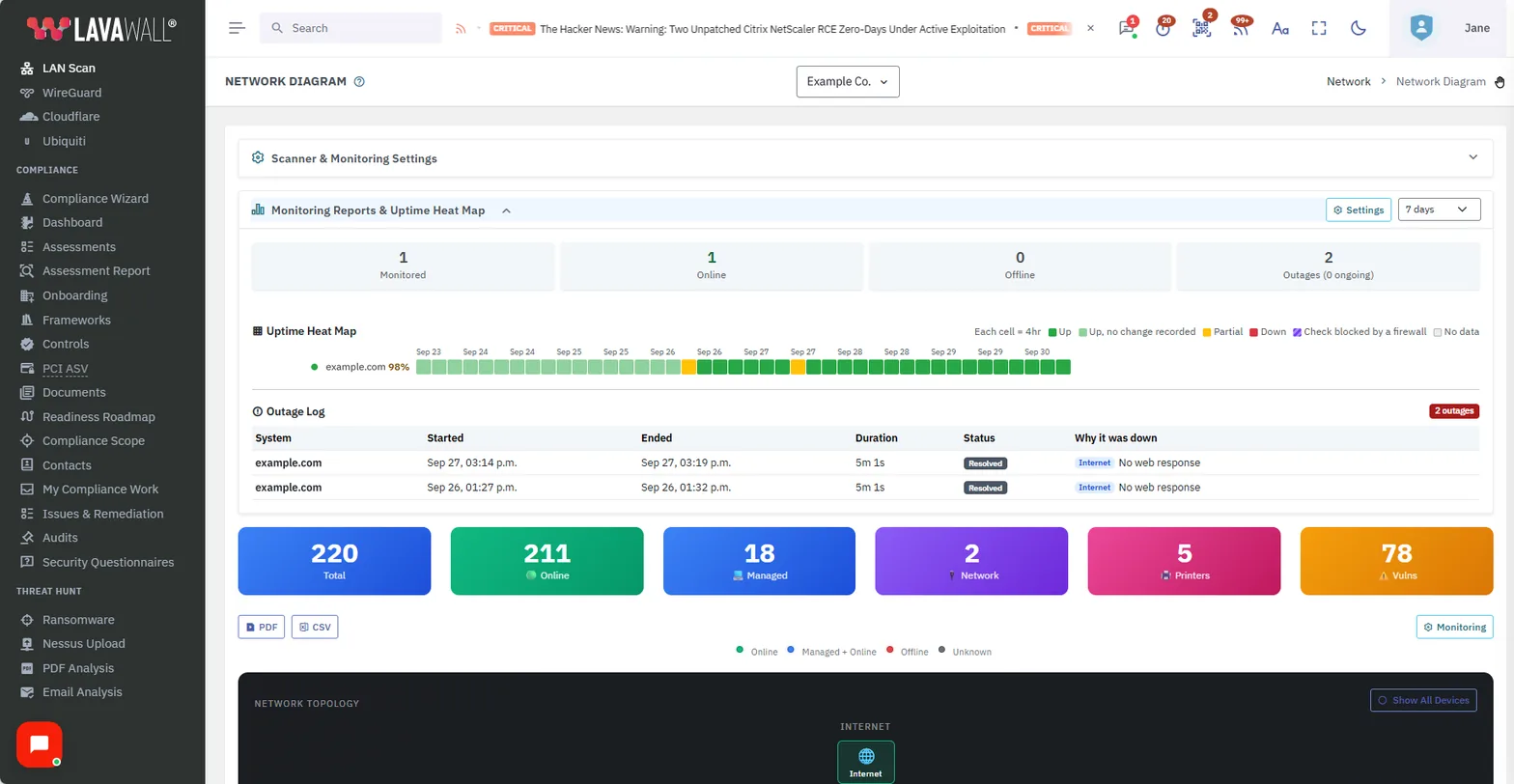
Asset management usually means chasing a spreadsheet that was out of date the day it was written. The Lavawall® LAN scan replaces that with a live picture. In one glance you can see the devices on a network, whether they are online, whether they are managed, and even which printers are about to run out of toner. Phones and other devices carry their own detail too.
Because the scan looks at each device from the network perspective, it goes past a plain inventory: it shows the ports and services each device exposes and the vulnerabilities that go with them, which is exactly the view an attacker sitting on the same LAN would have.
What the scan monitors
Computers and their state
Every workstation and server on the network, with online status and whether the device is managed by Lavawall®. Click any device for full detail.
Printer consumables
Full consumable information for network printers, plus notifications when toner, ink, or other supplies run low, so you can reorder before a client is stuck.
Exposed services and ports
Workstations and network devices show their available services and open ports from the network perspective, so risky exposure is visible.
Vulnerabilities
Devices surface the vulnerabilities that go with their exposed services, giving you a prioritized picture of where a network-side attacker would push.
Servers and critical devices
Monitor servers and other critical devices based on the ports and services they expose, so a service going dark is caught quickly.
Websites
Watch websites by HTTP status code and check for specific phrases on the page, so a defaced, broken, or changed site raises a flag.
Document the cabling, then print the network
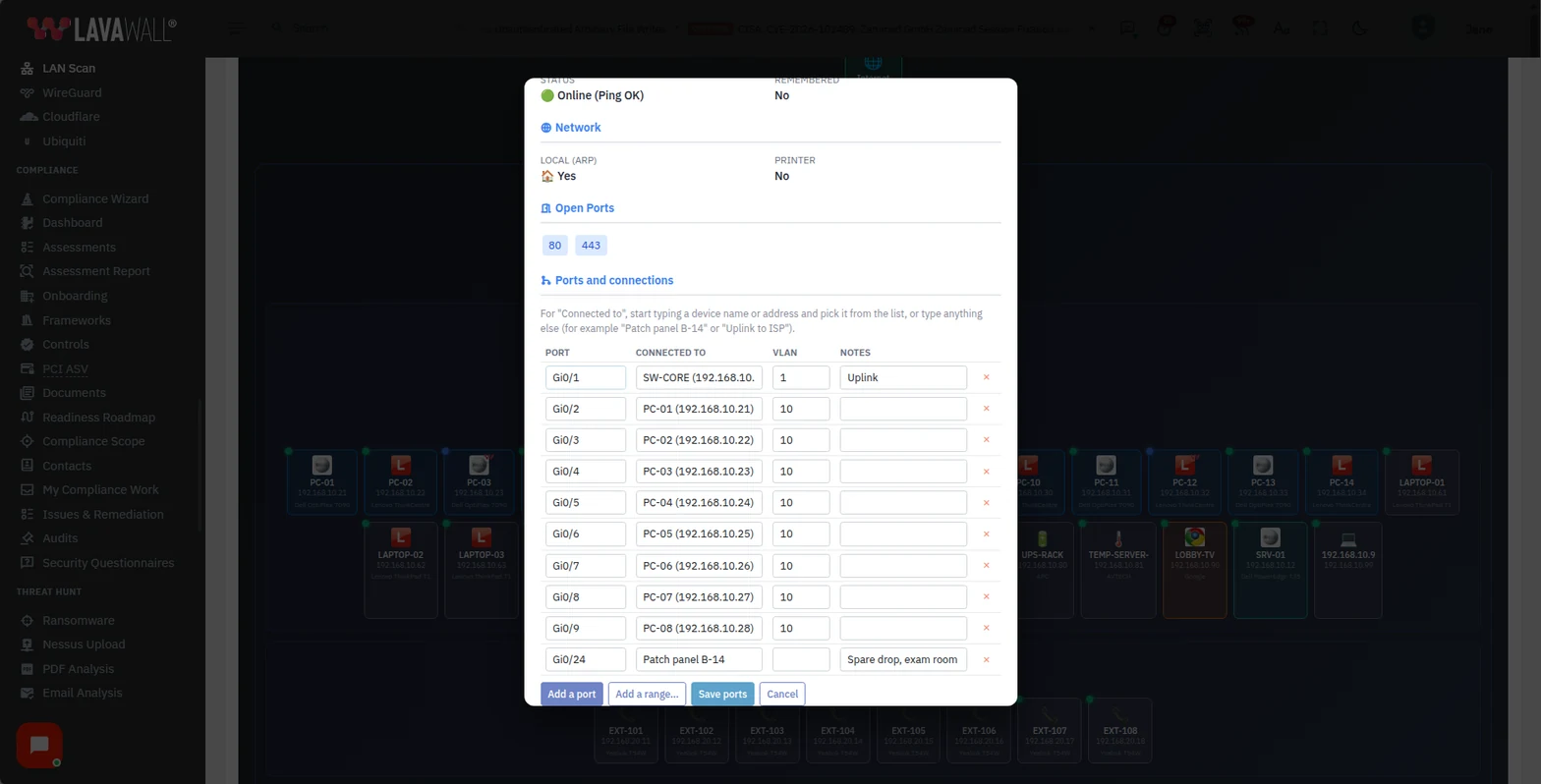
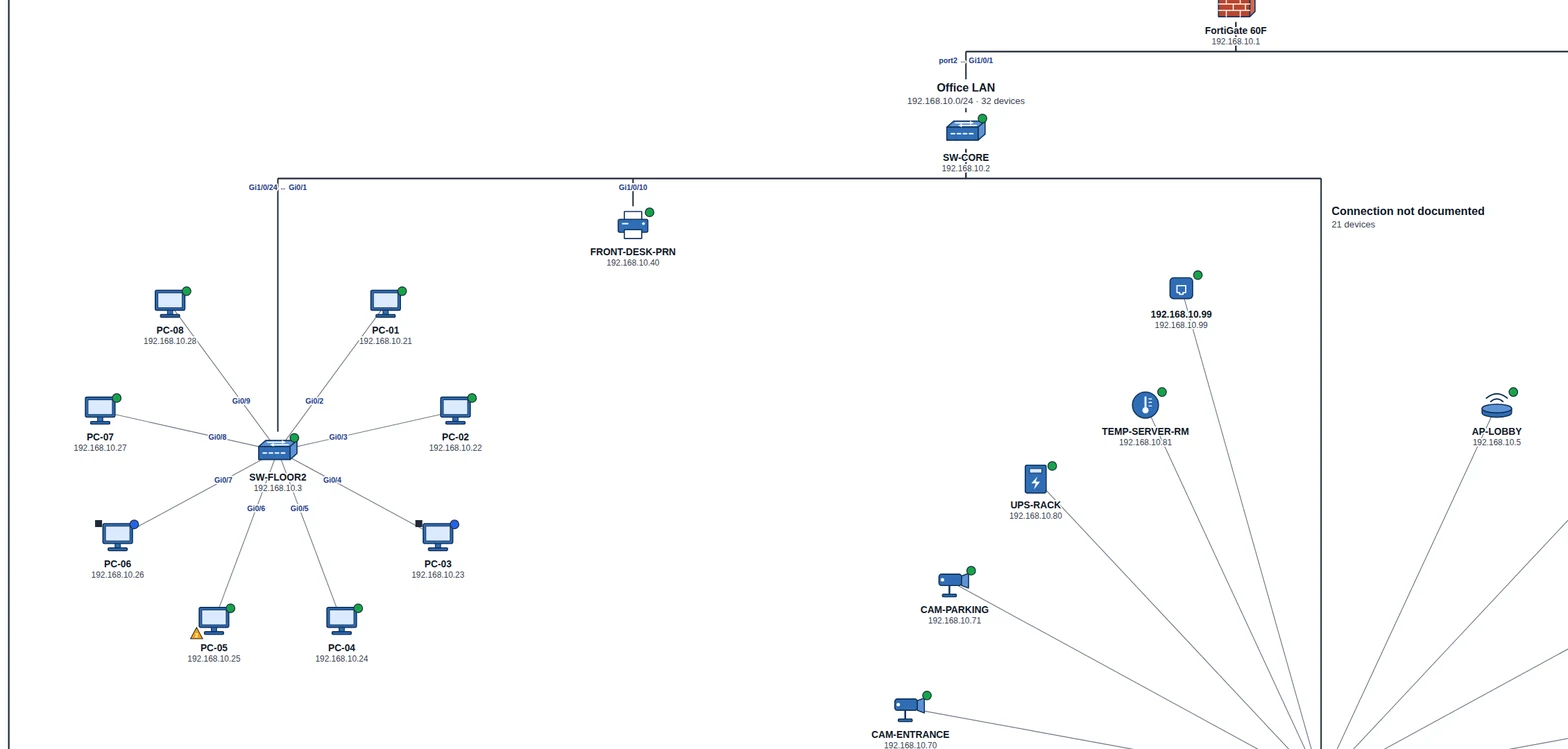
The map finds the devices. You add what a scan cannot see: which switch port each device is plugged into, its VLAN, and a note such as a patch panel number.
Then print the whole network as a traditional network drawing, with standard symbols and the documented ports on the lines, on letter paper up to ARCH E, A3 to A0, or a plotter roll. Or download it as an SVG file to open in Visio, Illustrator, or AutoCAD. How to document switch ports and print a network drawing.
How it works
Lavawall® scans the LAN and builds a device inventory automatically, then keeps it current as devices come and go. Each entry is clickable, so a printer opens its consumable levels, a workstation opens its services and vulnerabilities, and a website opens its status codes and page checks. Phones and other network devices carry their own additional information alongside.
Because the same platform also manages endpoints, the scan tells you whether each device it finds is under management, which is the gap most asset lists never close. New and unknown devices stand out instead of blending into a stale spreadsheet.
Why it matters
An accurate asset picture is the foundation of both security and everyday service. You cannot patch, secure, or bill for a device you do not know exists, and you cannot reassure a client about their network if a compromised home device or an unmanaged laptop is sitting on it unseen.
The LAN scan also removes small frustrations that quietly erode client trust, like the printer that is always out of toner or the website that went down overnight. Catching those early, in the same console you use for security, turns reactive firefighting into proactive service.
Frequently asked
- What does the Lavawall® LAN scan find?
- It discovers the computers, printers, phones, servers, and other devices on a network, and shows whether each one is online, whether it is managed by Lavawall®, and what services and ports it exposes. Workstations and network devices also surface their vulnerabilities from the network perspective, so you see risk the way an attacker on the same LAN would.
- Can it monitor printers and their consumables?
- Yes. The scan reads full consumable information from network printers and can notify you when toner, ink, or other supplies are running low, so you can order replacements before a client calls to say a printer has stopped.
- Does it monitor servers and websites too?
- Yes. You can watch servers, websites, and other critical devices based on their exposed ports and services. For websites you can also check HTTP status codes and look for specific phrases on the page, so a defaced or broken site is caught quickly.
- How is this different from full network monitoring?
- The LAN scan is the asset-discovery and device-detail layer: what is on the network and what state each device is in. Lavawall® network monitoring builds on that across the LAN and WAN, watching remote and home devices, unknown devices, and everyday health issues over time.
Visio, Illustrator, AutoCAD, and FortiGate are trademarks of their respective owners. Other product and company names are trademarks of their respective owners.