Elevation Vendor Templates
Import ready-made rule packs for common business software so its installers and updaters run without prompting.
What the page is for
Elevation Vendor Templates is a page in the Lavawall® console, in the Application elevation area. Lavawall is the RMM, security, and compliance platform from ThreeShield, built and hosted in Canada. About this feature.
Vendor templates are rule packs that Lavawall maintains for common small-business software such as Adobe, Microsoft and Autodesk products. Importing a template adds auto-approve rules, matched by signer and product code, so that vendor's installers and updaters can elevate without anyone having to approve them.
You can open any template to see exactly which rules it contains before importing it.
What you see
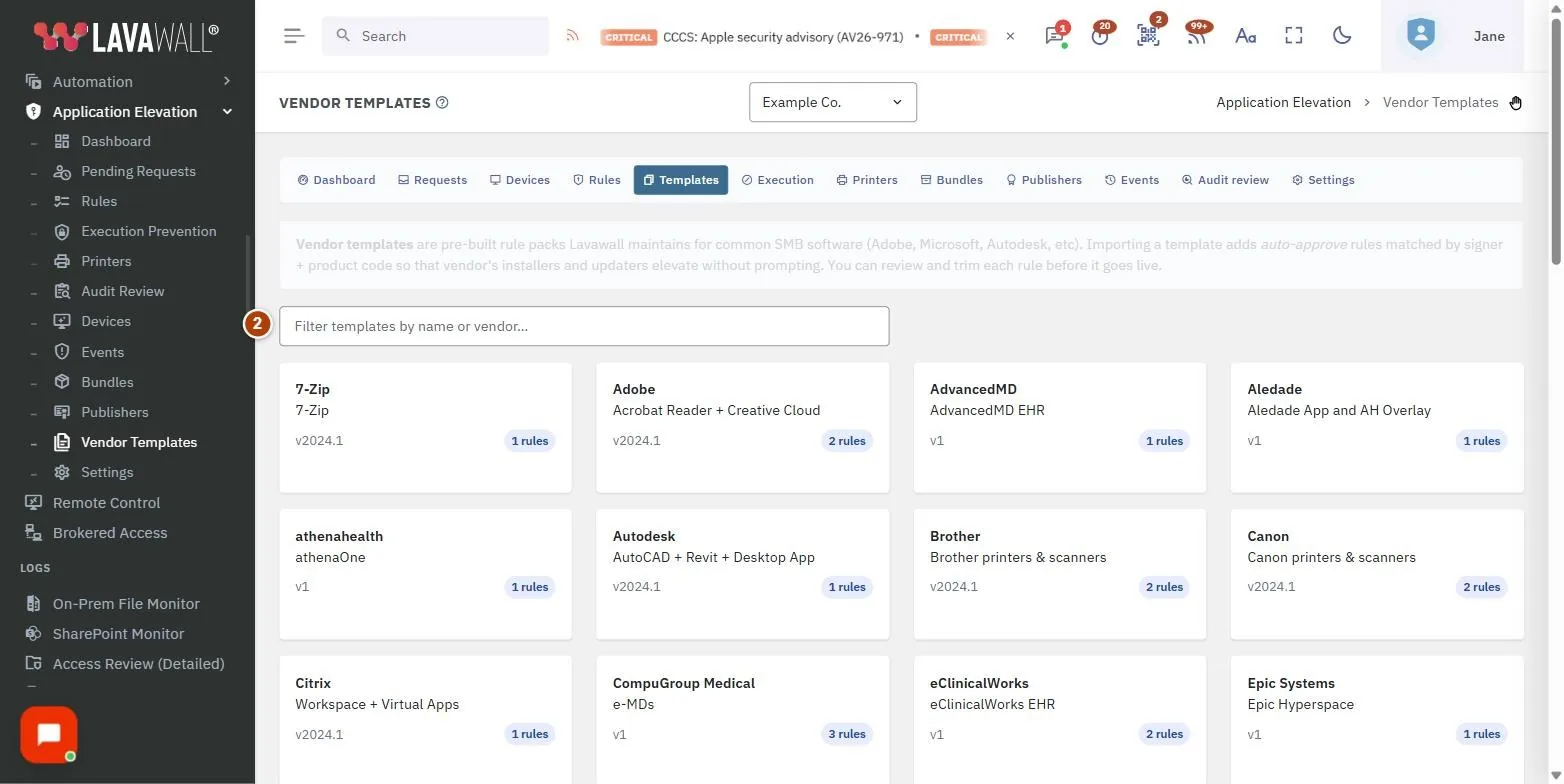
- About vendor templates: a short explanation at the top of the page.
- Filter templates: filter by template name or vendor.
- Template cards: vendor, template name, version and number of rules. Select a card to open it.
- Template dialog: the description and a table of Type, Match and Mode for each rule, with Import all rules.
How to use Elevation Vendor Templates
How to import a template
- Type the vendor's name in Filter templates by name or vendor….
- Select the template card.
- Review the rules in the dialog.
- Select Import all rules, then Import to confirm. A message confirms how many rules were imported.
How to trim what you imported
- Go to the Rules page.
- Revoke any imported rule you do not want.
Tips
- Imported rules are added to the company selected at the top of the console.
- Import only the vendors you actually use; each template adds several rules.
- Templates are a good companion to Audit Review: import the templates for your main software, then review what is left.
Troubleshooting
- "No templates match."
- : Clear the filter or try the vendor's name instead of the product's.
- Selecting a card does nothing.
- : You need the elevation Rules permission to open and import templates.
- "Failed to load template."
- or "Import failed.": Try again; if it persists, contact support.
Task guides that use this page
Related articles
Still need help?
Search the support centre, or contact our support team and tell us which page you were on:
- Chat now: use the chat button in the bottom-right corner of this page to reach our team right away. Where cookie consent is needed, the chat starts after you accept (cookie settings).
- Email: send our support team a message through the contact page. It goes straight to a person.
- Phone:
 AB: 1-403-538-5053
 US: 1-406-988-7333
 UK: +44 20 3695 9786
Names, companies, devices and figures in the pictures are examples. Other product and company names are trademarks of their respective owners.