WireGuard deployment
Roll WireGuard out to the whole fleet. The private keys never pass through us.
Lavawall® deploys a WireGuard tunnel to every endpoint from one console. Each client’s private key is generated on the device and never leaves it, so it is never in a script, a log, or our database. Only the public key comes back.
See it in the Lavawall® console
Real screens, shown with example data.
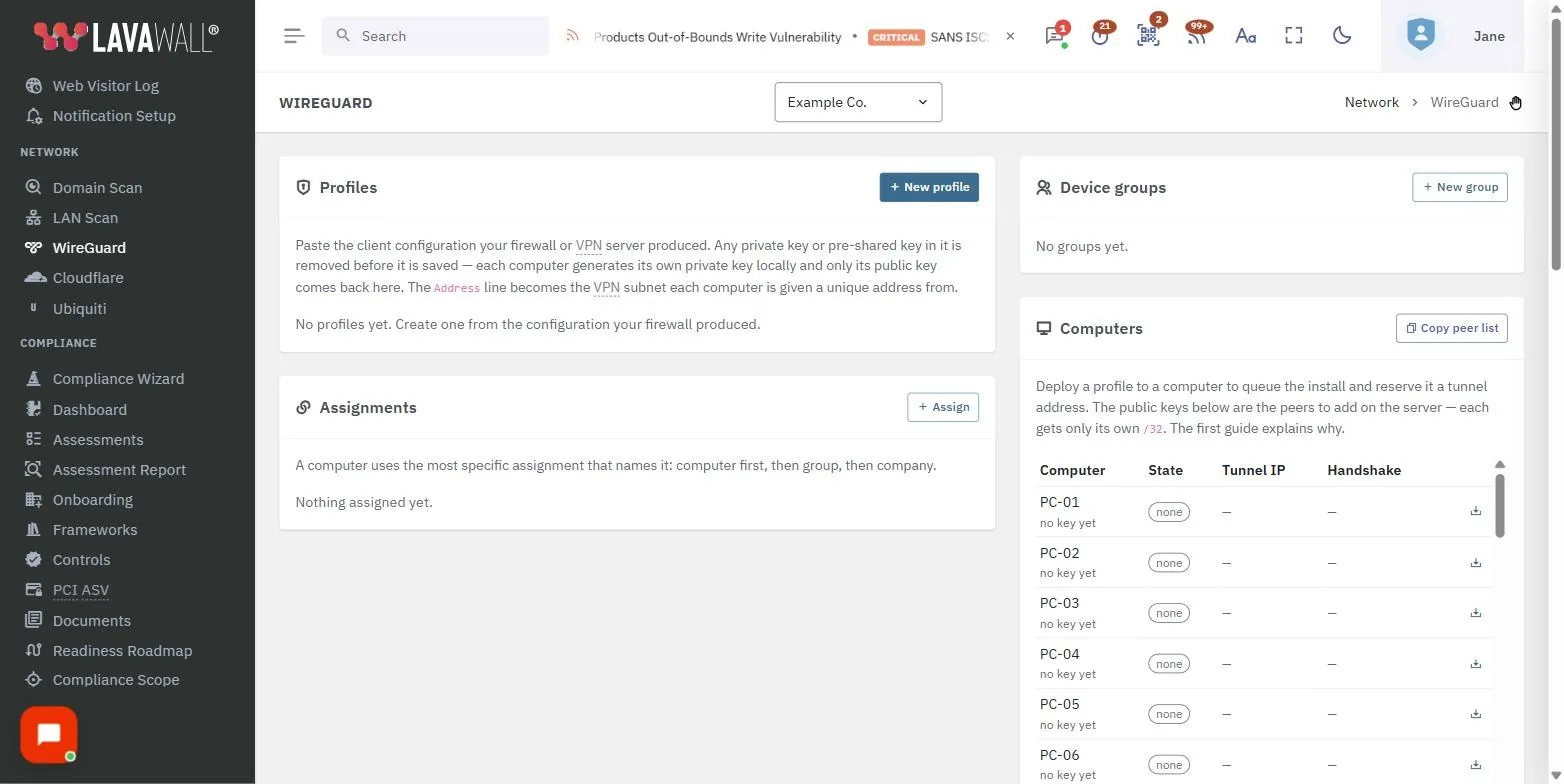
How the deployment works
You paste your WireGuard server’s configuration once as a company profile: the peer block with the server public key, endpoint, and allowed IPs, plus the tunnel address and DNS. You assign it company-wide, to a device group, or to a single machine.
When you deploy, the Lavawall agent on each endpoint installs the official WireGuard client, generates the machine’s own keypair locally, drops its private key into the config, and brings the tunnel up. Only the endpoint’s public key and its assigned address come back to the console. From those returned public keys, the console builds the server-side peer list for you to paste into your firewall or remote-desktop host once. If that server is itself a Lavawall-managed device, the console pushes the peer entries to it for you. A new laptop added to the company inherits the profile and joins with one deploy.
Windows first, with macOS and Linux on the same model.
Why this protects secrets better than a script-only RMM
The whole difference is where the private key is born, and who ever sees it.
A typical RMM automates WireGuard by pushing a script. That script either carries the full config, private key included, or generates the key and reports it back. Either way the secret passes through the RMM: it sits in the script body, the job queue, the run history, the console logs, and the vendor’s database. Anyone with RMM admin access, and the vendor itself, can read it. Rotating or auditing it is guesswork.
Lavawall never handles the private key at all. It is created on the endpoint by the agent and is never transmitted or stored: not in a script, a variable, or our database. WireGuard is built to work exactly this way: the private key is its only secret, and a public key plus an endpoint are not confidential, so we keep only the non-secret half. The one optional secret, a preshared key, is not pushed as script text either. It is sealed in your browser with the same encryption as the vault and delivered to the endpoint as an encrypted parameter the platform only carries. In CJIS and FIPS deployments that optional path is turned off, so no secret rides the platform at all.
More than a script RMM can do
Five things that follow from generating the key on the device.
The private key never leaves the device
It is generated on the machine and stays there, so there is no stored copy anywhere to leak, subpoena, or have breached.
We are not a party that can read the tunnel keys
The same design as our password vault and server secret manager. A script-based RMM has no such claim to make, because its scripts and logs hold the secret.
Preshared keys ride down sealed
If you use one, it is sealed in your browser and opened on the endpoint, never sitting in a script body or a log.
Every action is on a tamper-evident audit trail
Profile created, assigned, install requested, config applied, key registered, apply failed. “Who authorized this laptop onto the network, and when” has an answer. A script RMM gives you only a job log.
Turnkey and fleet-wide
One profile, assigned once, with automatic server-peer reconciliation instead of a hand-edited script per machine.
New machines join with one deploy
A laptop added to the company inherits the profile and connects back to the office, from home or on the road, on the configuration you set once.
The cryptography
The client keypair is generated on the endpoint by the agent, which is built on the Go Cryptographic Module, FIPS 140-3, NIST CMVP certificate #5247. A preshared key, if you use one, is sealed with the FIPS 140-3 approved algorithms the vault uses and opened only on the device. For where this sits in the wider picture, see security and privacy and FIPS 140-3 support.
WireGuard is a registered trademark of Jason A. Donenfeld. Lavawall is not affiliated with or endorsed by the WireGuard project.
Frequently asked
- Where do the WireGuard keys live?
- The private key is generated on your device and stays there. Lavawall never receives it. We keep only the public key, which is all your WireGuard server needs to let the device in.
- How is this safer than a script that sets up WireGuard?
- Lavawall never handles the private key at all: it is created on the endpoint and never transmitted, so there is no stored copy anywhere to leak, subpoena, or breach. A script-based RMM either carries the full config, private key included, or generates the key and reports it back. Either way the secret passes through the script body, the job history, the logs, and the vendor’s database.
- Can I deploy to a whole company at once?
- Yes. You paste your WireGuard server’s profile once, assign it company-wide, to a group, or to one machine, and deploy. The console builds the server-side peer list from the returned public keys, and a new laptop added later inherits the profile and joins with one deploy.