Identity security
See which accounts still sign in without strong MFA.
Lavawall® lists every Microsoft 365, Active Directory and Google Workspace account with its MFA status, flags accounts with no MFA or weak MFA, and alerts on MFA method changes and MFA fatigue attempts. One view covers every client you manage.
Last updated
Start my free trial, no credit cardMicrosoft 365 breach detection
No MFA · weak MFA · no 2SV · MFA method changes · MFA fatigue
See it in the Lavawall® console
Real screens, shown with example data.
How Lavawall rates MFA
Having MFA is not the same as having strong MFA. For each Microsoft 365 account, Lavawall looks at the sign-in methods the person has registered, sorts the account into one of three groups, and shows how much of your organization is covered.
| Status | What it means | What Lavawall suggests |
|---|---|---|
| Strong MFA | The account has at least one strong sign-in method registered: a security key, Windows Hello or the Microsoft Authenticator app. | No action needed. For admins, prefer a security key or Windows Hello, which resist phishing best. |
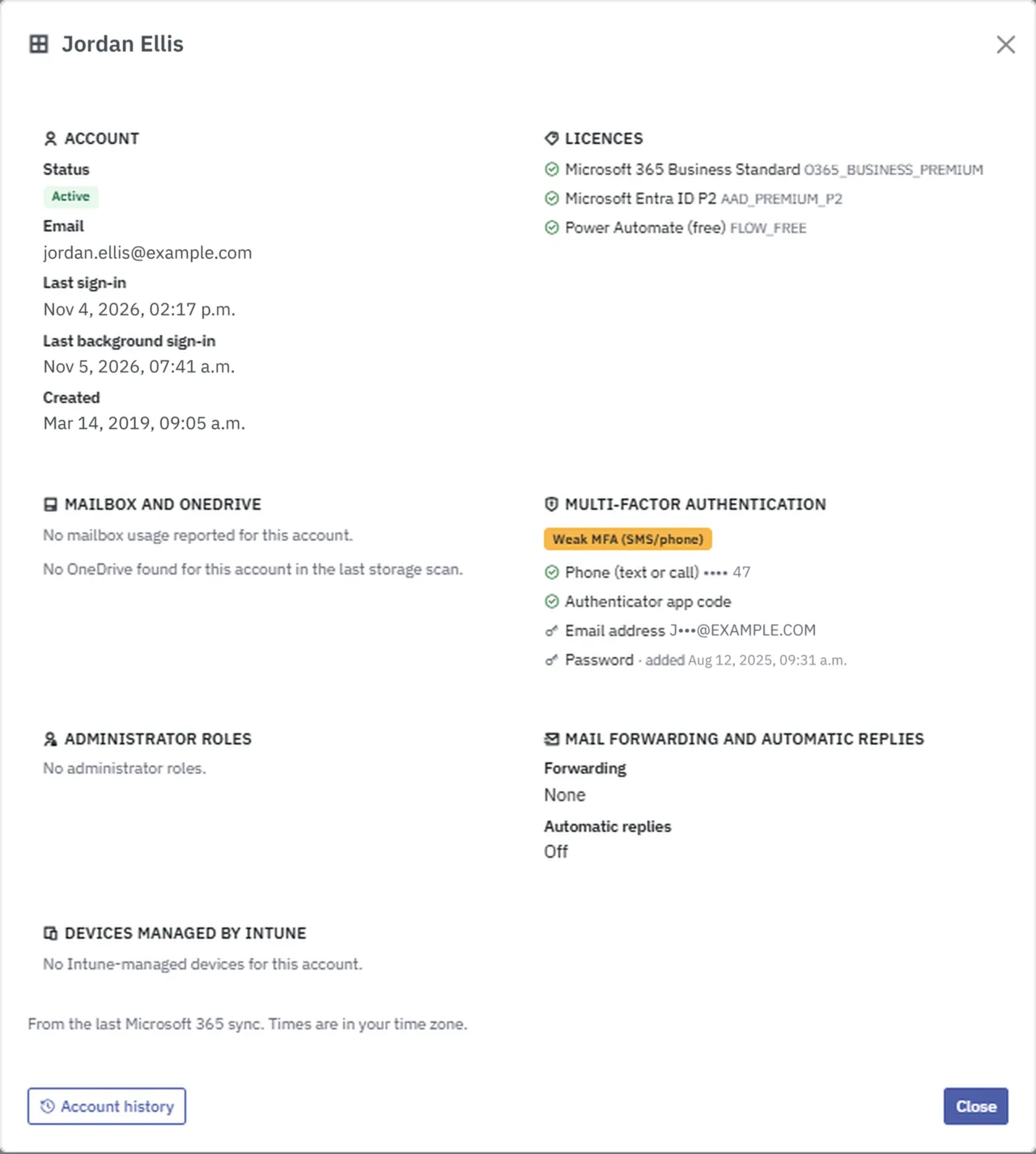
| Weak MFA | A second step is registered, but none of the strong methods. It is typically a text message or phone call, which is easier to intercept or talk a person out of. | Ask the person to add the Microsoft Authenticator app, a security key or Windows Hello. Start with admins. |
| No MFA | No second step is registered, so a password alone opens the account. Shared mailboxes and guest accounts are not counted. | Follow up first, starting with admins, then turn on MFA in Microsoft Entra. |
| MFA coverage | The percentage of active accounts with at least one MFA method, strong or weak. | Aim for every account, then move weak accounts to strong. Weak MFA counts toward coverage, so read it alongside the weak count. |
Weak and strong are shown for Microsoft 365 accounts. For Google Workspace, Lavawall shows whether 2-Step Verification is on.
Click a person’s name in the account list to open the account details. It shows the MFA rating and each registered method, with phone numbers and email addresses partly hidden.
Why MFA coverage needs watching
MFA is one of the most effective basic controls. A Microsoft Research study found that MFA reduced the risk of account compromise by 99.22% across the population it studied. The Canadian Centre for Cyber Security now recommends phishing-resistant multi-factor authentication. Gaps appear through new hires, exceptions and old accounts, so coverage has to be checked continuously, not once.
What Lavawall does
Finds the gaps
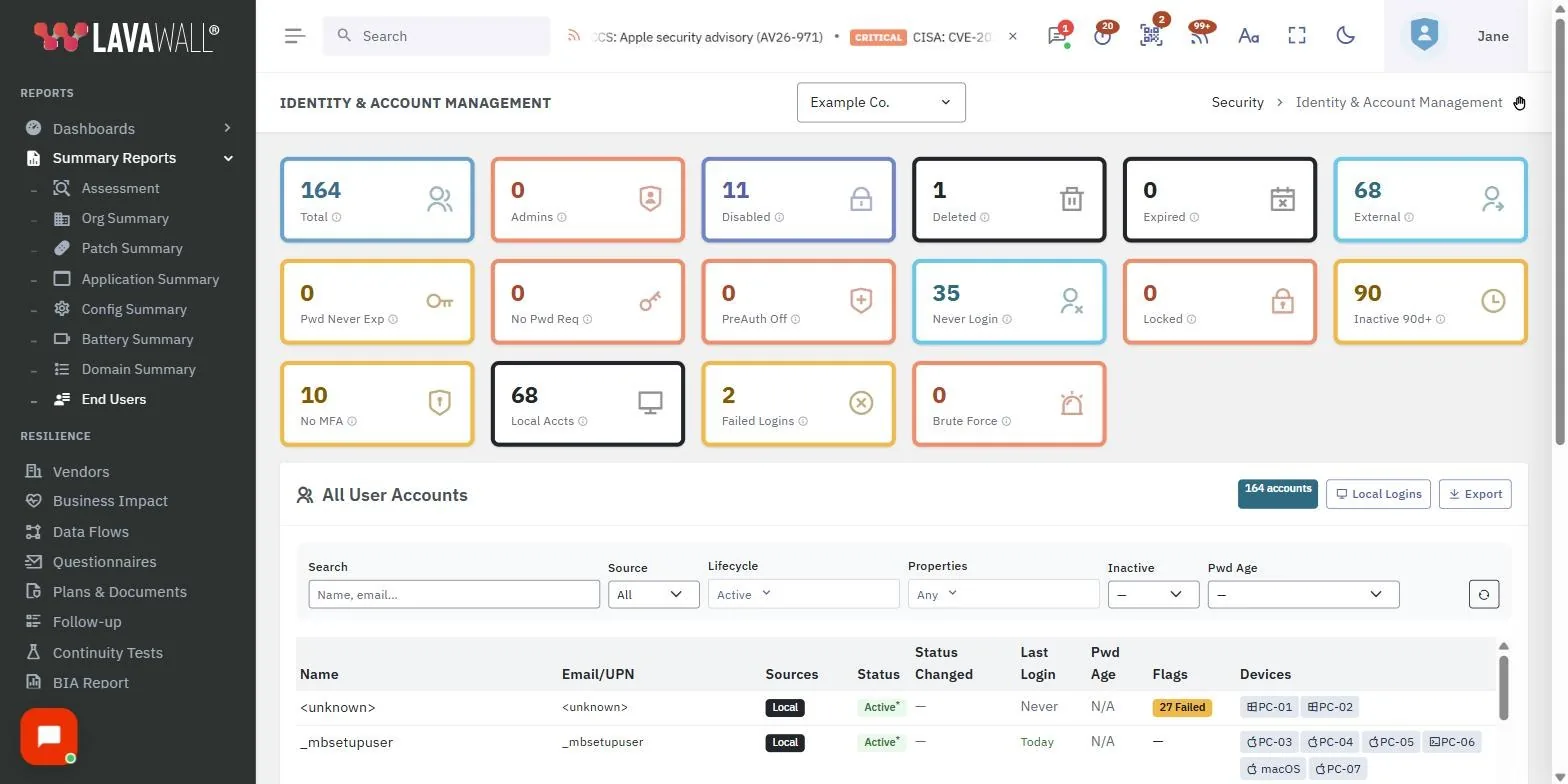
The account list merges Active Directory, Microsoft 365, Google Workspace and local accounts into one row per person. Summary cards count accounts with no MFA, and filters pick out weak MFA and admins, so you can start with the accounts that matter most.
Covers Google Workspace too
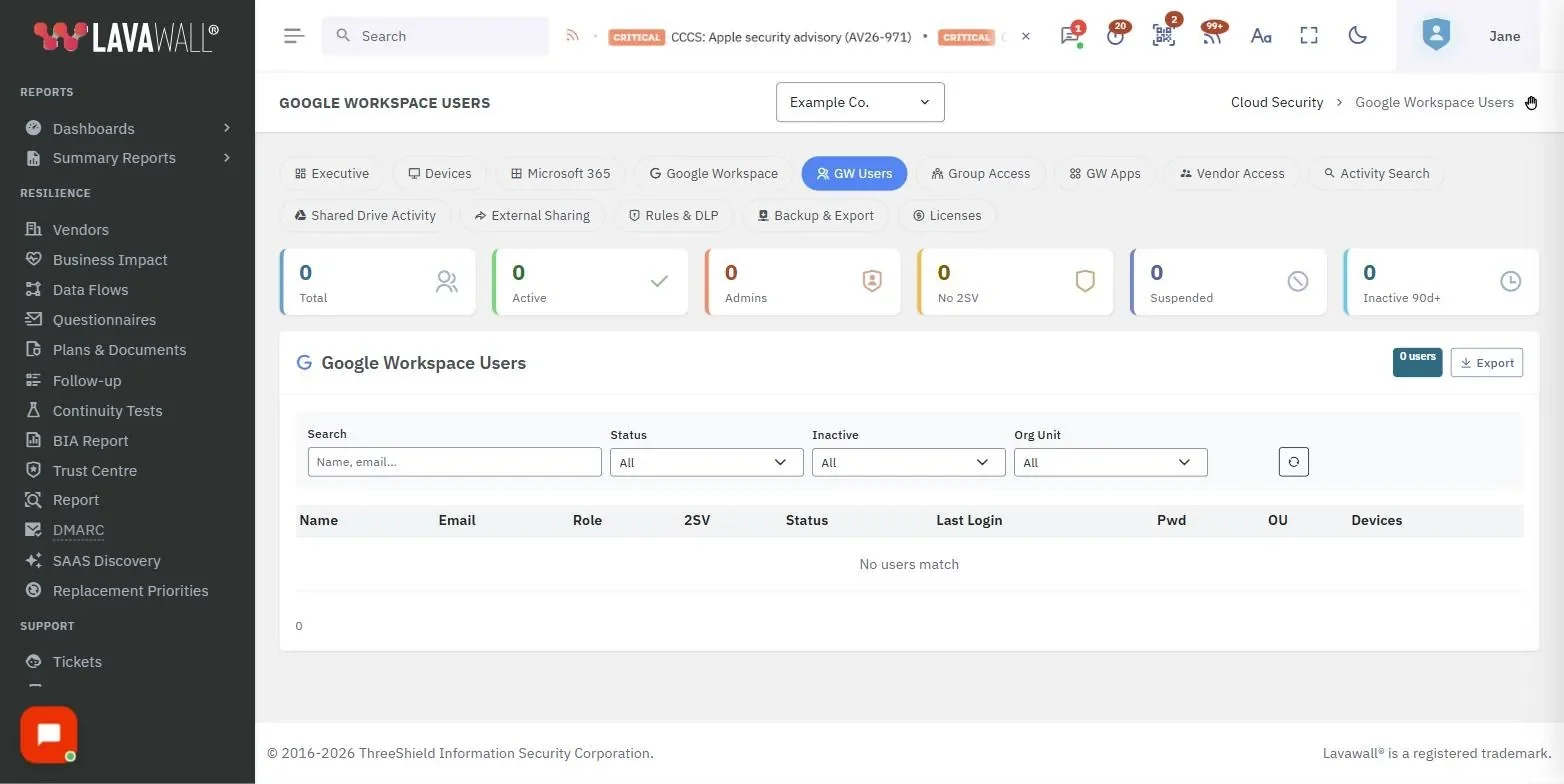
The Google Workspace Users page shows whether 2-Step Verification is turned on for each account, with a No 2SV tile that filters the list.
Alerts on MFA abuse
A newly registered authenticator survives a password reset, so Lavawall alerts on MFA method changes. It also watches failed MFA and treats MFA bombing and MFA fatigue as distinct signals. These feed the Microsoft 365 breach detection alerts and the Google Workspace equivalents.
Leaves enforcement to you
Lavawall reports and alerts. You decide whether to follow up with the person or enforce the setting in Microsoft Entra or the Google Admin console.
- No MFA and weak MFA filters
- No 2SV for Google Workspace
- Admin accounts first
- MFA method change alerts
- MFA bombing and fatigue signals
- One view across clients
Plans
The Google Workspace Users page is included with every Lavawall account. The Microsoft 365 account list and MFA alerts are part of M365 / Google Workspace Monitoring, included in Grow, Professional and Complete. See pricing.
Frequently asked questions
How do I find accounts without MFA in Microsoft 365?
Lavawall lists every account from Microsoft 365, Active Directory and Google Workspace in one table. Click the No MFA card, or tick the No MFA or Weak MFA properties, to filter the list, and combine them with Admin to see privileged accounts first.
How do I find Google Workspace users without 2-Step Verification?
Open the Google Workspace Users page in Lavawall and click the No 2SV tile. Then follow up with each user, or enforce 2-Step Verification in the Google Admin console.
Does Lavawall alert when someone changes an MFA method?
Yes. Lavawall alerts on MFA method changes in Microsoft 365, because a newly registered authenticator can survive a password reset. It also watches failed MFA and MFA abuse.
Can Lavawall detect MFA fatigue or MFA bombing?
Yes. Lavawall watches MFA bombing and MFA fatigue as distinct signals, not lumped into one alert.
Does Lavawall enforce MFA?
No. Lavawall shows where MFA is missing or weak and alerts on abuse, so you can follow up with the person or enforce the setting in Microsoft Entra or the Google Admin console.
What is the difference between weak and strong MFA in Lavawall?
An account has strong MFA when it has a security key, Windows Hello or the Microsoft Authenticator app registered. It has weak MFA when it has only other methods, typically a text message or phone call, and no MFA when it has none. Weak and strong are shown for Microsoft 365 accounts.
How is MFA coverage calculated?
MFA coverage is the percentage of active accounts that have at least one MFA method registered, strong or weak. Because weak methods count, read coverage together with the weak MFA count.
Which Lavawall plans include MFA monitoring?
The Google Workspace Users page is included with every Lavawall account. The Microsoft 365 account list and the MFA alerts are part of M365 / Google Workspace Monitoring, included in Grow, Professional and Complete.