Organization settings
Choose settings that apply to a whole organization, one card for each, such as whether Windows computers reconnect the network drives people have saved.
What the page is for
Organization settings is a page in the Lavawall® console, in the menu under You. Lavawall is the RMM, security, and compliance platform from ThreeShield, built and hosted in Canada.
It holds the settings that belong to a whole organization, rather than to one person or one computer. Each setting has its own card, so you can find it and change it in one place.
An MSP or audit account picks the organization to work on from a searchable Organization list. Other accounts see only their own organization.
What you see
Everyone who is signed in can open the page, except people with the limited portal roles. A Super Admin, or someone with the Remote access policy permission, can change settings. Everyone else sees the cards read-only.
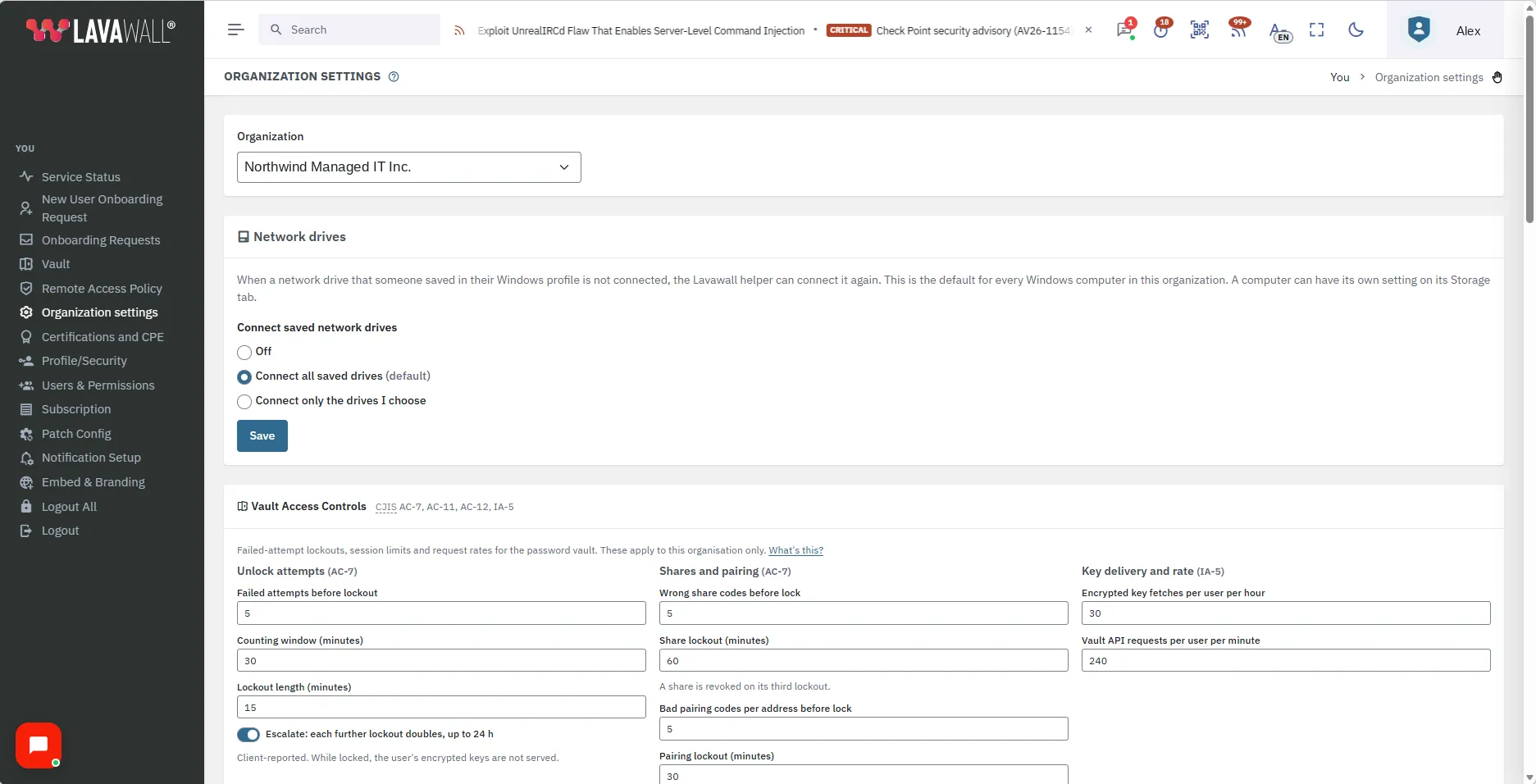
The Network drives card
The Network drives card has one setting, Connect saved network drives, with three choices:
- Off: the Lavawall helper does not connect network drives again.
- Connect all saved drives: the default. Any saved network drive that is not connected can be connected again.
- Connect only the drives I choose: tick the drives you want from the list of drives the organization’s computers have reported. If the drive you need is not listed, use Add a network path. You can choose up to 64.
Click Save to keep your choice.
When a network drive that someone saved in their Windows profile is not connected, the Lavawall helper on that Windows computer can connect it again. It only reconnects drives the person already saved. The choice is the default for every Windows computer in the organization. A single computer can have its own setting on its Storage tab: Inherit, Off, Connect all or Connect selected. See Device Detail.
Reporting does not depend on this setting. Each Windows computer reports the network drives saved in the signed-in user’s profile whether the setting is Off or not, and they are listed on the computer’s Storage tab.
Other cards you may see
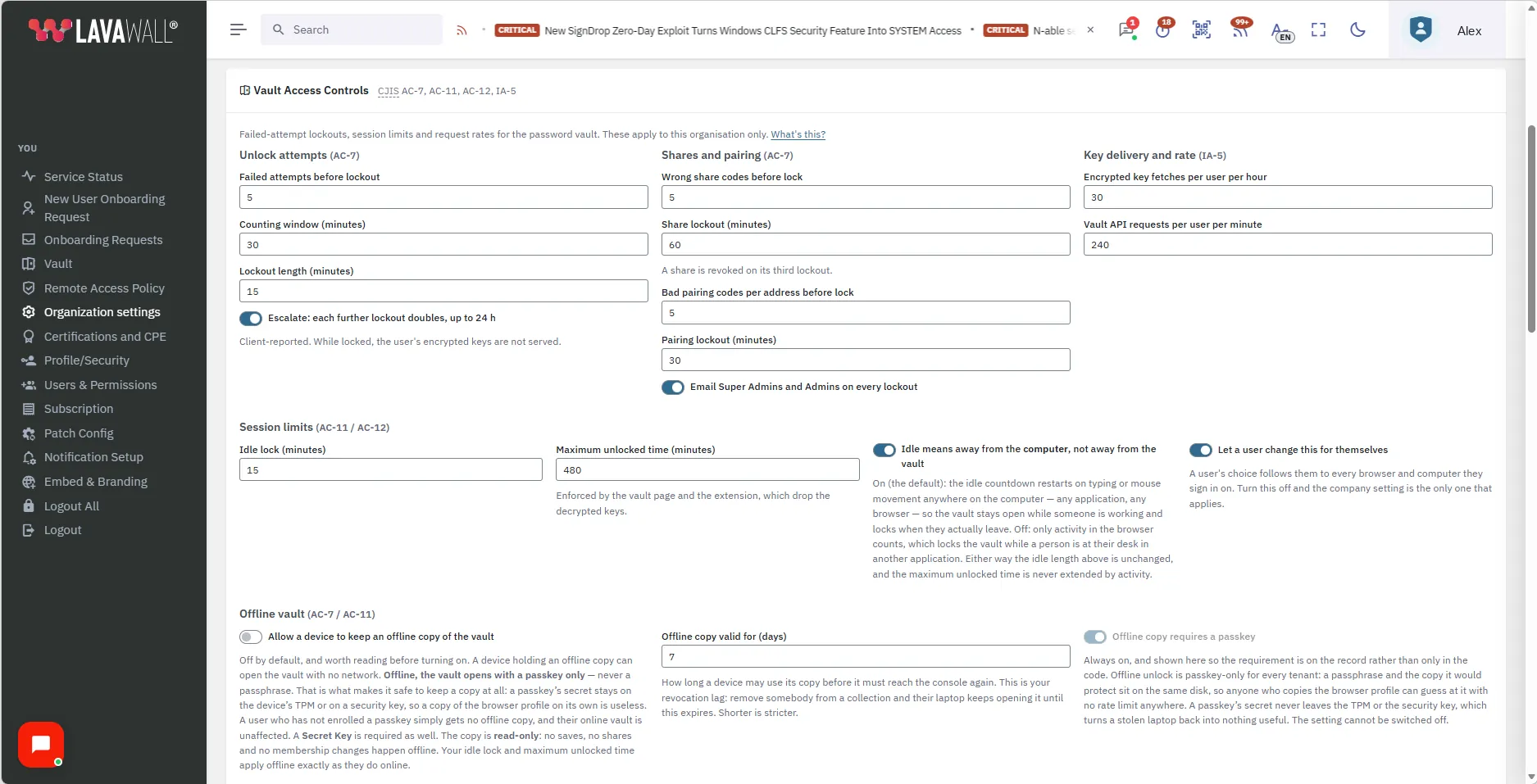
- Vault Access Controls: limits for unlocking, sharing and sessions in the password vault.
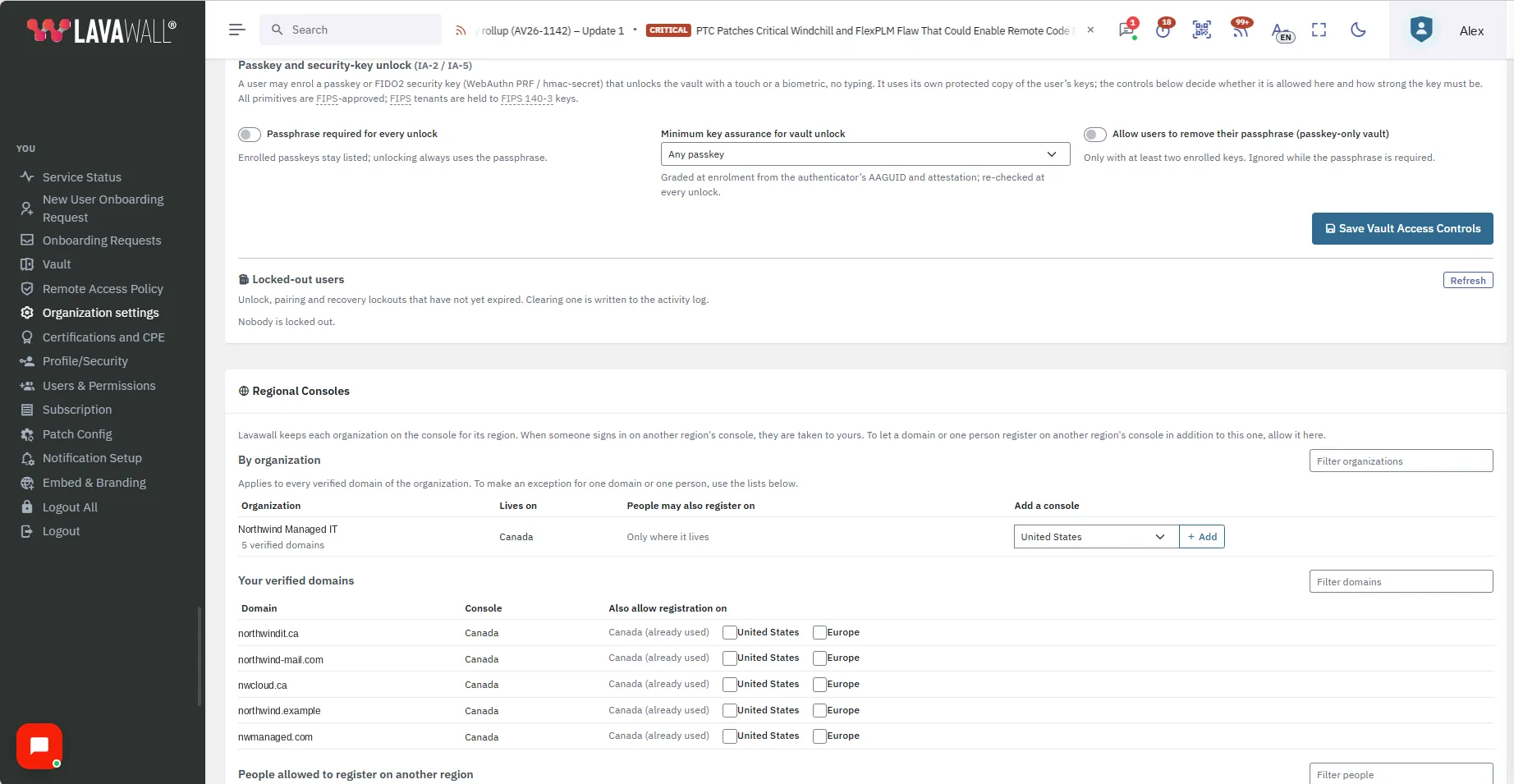
- Regional Consoles: which regional consoles people at your organization may register on.
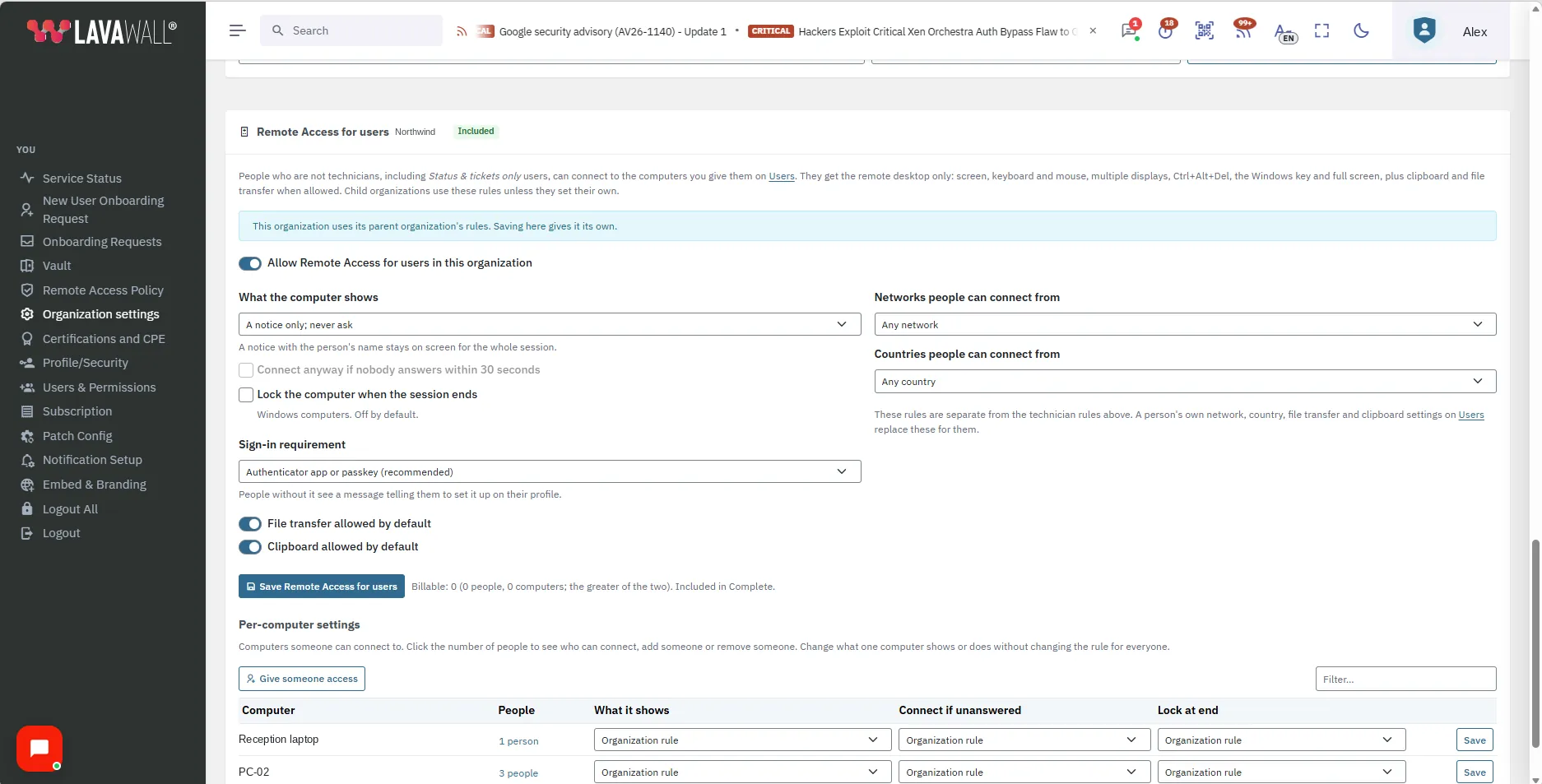
- Remote Access for users: remote access for people who are not technicians.
How to use Organization settings
How to change the network drive setting
- Open You › Organization settings in the console menu.
- If you manage clients, pick the organization in Organization. Type to search the list.
- On the Network drives card, under Connect saved network drives, choose Off, Connect all saved drives or Connect only the drives I choose.
- If you chose Connect only the drives I choose, tick the drives you want. To add one that is not listed, use Add a network path and enter it.
- Click Save.
Tips
- The cards are read-only unless you are a Super Admin or have the Remote access policy permission.
- The choice is the default for every Windows computer in the organization. A single computer can differ, on its Storage tab.
- Only drives that someone already saved in their Windows profile can be connected again.
- Network drives are a Windows feature. Other computers are not affected.
- A drive that no computer has reported yet can be added with Add a network path.
Troubleshooting
- Why can I see the settings but not change them?
- Only a Super Admin, or someone with the Remote access policy permission, can change settings. Ask a Super Admin to make the change or to give you that permission.
- Does turning the setting Off stop computers from reporting their drives?
- No. Each Windows computer keeps reporting the network drives saved in the signed-in user’s profile, and they stay listed on its Storage tab.
- A computer is not following the organization setting.
- That computer may have its own setting on its Storage tab. Set it to Inherit to follow the organization again.
Related articles
Still need help?
Search the support centre, or contact our support team and tell us which page you were on:
- Chat now: use the chat button in the bottom-right corner of this page to reach our team right away. Where cookie consent is needed, the chat starts after you accept (cookie settings).
- Email: send our support team a message through the contact page. It goes straight to a person.
- Phone:
 AB: 1-403-538-5053
 US: 1-406-988-7333
 UK: +44 20 3695 9786
Still need help?
Search the support centre, or contact our support team and tell us which page you were on:
- Chat now: use the chat button in the bottom-right corner of this page to reach our team right away. Where cookie consent is needed, the chat starts after you accept (cookie settings).
- Email: send our support team a message through the contact page. It goes straight to a person.
- Phone: