Nessus for MSPs
Turn a raw Nessus scan into a correlated security report
Upload a .nessus file and Lavawall® processes it automatically, maps every finding to the right device, and folds it together with your endpoint, domain, cloud, EDR, and compliance data. Instead of a raw scan you still have to interpret, you get a professional, correlated cybersecurity report in seconds.
Start free, no credit card See how it works
.nessus upload · automatic device mapping · correlated reporting · .docx export
See it in the Lavawall® console
Real screens, shown with example data.
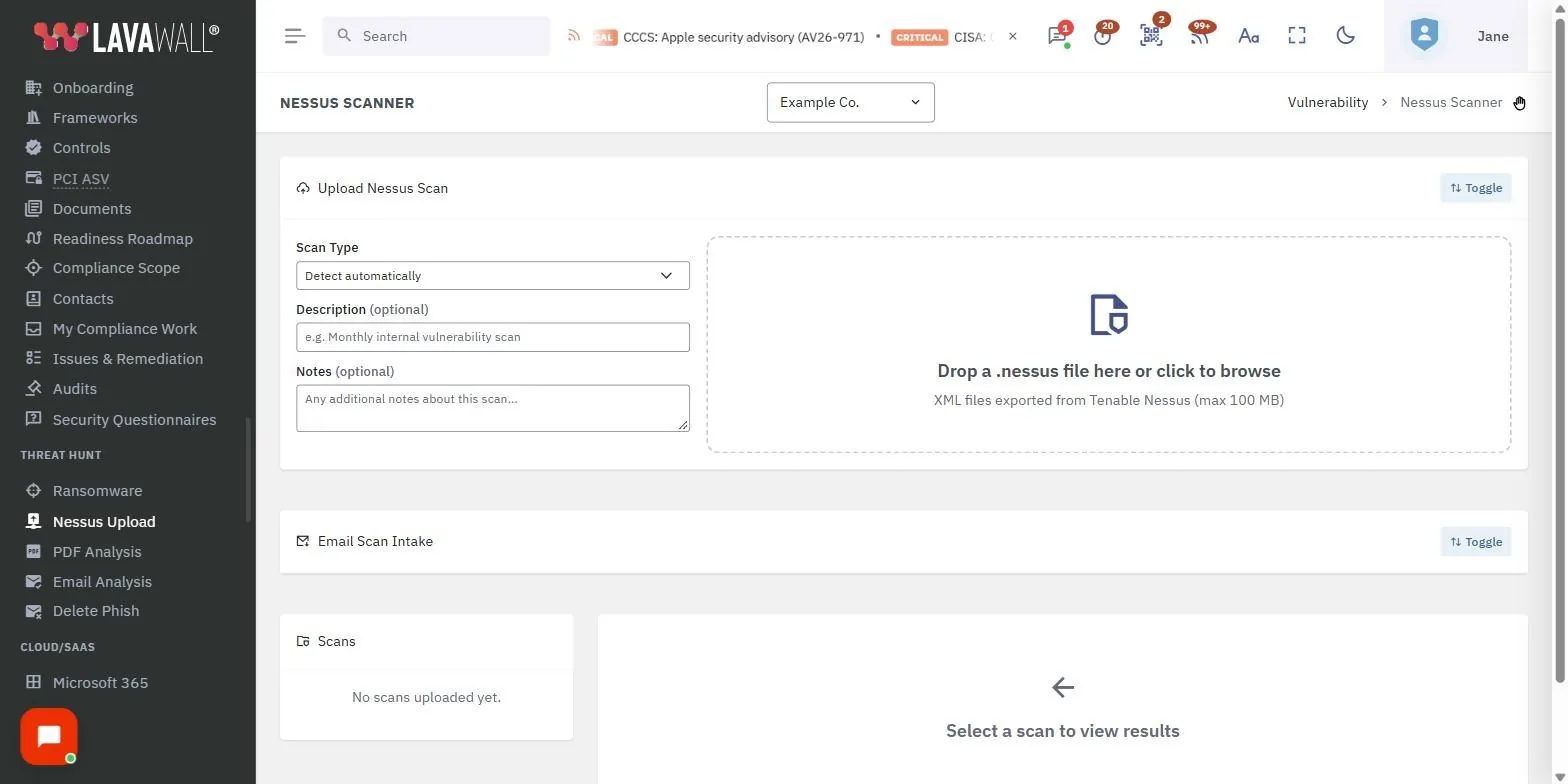
How the Nessus integration works
Nessus Professional is a strong network vulnerability scanner, but a raw .nessus file is a translation job. Findings are organized by plugin, not by client device, and they say nothing about the endpoint, cloud, or compliance context around them. Lavawall® does that interpretation for you.
- Run your scan in Nessus Professional and export the results as a .nessus file.
- Upload the file to the Threat Hunt section of the Lavawall® console.
- Lavawall® processes the results automatically, maps findings to the matching devices, and displays vulnerability summaries organized by plugin or by device.
From there the findings are no longer a standalone file. They become part of the same picture as everything else Lavawall® already knows about each client.
What the correlated report pulls together
Lavawall® combines multiple data sources into one correlated report, so a Nessus finding sits in context rather than in isolation:
- Domain information and endpoint vulnerabilities across Windows, macOS, and Linux.
- Network device scanning and printer consumables.
- Microsoft 365, Entra ID, and Azure breach detection, and Google Workspace breach detection.
- EDR data from Huntress and Sophos.
- RMM information and Nessus Professional network scans.
- Mappings to compliance frameworks including CIS, NIST CSF, ISO 27001, CMMC, SOC 2, HIPAA, and PCI DSS.
Nessus is optional. Without a scan, the report is still built from Lavawall®'s own data, including missing patches, configuration issues, devices due for replacement, and domain scan findings once the client's domains have been scanned. Importing a Nessus scan adds the vulnerability scan sections.
Generate a client-ready report in seconds
If you use Nessus, import the scan first. The report is then built from the correlated view:
- Open the Lavawall® console.
- Navigate to Summary Reports, then Assessment.
- View the Security Assessment Report.
- Export it as a .docx, or copy the contents.
- Optionally, use the LLM Report Prompt feature to draft the narrative with Claude, ChatGPT, or Copilot.
The result is a deliverable you can hand to a client, an insurer, or an auditor without the manual work of translating plugin output into plain findings.
Frequently asked
- How do I get Nessus data into Lavawall®?
- Export your scan from Nessus Professional as a .nessus file and upload it to the Threat Hunt section of the Lavawall® console. Lavawall® processes the results automatically, maps findings to the matching devices, and displays vulnerability summaries organized by plugin or by device.
- Does Lavawall® replace Nessus?
- No. Nessus Professional does the network vulnerability scanning. Lavawall® interprets and correlates the results, folding them together with endpoint, domain, cloud, EDR, and compliance data so the findings become a single report rather than a raw scan file you still have to translate.
- Can I generate a client-ready report from Nessus findings?
- Yes. Open Summary Reports, choose Assessment, and view the Security Assessment Report, which pulls Nessus findings in alongside your other data. Export it as a .docx or copy the contents, and optionally use the LLM Report Prompt feature with Claude, ChatGPT, or Copilot to help draft the narrative.
- What data does the correlated report combine?
- Domain information, endpoint vulnerabilities on Windows, macOS, and Linux, network device and printer-consumable scans, Microsoft 365, Entra ID, Azure, and Google Workspace breach detection, EDR data from Huntress and Sophos, RMM information, Nessus Professional scans, and mappings to frameworks such as CIS, NIST CSF, ISO 27001, CMMC, SOC 2, HIPAA, and PCI DSS.