Battery monitoring
Catch a dying laptop battery before it strands someone.
Lavawall® tracks battery health across every laptop you manage: charge cycles, capacity loss, heat, and computer age. Instead of waiting for a user to call because their laptop only lasts twenty minutes, you see the wear coming and plan the fix.
Start free, no credit card What Lavawall tracks
Charge cycles · capacity · heat thresholds · computer age
See it in the Lavawall® console
Real screens, shown with example data.
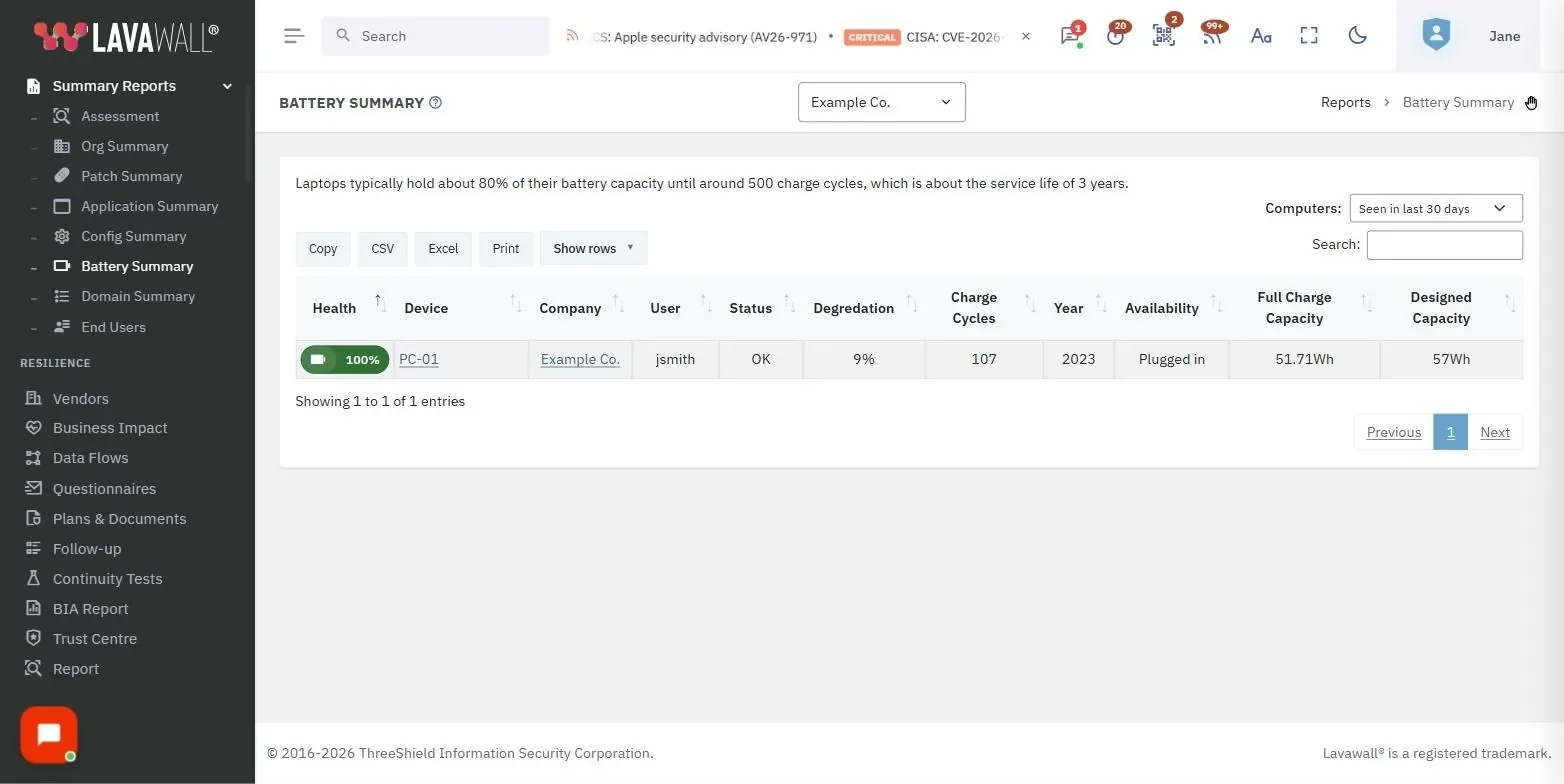
Understanding laptop battery lifespan
A typical laptop battery handles about 500 charge cycles before its capacity noticeably declines. After roughly 500 cycles, capacity can drop about 20 percent, and most users reach that milestone within three years of daily use.
The practical result is a laptop that unplugs fine on day one and, a few years later, cannot make it through a meeting without the charger. That is a productivity problem and a support ticket waiting to happen, and it is entirely predictable if you are watching the numbers.
What shortens a battery's life
Battery wear is not random. A few factors do most of the damage:
- Charging habits. Sitting pinned at full charge, or repeatedly draining to empty, adds wear over time.
- Heat. High temperatures are hard on the cells, so a machine that runs hot degrades faster than one that stays cool.
- Storage. Leaving a laptop unused at the wrong charge level for long periods reduces its capacity.
Lavawall battery monitoring
The Lavawall® agent collects battery data from every managed laptop and rolls it up so you can act on it. You see which batteries are healthy, which are near the end of their cycle life, and which machines are running too hot.
- Heat detection with Hot and Critical Heat thresholds, so overheating machines get flagged.
- Charge cycle tracking to see how close each battery is to the 500-cycle mark.
- Battery health assessment that turns the raw readings into a clear condition.
- Battery capacity reporting to quantify how much capacity a battery has actually lost.
- Computer age estimation to pair battery wear with the machine's overall age.
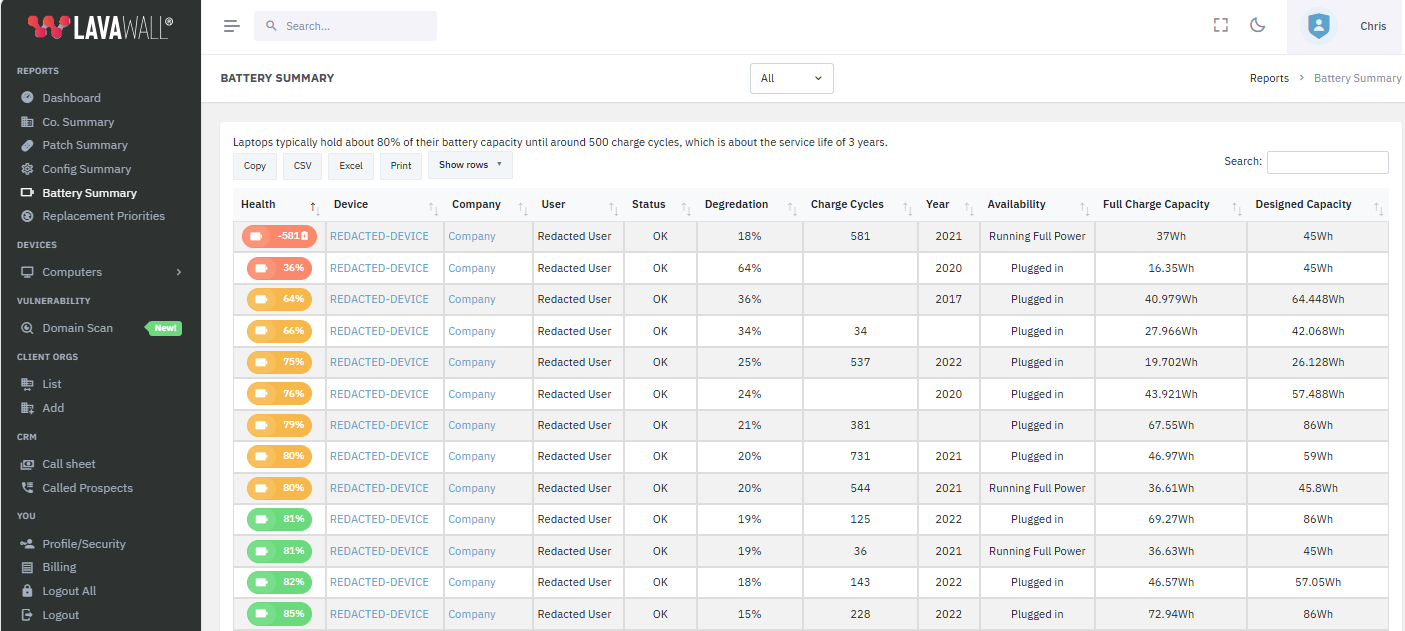
From battery data to a replacement plan
Battery wear rarely lives on its own. A laptop with a worn battery is often the same machine that is ageing out, short on memory, or falling off operating system support. Lavawall® feeds battery cycles and capacity straight into its Replacement Prioritization summary, so a fading battery counts toward the decision about which computers to replace first.
Frequently asked questions
- How long does a laptop battery usually last?
- Roughly 500 charge cycles, which most users reach within three years. After that point capacity noticeably declines and can drop about 20 percent. Lavawall tracks cycles and capacity for every managed laptop, so you see which batteries are near the end of their useful life.
- What shortens battery life the most?
- Charging habits, heat, and storage. Sitting at full charge or draining to empty adds wear, running hot degrades the cells faster, and long-term storage at the wrong charge level reduces capacity. Lavawall watches heat in particular, with Hot and Critical Heat thresholds.
- Does Lavawall estimate how old a computer is?
- Yes. Alongside battery cycles and capacity, Lavawall estimates computer age, which feeds directly into replacement planning and the Replacement Prioritization summary.
- Do I have to check each laptop by hand?
- No. Battery health, capacity, charge cycles, and heat are collected automatically by the Lavawall agent and rolled up across your whole fleet, so you get one view without touching each device.