USB drive control
Know which USB drives are plugged into your computers, and decide which are allowed
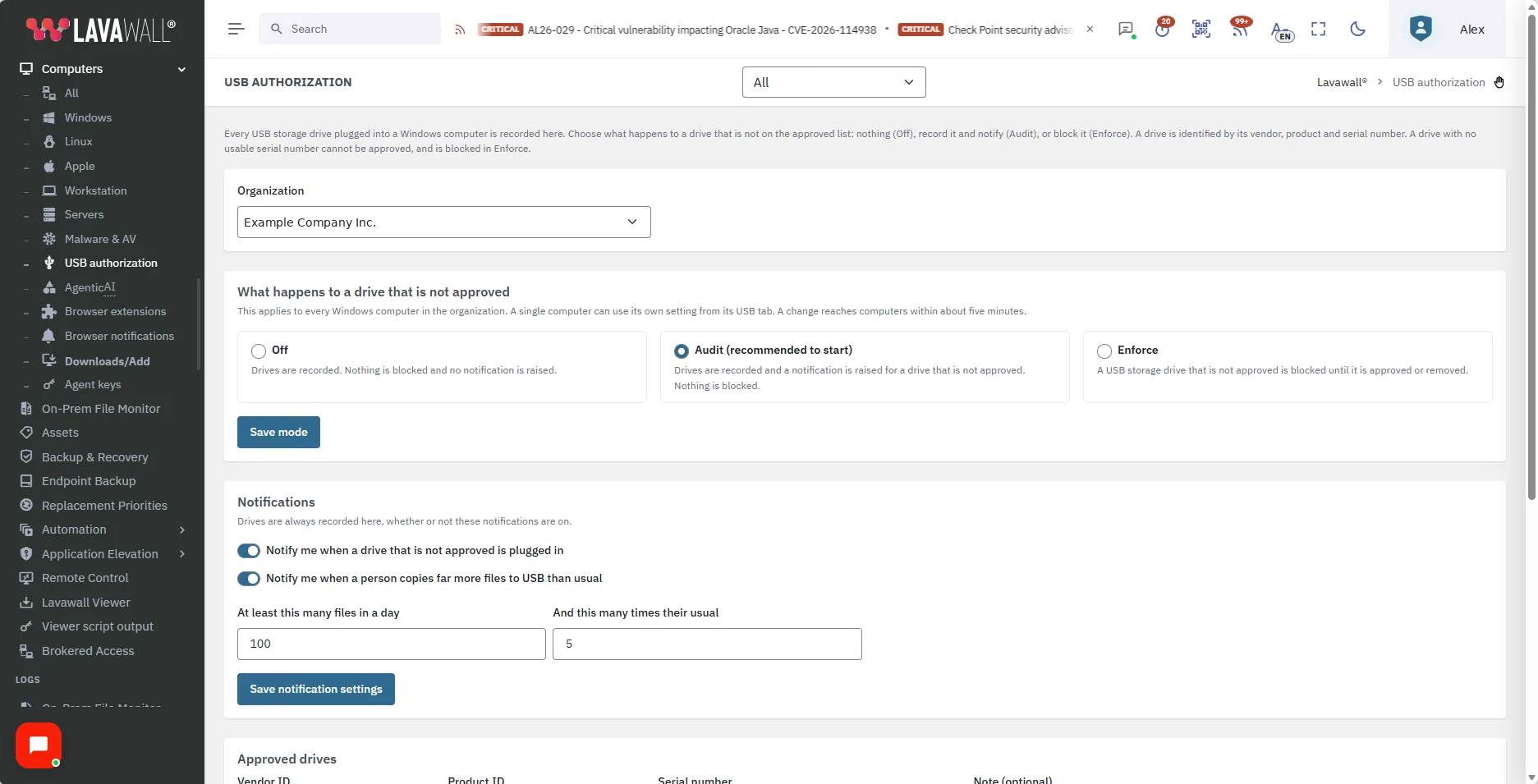
Lavawall® records every USB storage drive on your Windows computers, lets you approve the ones you trust, and lets you simply watch, get notified, or block the rest.
Start free, no credit card See what it does
Every drive recorded · approve by identity · audit or enforce · per-computer settings · notifications
See it in the Lavawall® console
Real screens, shown with example data.
The gap this closes
A USB drive is the easiest way to carry data out of an office and the easiest way to carry something unwanted in. Most organizations cannot say which drives their people plug in, so they cannot say which ones are fine.
Lavawall gives you the list first, then the choice: leave drives alone, be told about the ones you did not approve, or stop them.
What you get
Every drive recorded
Each USB storage drive plugged into a Windows computer is listed with the computer, the person signed in, how often it was seen and when it was last seen.
Approve by identity
Approve a drive by its vendor, product and serial number, so approving one memory stick does not approve every other stick of the same model.
Audit first
Start by watching. See what people actually use, approve it, and only then decide whether to block.
Block what is not approved
In Enforce mode a USB storage drive that is not approved is blocked until you approve it or remove it.
A setting for each computer
Set the whole organization at once, then give a single computer its own setting when it needs one.
Notifications that matter
Get told when a drive that is not approved is plugged in, or when a person copies far more files to USB than usual.
How it works
Turn on USB authorization for an organization and leave it in Audit. Lavawall records the drives the Lavawall agent sees on each Windows computer.
Look through the list, approve the drives you trust, and give people notice about the ones you will not allow.
When you are ready, switch to Enforce. Drives that are not approved are blocked on Windows computers while the Lavawall agent is running, and you can still approve one later.
USB drive control applies to Windows computers. Drives with no usable serial number cannot be approved individually, so they are blocked in Enforce mode.
Audit and compliance use
Removable-media control is a common requirement in security frameworks and customer questionnaires. The list of approved drives, who approved each one, and when, gives you something to show when you are asked how removable media is controlled.
Frequently asked
- Does Lavawall block USB drives?
- Yes, if you choose to. In Enforce mode a USB storage drive that is not approved is blocked on Windows computers until you approve it or remove it. In Audit mode nothing is blocked and you are notified instead.
- Can I try it without blocking anything?
- Yes. Audit mode records every drive and notifies you about drives that are not approved, so you can see what people use and approve it before you start blocking.
- Does it work on Mac and Linux computers?
- Not yet. USB drive control applies to Windows computers.
- What about drives that report no serial number?
- A drive that cannot be told apart from other drives of the same model cannot be approved on its own. In Enforce mode it is blocked, so tell people before you turn Enforce on.