Elevation Bundles
See each version of the signed rule set sent to your computers, and build a new one immediately when you need changes to go out now.
What the page is for
Elevation Bundles is a page in the Lavawall® console, in the Application elevation area. Lavawall is the RMM, security, and compliance platform from ThreeShield, built and hosted in Canada. About this feature.
Lavawall packages a company's elevation rules into a signed bundle that each computer downloads and keeps, so decisions still work when the computer is offline. Each time the rules change, or on a schedule, a new bundle version is generated.
This page shows the bundle history: the version, when it was generated, when it expires, how many rules it holds, its fingerprint, and why it was created.
What you see
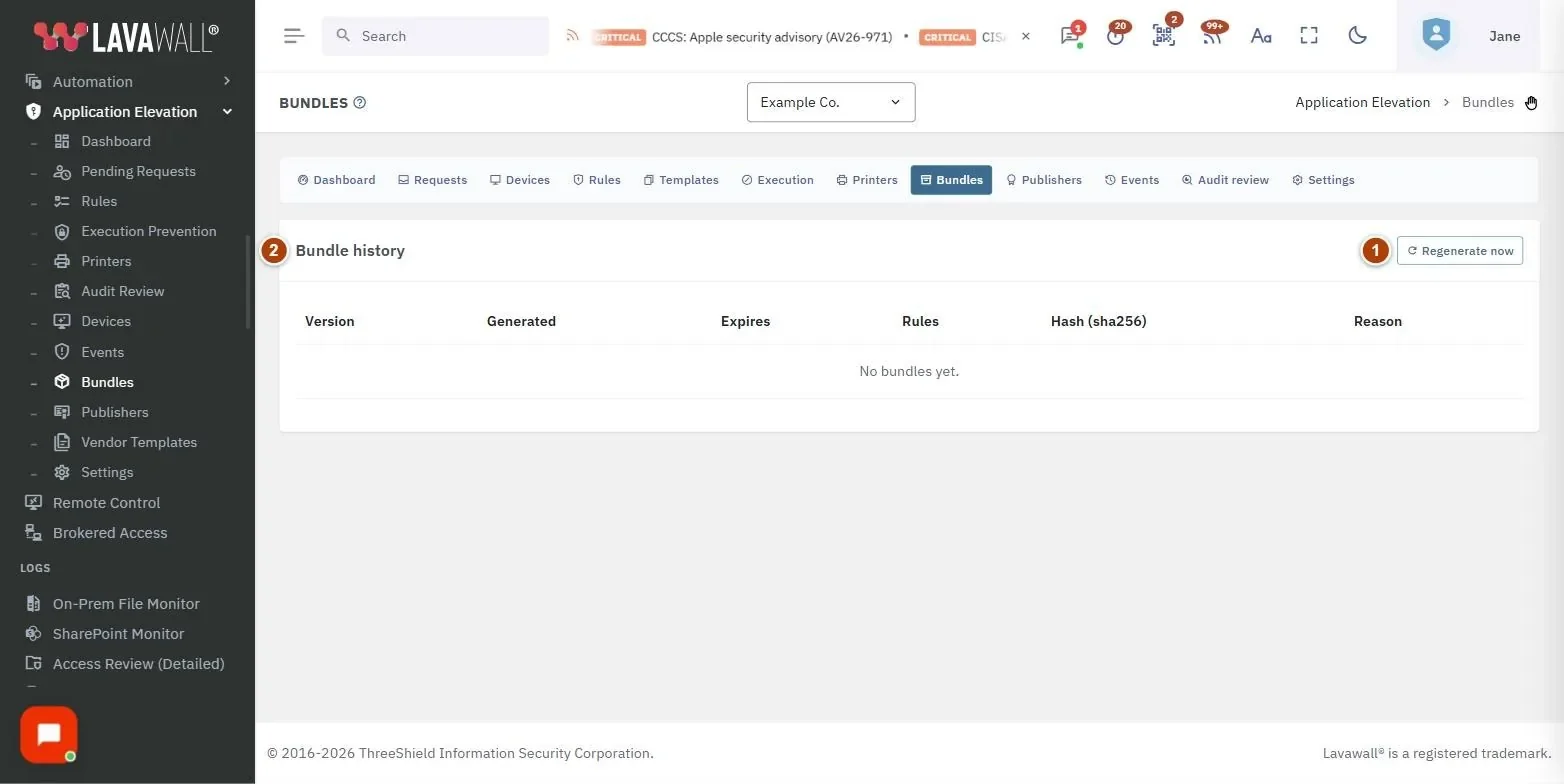
- Regenerate now: builds a new bundle straight away.
- Bundle history: Version, Generated, Expires, Rules, Hash (sha256) and Reason.
How to use Elevation Bundles
How to push rule changes immediately
- Select Regenerate now.
- The button briefly shows the new version number, then the list reloads.
- Check the Devices page: each computer's Cached bundle moves to the new version after it checks in.
How to check what a computer is running
- Note the device's Cached bundle on the Devices page.
- Find that version here to see when it was generated and how many rules it held.
Tips
- The Reason badge tells you why a bundle was built: manual (blue), rule change (green), revocation (red) or scheduled (grey).
- The hash is shortened on screen; hover over it to see the full value.
- The newest version is at the top.
Troubleshooting
- "No bundles yet."
- : No bundle has been generated for this company. Select Regenerate now, or add a rule.
- The button shows "Failed".
- : The bundle could not be built. Read the message, then try again.
- There is no Regenerate now button.
- : You need the elevation Admin permission.
Related articles
Still need help?
Search the support centre, or contact our support team and tell us which page you were on:
- Chat now: use the chat button in the bottom-right corner of this page to reach our team right away. Where cookie consent is needed, the chat starts after you accept (cookie settings).
- Email: send our support team a message through the contact page. It goes straight to a person.
- Phone: AB: 1-403-538-5053, BC: 1-778-731-1339, ON: 1-289-724-8829, US: 1-406-988-7333, UK: +44 20 3695 9786.
Names, companies, devices and figures in the pictures are examples. Other product and company names are trademarks of their respective owners.