Smart Helpdesk
One console. One ticket. One timer.
Lavawall® Smart Helpdesk combines ticketing, remote support, canned responses, and time tracking for MSPs who want to stop juggling four separate tools. It puts the ticket next to the device it is about, starts the timer when the remote session starts, and files everything automatically when you are done.
Start a free trial See what is inside
Tickets · integrated remote support · canned responses · time tracking · KB search
See it in the Lavawall® console
Real screens, shown with example data.
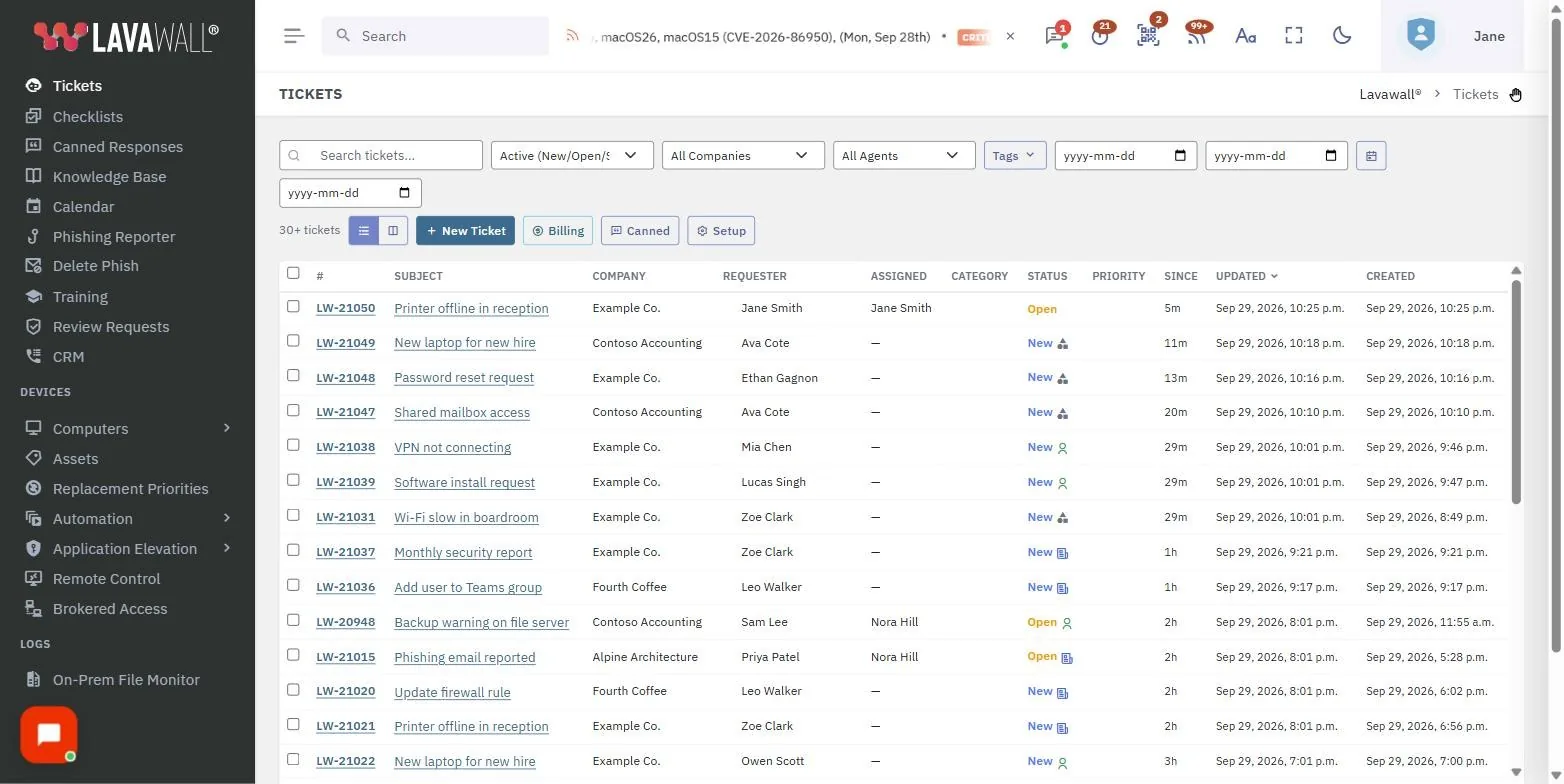
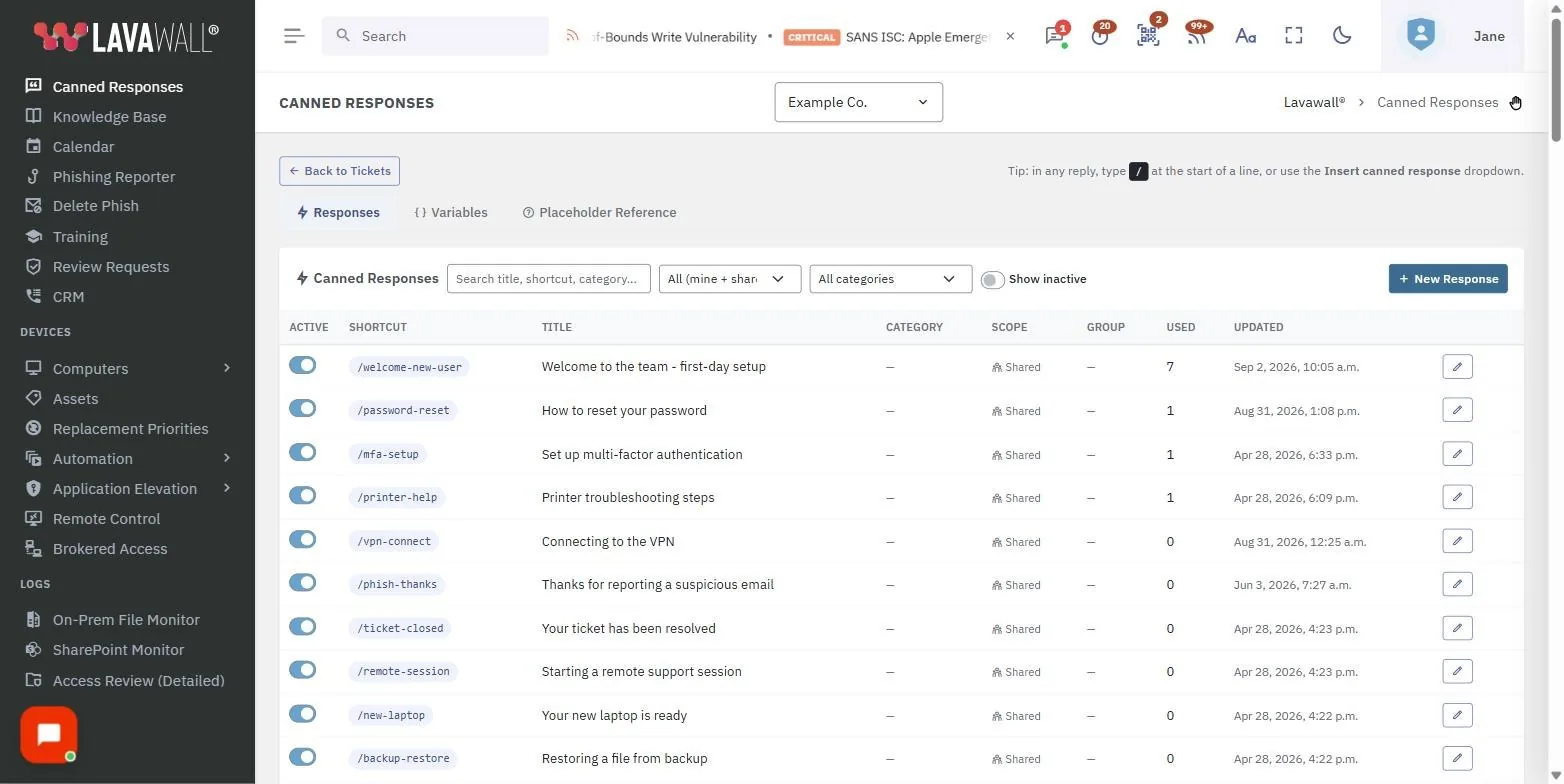
Device data and customer work in the same place
The helpdesk lives in the same console as your device data, so the ticket already knows which machine it is about. A remote-support session creates the ticket for you and starts tracking time automatically, and the transcript and notes land against the ticket when the session ends. There is no copying a machine name from one tool into another, and no forgetting to log the time.
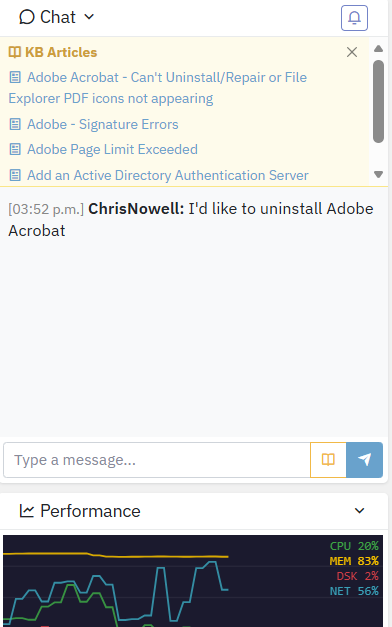
Chat lives beside the device and the ticket, with the knowledge base surfacing the fix as you type.
What is inside
Tickets
Filter by status, priority, assignee, company, tag, or date range, link a device, post public or internal comments, run bulk actions, see related tickets, and control assignment. Statuses run New, Open, Pending, Waiting on Client, Resolved, and Closed.
Kanban and swim-lane views
Switch between a list and a kanban board, drag a card to update its status, and keep your filters as you move between views.
Knowledge-base suggestions
Live KB matches appear in the ticket sidebar, including articles imported from ZenDesk, so the fix is one click away.
Queue insights
Workload visibility per agent, repeat-ticket detection with possibly related badges, priority hints for critical keywords, and time-to-resolution baselines.
Recurring and scheduled tickets
Daily, weekly, monthly, or yearly patterns, ordinal days such as first Thursday, multi-period intervals, timezone awareness, templates, and end conditions.
Merge and subtasks
Merge duplicates with an audit trail, break work into child tickets with roll-up status, and unmerge when you need to.
Device-aware tickets
Match a device from historical login accounts and Microsoft 365 mapping, view live device stats, open device detail in one click, and launch remote support from the ticket.
Canned responses
Slash shortcuts such as /restart, inline images and pasted screenshots up to 10 MB each, personal or shared templates, group restrictions, preview-as-contact, and categories such as Billing, Onboarding, Password Resets, and Hardware.
Integrations
ZenDesk import, HubSpot sync, email-to-ticket forwarding, and native integration with the Lavawall agent.
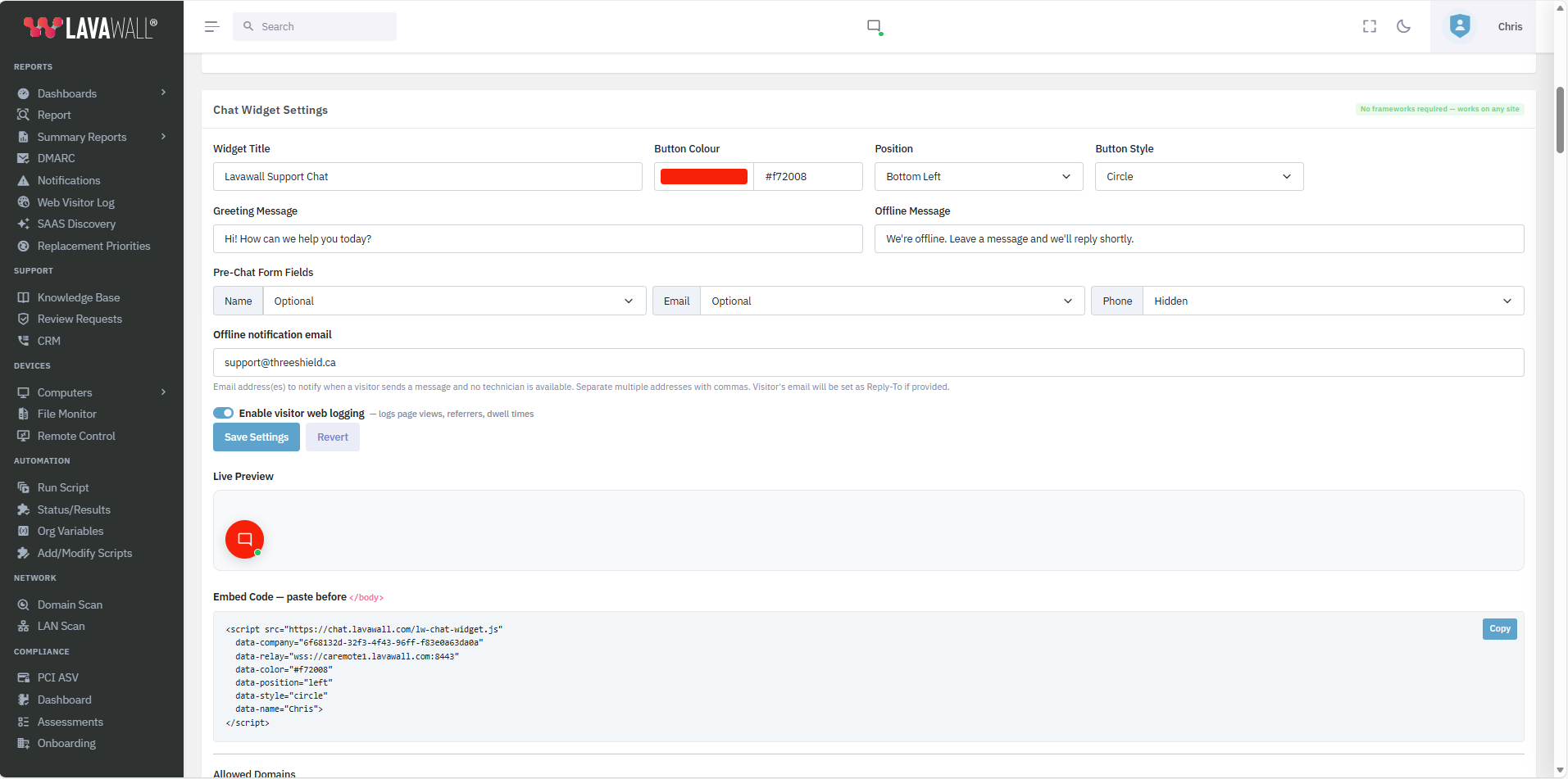
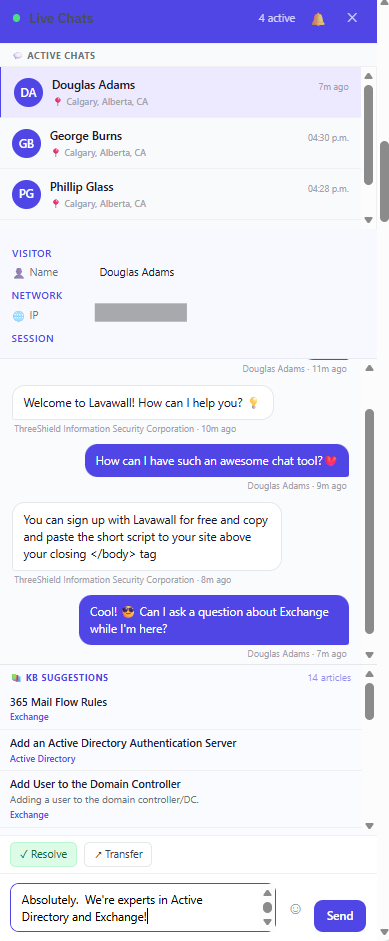
A free web chat widget that opens tickets for you
Drop the free web chat widget on your site and visitor conversations become tickets in the same queue, with the same knowledge-base suggestions surfacing answers as the conversation happens. No extra channel to babysit, and no per-agent fee.
Remote support, integrated
Remote support is wired into the ticket from the first click:
- Pick a device and click Connect.
- The ticket is created and the timer starts, and the requester is identified from the device login or Microsoft 365 directory.
- Take notes and paste screenshots as you work; notes autosave every two seconds.
- Stop, and everything is filed against the ticket.
- Reconnect later and it attaches to the same ticket.
- Add post-session notes when you are done.
Time tracking and billable hours
Because the timer starts with the session, the billable time captures itself. You get automatic time entries from remote support, manual entry when you need it, billable versus non-billable flagging, after-hours rate detection, correct accumulation when a session resumes, and reporting with CSV export by client, agent, or date.
Placeholders and variables
Canned responses and templates support built-in placeholders so a reply fills itself in with the right names, ticket details, and signature. Custom variables are supported too, with MSP-wide defaults and per-company overrides.
| Category | Example placeholders |
|---|---|
| Requester | first_name, last_name, full_name, email, phone, mobile, job_title |
| Company | company_name |
| Ticket | ticket_number, ticket_subject, ticket_status, ticket_url, ticket_priority, ticket_due_date, ticket_created_at, ticket_updated_at, ticket_description |
| Assignee | assignee_first_name, assignee_last_name, assignee_full_name, assignee_email |
| Current agent | agent_first_name, agent_last_name, agent_full_name, agent_email, agent_phone, agent_signature, agent_job_title |
| System | msp_name, date, time, datetime |
Included, not an add-on
The Smart Helpdesk, including ticketing, canned responses, time tracking, KB search, and remote-support session integration, is included with all Lavawall® MSP plans. There are no per-agent ticketing fees and no add-ons.
Frequently asked questions
- How is this different from a standalone ticketing tool?
- A standalone ticketing tool knows about tickets but nothing about the device. Lavawall runs in the same console as your device data, so tickets are linked to machines, remote sessions create the ticket and start the timer, and the technician sees live device stats without leaving the ticket.
- Does remote support really create the ticket and track the time for me?
- Yes. Pick a device and click Connect, and Lavawall opens the session, creates the ticket, and starts the timer. Stop, and everything is filed, including the transcript and a time entry. Reconnect later and it attaches to the same ticket.
- Can I import from ZenDesk or sync with HubSpot?
- Yes. Lavawall imports ZenDesk tickets, contacts, KB articles, macros, and dynamic content, and syncs with HubSpot across companies, deals, contacts, notes, meetings, calls, quotes, and assets. Email-to-ticket forwarding is supported as well.
- Is there a per-agent ticketing fee?
- No. The Smart Helpdesk is included with all Lavawall MSP plans, with no per-agent ticketing fees and no add-ons.