RMM augmentation
Augment your RMM today. Replace it when you are ready.
Lavawall® is a multi-tenant RMM and remote support platform for MSPs and IT teams, with patching, security monitoring, Microsoft 365 and Google Workspace breach detection, and compliance built into the same agent and console. Start it beside the RMM you already run, answer the security and compliance questions clients are asking, and move over without a rip-and-replace project.
Start free, no credit card See how it works
NinjaOne · Datto · ConnectWise · N-able · Atera · Kaseya
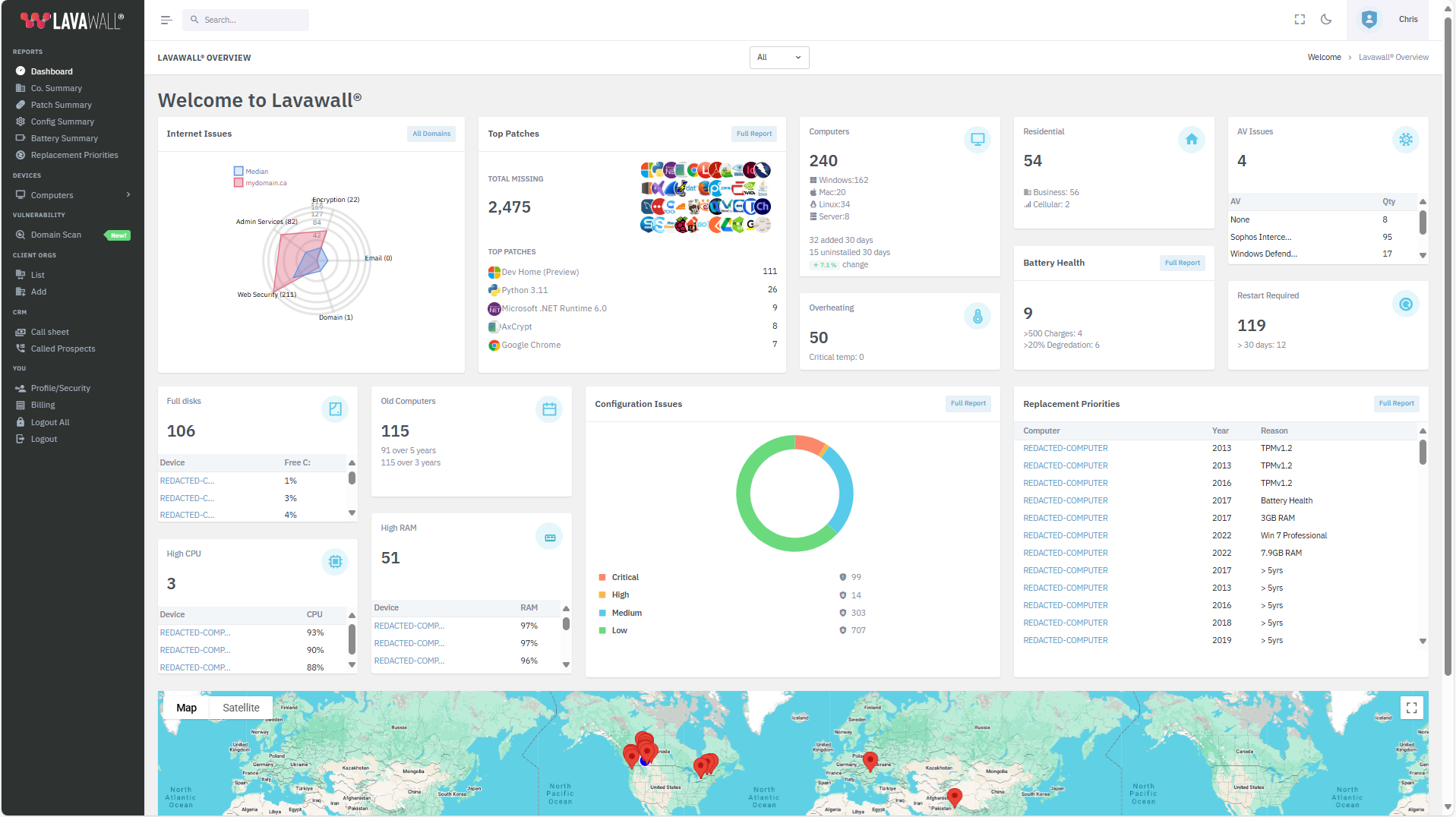
Start with the parts you are missing, then move over
Lavawall® covers remote support, patching, and scripting itself, with security and compliance in the same console. Install it through your current RMM and run both side by side while you move over.
No rip-and-replace
Install Lavawall® through the RMM your technicians already know and run both side by side, so you can move over at your own pace.
Security your clients ask for
Breach detection, identity threat monitoring, and continuous configuration assessment, on the same agent and console as your remote support and patching.
GRC in the same pane
Map endpoints and cloud tenants to over 160 frameworks and generate the reports clients need for insurers, auditors, and boards.
Cloud breach-detection
Watch M365, Entra ID, Azure, and Google Workspace for the account and configuration changes that an endpoint tool cannot see.
How it works
Deploy through your RMM
Push the Lavawall® agent using the RMM you already run. No separate rollout, no touching every endpoint by hand.
Connect your cloud tenants
One-click connectors per tenant bring your connected security and IT tools, M365, Entra, Azure, and Google Workspace into one multi-tenant view.
Show the results
Security posture, breach signals, and framework coverage appear per client, ready to show in your next QBR or renewal.
Why MSPs start Lavawall® beside their current RMM
Ripping out an RMM in one go is expensive, risky, and slow. Your technicians know the tool, your automations live in it, and your clients rely on its remote access every day. At the same time, clients now demand security posture, breach detection, and framework-mapped compliance.
Lavawall® lets you answer both. Built and used internally by ThreeShield, a Calgary audit firm with CISSP and CISA staff, it can run on its own as your RMM, or be installed through NinjaOne, Datto, ConnectWise, N-able, Atera, Kaseya, Intune, or any tool that runs a script, while you move over. Start with security and compliance, win the deals that now hinge on them, and move remote support, patching, and scripting across when you are ready.
Common questions
- Do I have to replace my RMM to use Lavawall®?
- No. You can install Lavawall® through your NinjaOne, Datto, ConnectWise, N-able, Atera, or Kaseya stack and run both side by side while you move over. Lavawall® is a multi-tenant RMM with patching, security monitoring, breach detection, and compliance in the same agent and console, and modules are bought individually, so you can start with security and compliance and move the rest over when you are ready.
- How does deployment work if I keep my current tools?
- You push the Lavawall® agent through the RMM you already run, or any tool that runs a script, so there is no separate rollout. The agent can run alongside your current RMM agent while you move over, and beside your existing endpoint protection. It collects security and compliance evidence and reports into one multi-tenant console.
- Will this create conflicts with my RMM or endpoint protection?
- No. Lavawall® is built to run side by side with your current RMM while you move over, and it runs beside your existing endpoint protection rather than competing with it.
Datto and Datto RMM are trademarks of Kaseya. NinjaOne is a trademark of NinjaOne, LLC. Lavawall is not affiliated with either.
Start beside your RMM. Move over when you are ready.
Give your clients the security and compliance they are asking for now, on an RMM that can take over the rest.
Start free, no credit card →