Lavawall Viewer
Remote support from a native Windows viewer, one click from the console.
The Lavawall® Viewer is built for organizations that need FIPS 140-3 validated cryptography in their remote support. Pair it once, sign in with your passkey, click Launch on a device, and you are in. It updates itself, and no browser extension is needed.
Start free, no credit card How it works
Native Windows app · one-click pairing · passkey sign-in · automatic updates · no extension
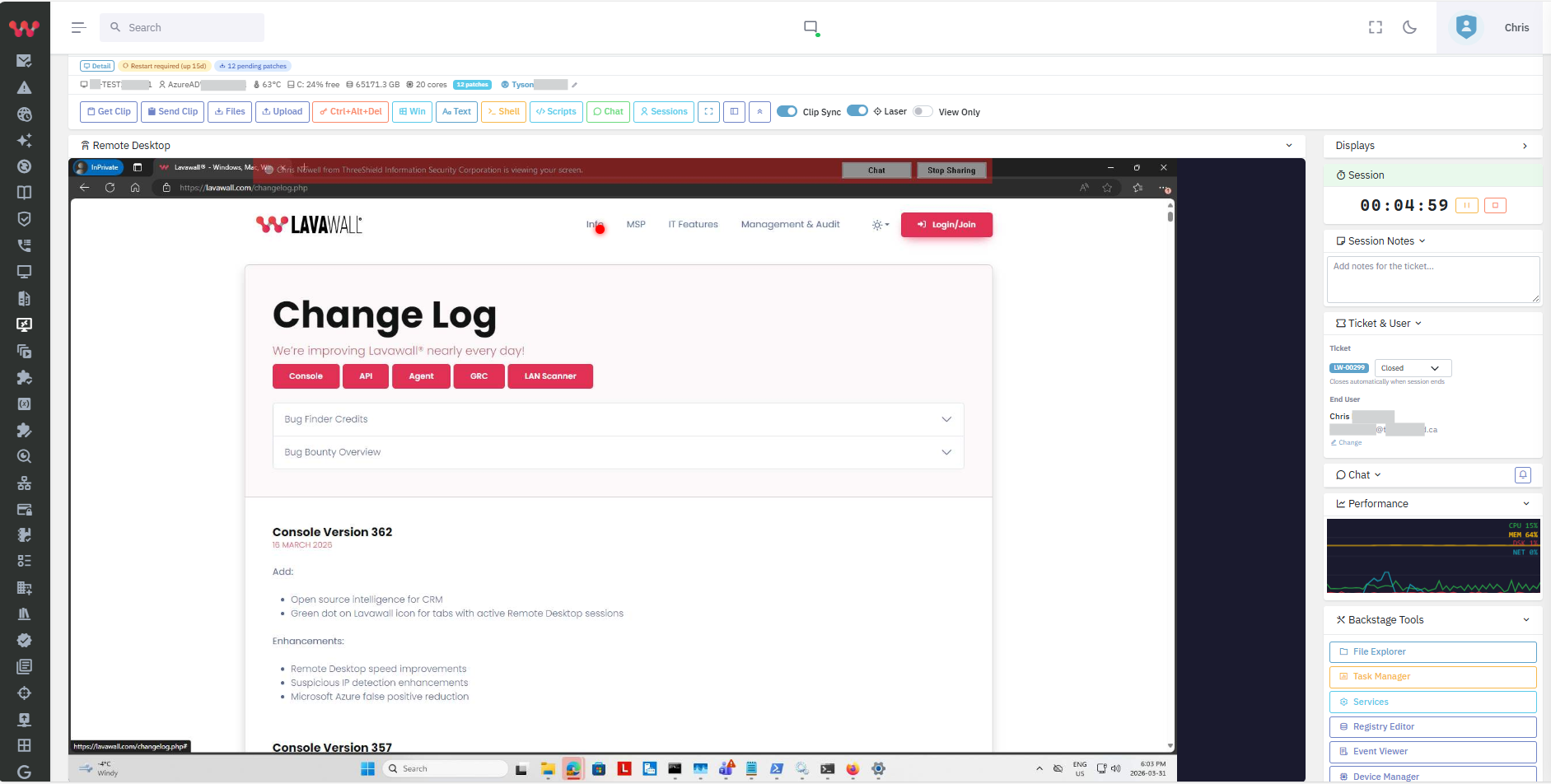
Made for the way technicians actually work
One-click start
Choose a device in the console and click Launch. The viewer opens and connects. No codes to read out, no links to paste.
Pair once
The first time, confirm a short code and you are paired. Remove a viewer from the console at any time.
Passkey sign-in
Use the passkey or security key you already use for Lavawall. If the viewer is left alone, it locks until you unlock it.
Always current
The viewer updates itself, so your whole team runs the current version without anyone chasing installers.
Cryptography you can point to
Some organizations must use validated cryptography, not just strong algorithms. The viewer’s cryptography runs in the Go Cryptographic Module v1.0.0, a module validated to FIPS 140-3 (NIST CMVP certificate #5247).
That gives public-sector, financial and healthcare teams a clear answer when an auditor asks which cryptographic module protects remote support, and it helps your organization meet requirements that call for validated cryptography.
How this works
The validation covers the cryptographic module, certificate #5247. It does not cover the whole Lavawall product, Windows, your web browser or the key store on your computer, and the passkey you sign in with has its own certification, if any. Lavawall does not claim CJIS certification or compliance for itself or for you. Each organization decides what satisfies its own policy, and Lavawall helps you meet it. See FIPS 140-3 support for more.
The same remote support, in a native window
Sessions you start from the viewer follow the same rules as the rest of Lavawall remote support: the person at the computer is told someone is connected, consent is asked where your policy says so, and the session is logged. Notes and tickets still go to the same place.
Not every technician needs the viewer. Everyone can keep using remote support in the browser. The viewer is for the teams that want a native program and validated cryptography.
Learn how to install, pair and launch the viewer.
Common questions
- What is the Lavawall Viewer?
- A native Windows program for remote support. You start it from the Lavawall console with one click, and it connects you to the computer you chose. It works without a browser extension.
- Do I need to install anything on the computers I support?
- No. The computers you support already run the Lavawall agent. The viewer is installed only on the technician’s Windows computer.
- Is the Lavawall Viewer FIPS 140-3 validated?
- The viewer’s cryptography runs in the Go Cryptographic Module v1.0.0, which holds FIPS 140-3 certificate #5247 from NIST’s Cryptographic Module Validation Program. The certificate covers that module, not the whole product, Windows or your browser. It helps organizations meet requirements for validated cryptography.
- Is it CJIS compliant?
- Lavawall does not claim CJIS certification or compliance. The viewer is designed to help organizations meet requirements that call for validated cryptography. Your agency decides what satisfies its own policy.
- How do I pair it with my account?
- Start the viewer, sign in to the console in your browser, check that the code in the browser matches the code in the viewer, and click Pair. You only do this once per computer.
- Does it update itself?
- Yes. The viewer updates automatically, so everyone on your team stays on the current version.
- Does it need administrator rights?
- No. A technician can install and run the viewer as a normal user.