LAN & WAN visibility
Nothing on your network should surprise you.
Lavawall® watches the entire LAN and WAN, so neither a quiet breach nor a noisy everyday frustration slips past you. The compromised laptop on a home network. The device nobody registered. The printer that's always out of toner. You see it, and often fix it, before anyone files a ticket.
Start my free trial, no credit card See how it works
Office, remote, and home devices · security and day-to-day IT in one view
See it in the Lavawall® console
Real screens, shown with example data.
One view for security and the small stuff
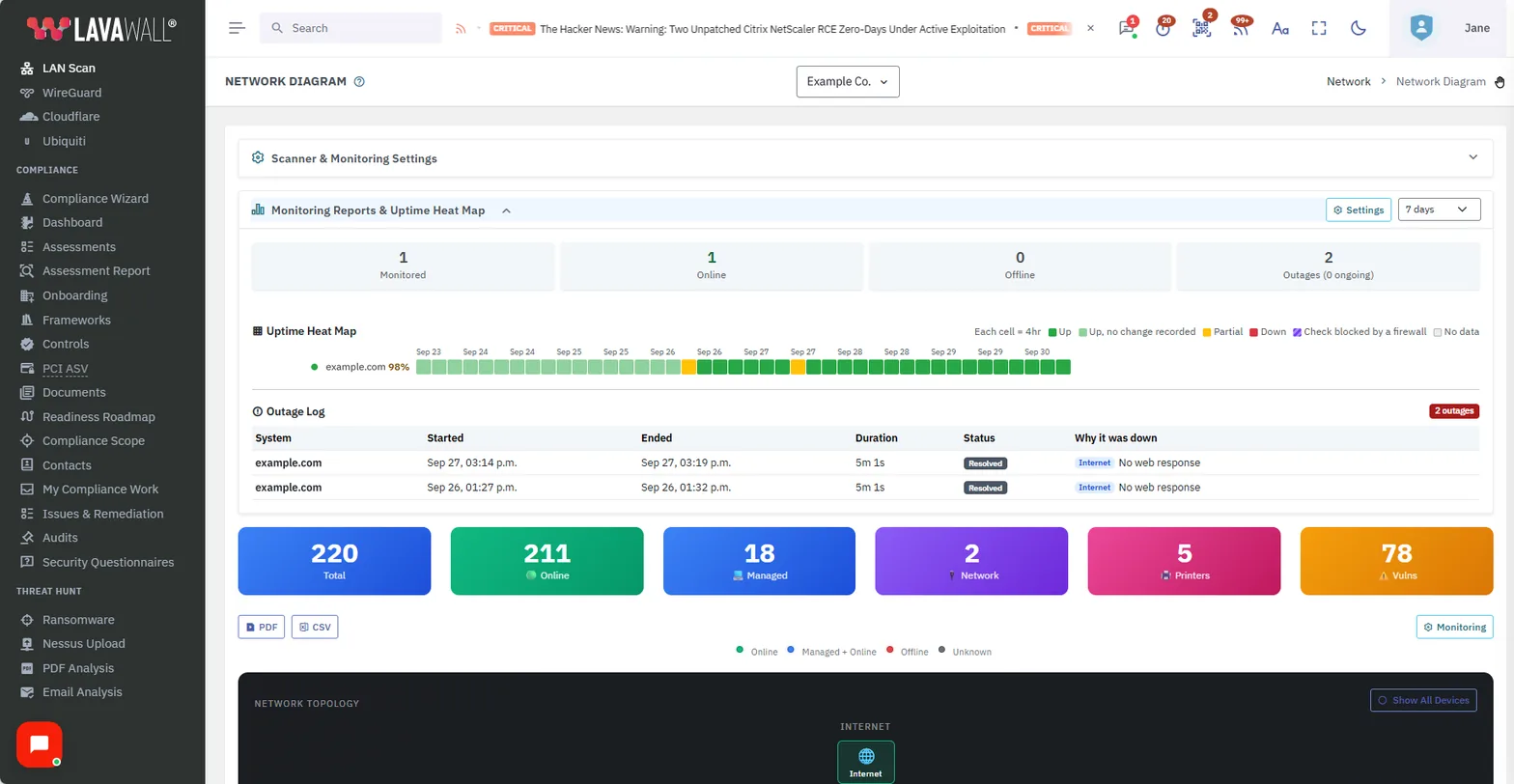
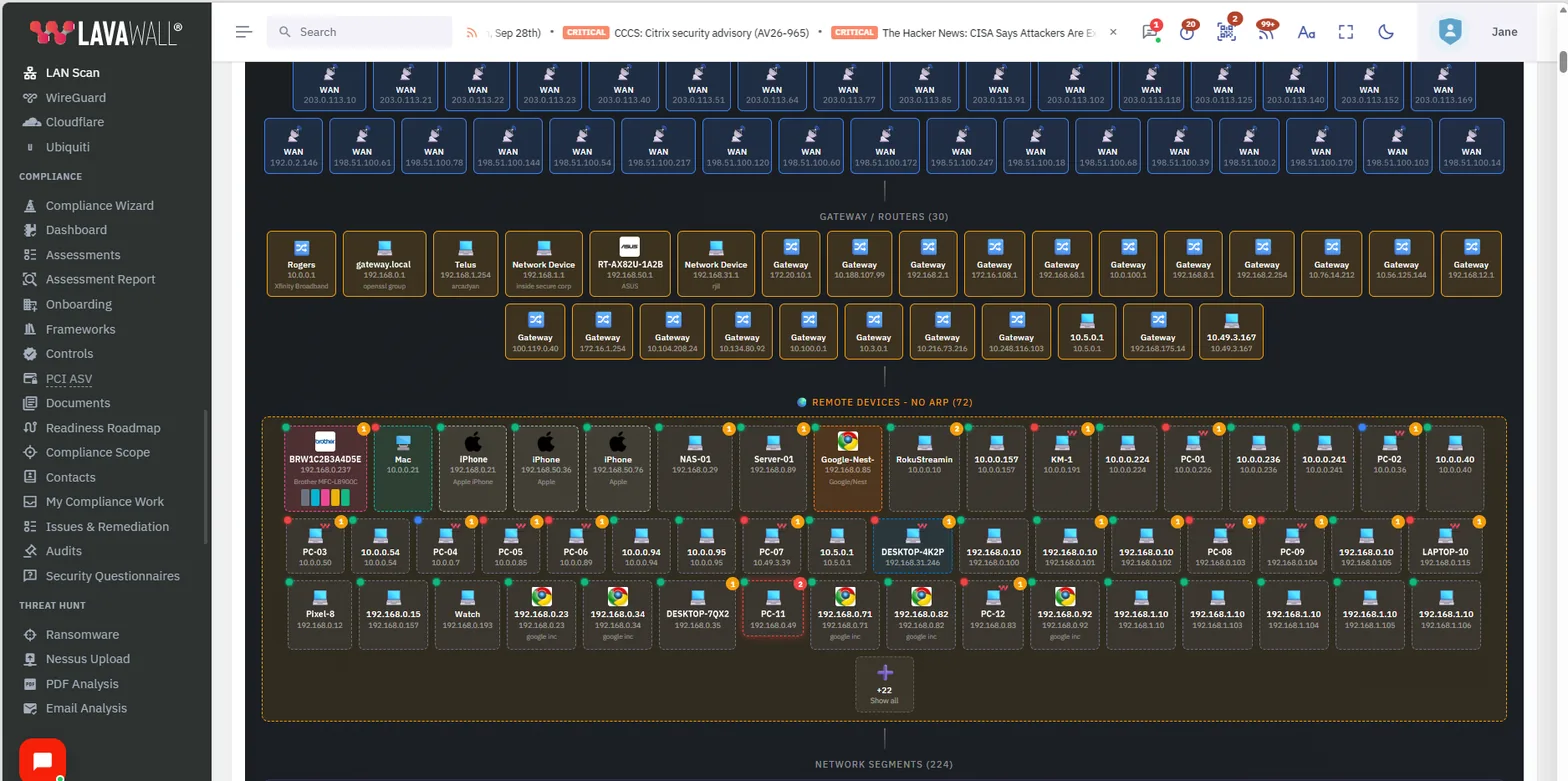
Discover everything on the LAN
Lavawall® maps what's actually on your network (computers, printers, NAS, IoT, and the device nobody told you about), with a quick view of what's online and what's managed. Unknown or newly-appeared devices get flagged, so shadow hardware doesn't become a shadow entry point.
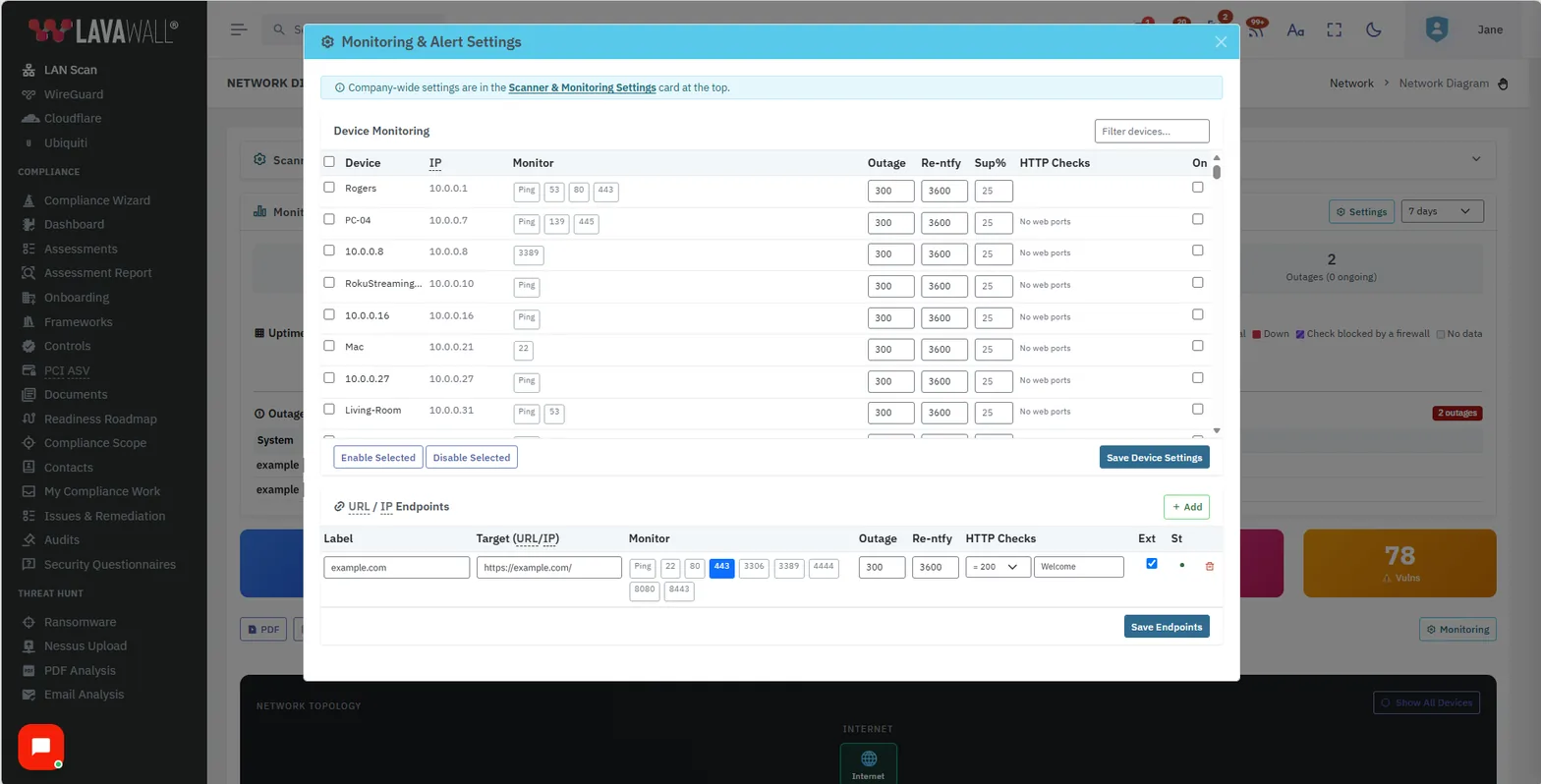
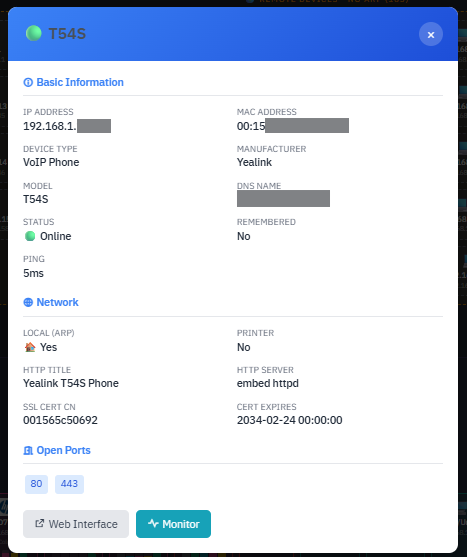
Detail on every device, from the network's point of view
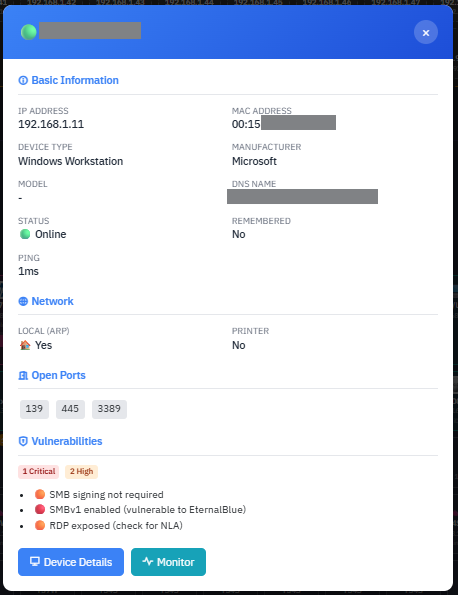
Drill into a workstation or network device to see its vulnerabilities and the services it's exposing, the same outside view an attacker would get. Servers and websites are watched for exposed ports and services, and website checks cover HTTP status codes and specific phrases on the page.
- Workstation vulnerabilities & exposed services
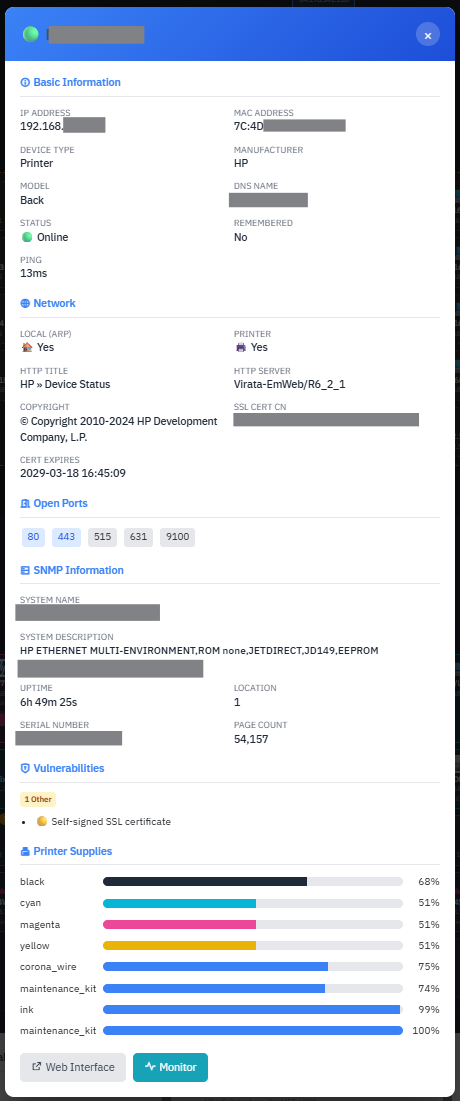
- Printer consumables with low-supply alerts
- Server & website port / service exposure
- Website HTTP status & page-phrase checks
- VoIP phone details (e.g. Yealink handsets)
- NAS, IoT & unmanaged-device discovery
Reach across the WAN to remote and home devices
Coverage follows the device, not the office. A laptop compromised on home Wi-Fi is watched exactly like one at HQ, so a breach at the edge doesn't stay invisible until Monday.
Catch frustrations before they're complaints
The same visibility that catches a quiet breach catches the low-toner printer, the offline NAS, and the failing drive. Full consumable information for printers means you get notified when they're running low, so you resolve the little things early. That is the difference between a happy office and a queue at your desk.
Document the cabling, then print the network
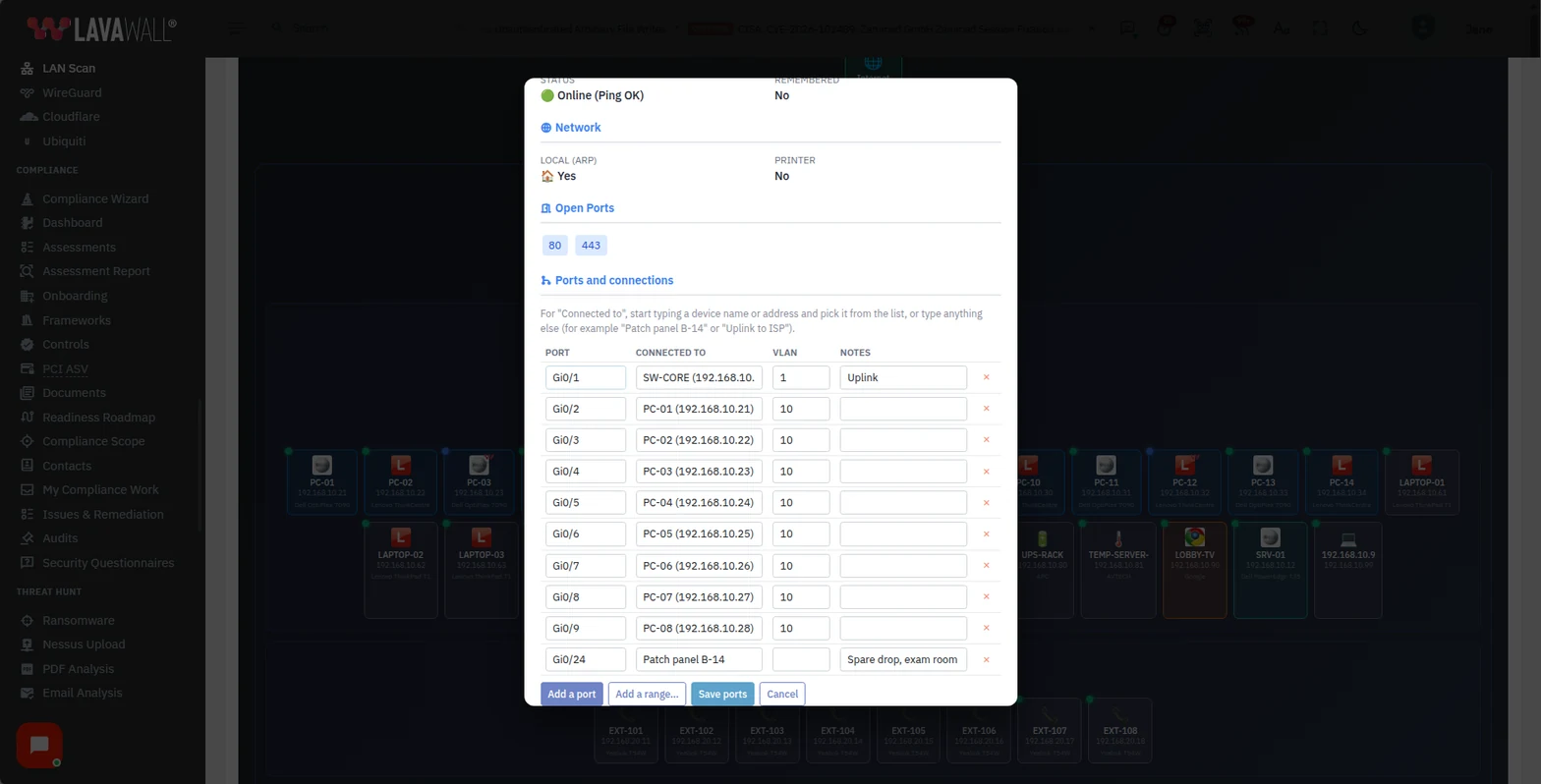
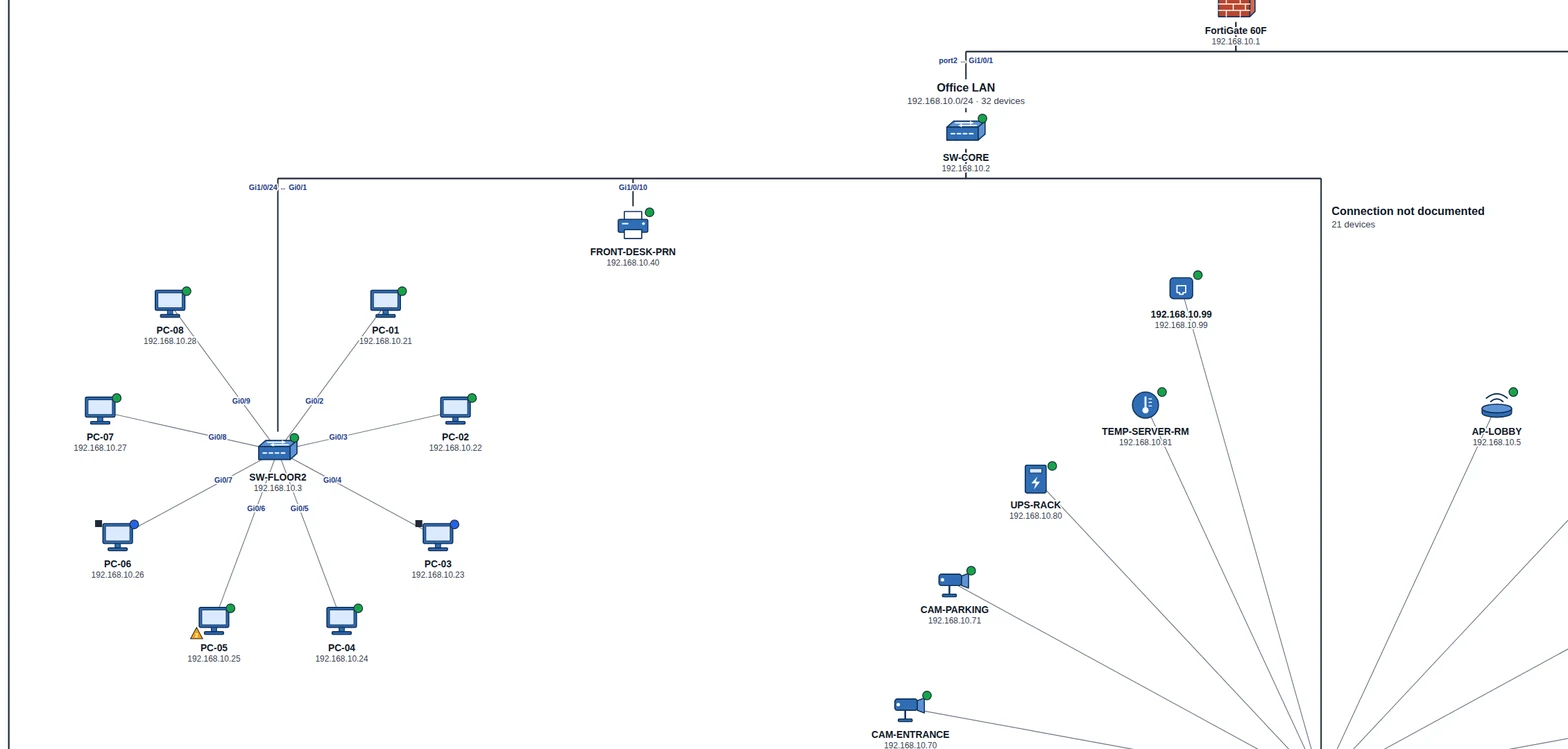
The map finds the devices. You add what a scan cannot see: which switch port each device is plugged into, its VLAN, and a note such as a patch panel number.
Then print the whole network as a traditional network drawing, with standard symbols and the documented ports on the lines, on letter paper up to ARCH E, A3 to A0, or a plotter roll. Or download it as an SVG file to open in Visio, Illustrator, or AutoCAD. How to document switch ports and print a network drawing.
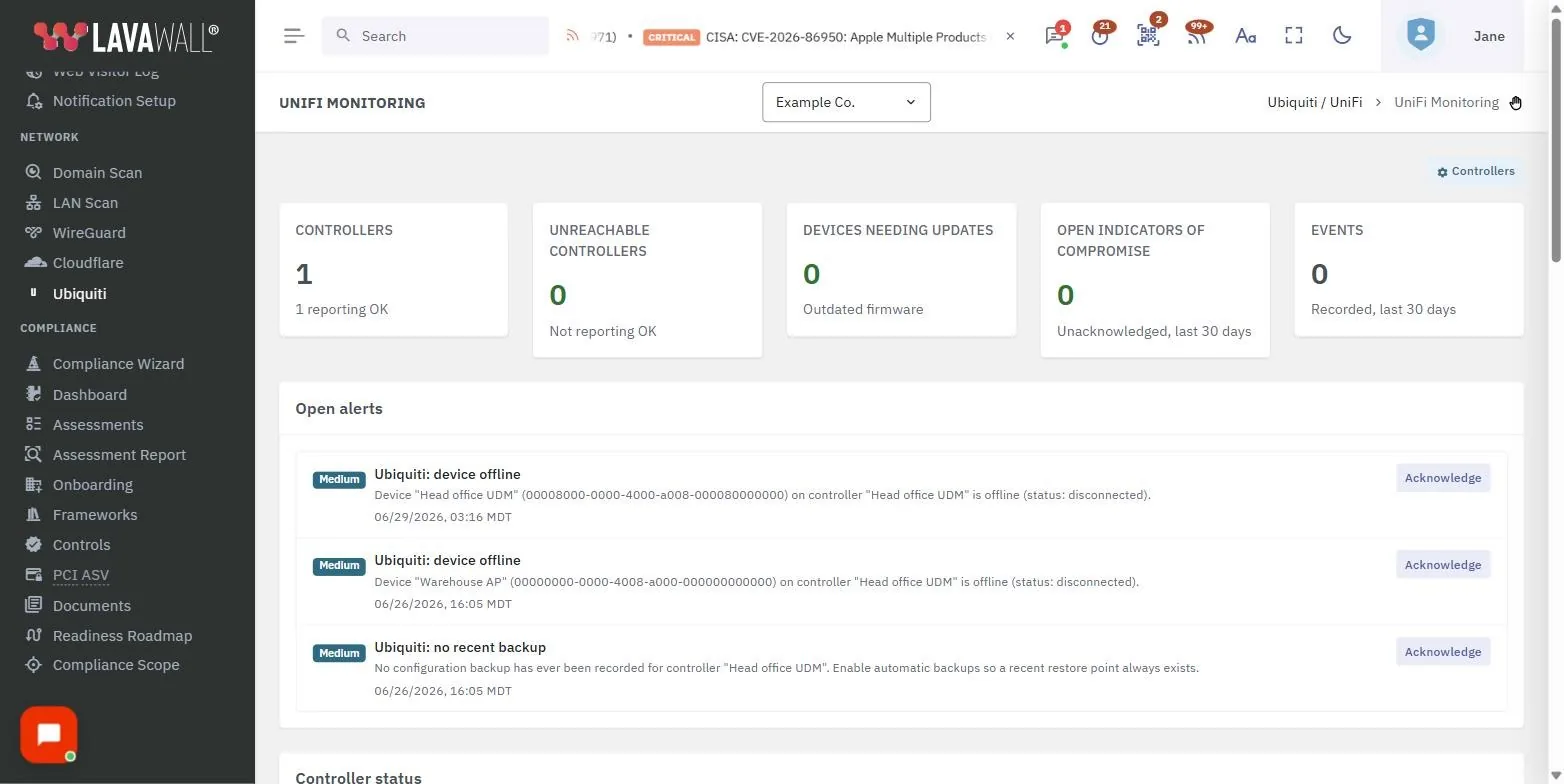
Deep visibility into Ubiquiti UniFi
Connect over the local Network API or Ubiquiti's cloud Site Manager API, and Lavawall® watches your UniFi OS gear (UDM, UDM Pro, Cloud Key Gen2+, and legacy self-hosted Network controllers) for the changes and outages that matter.
Admin & access changes
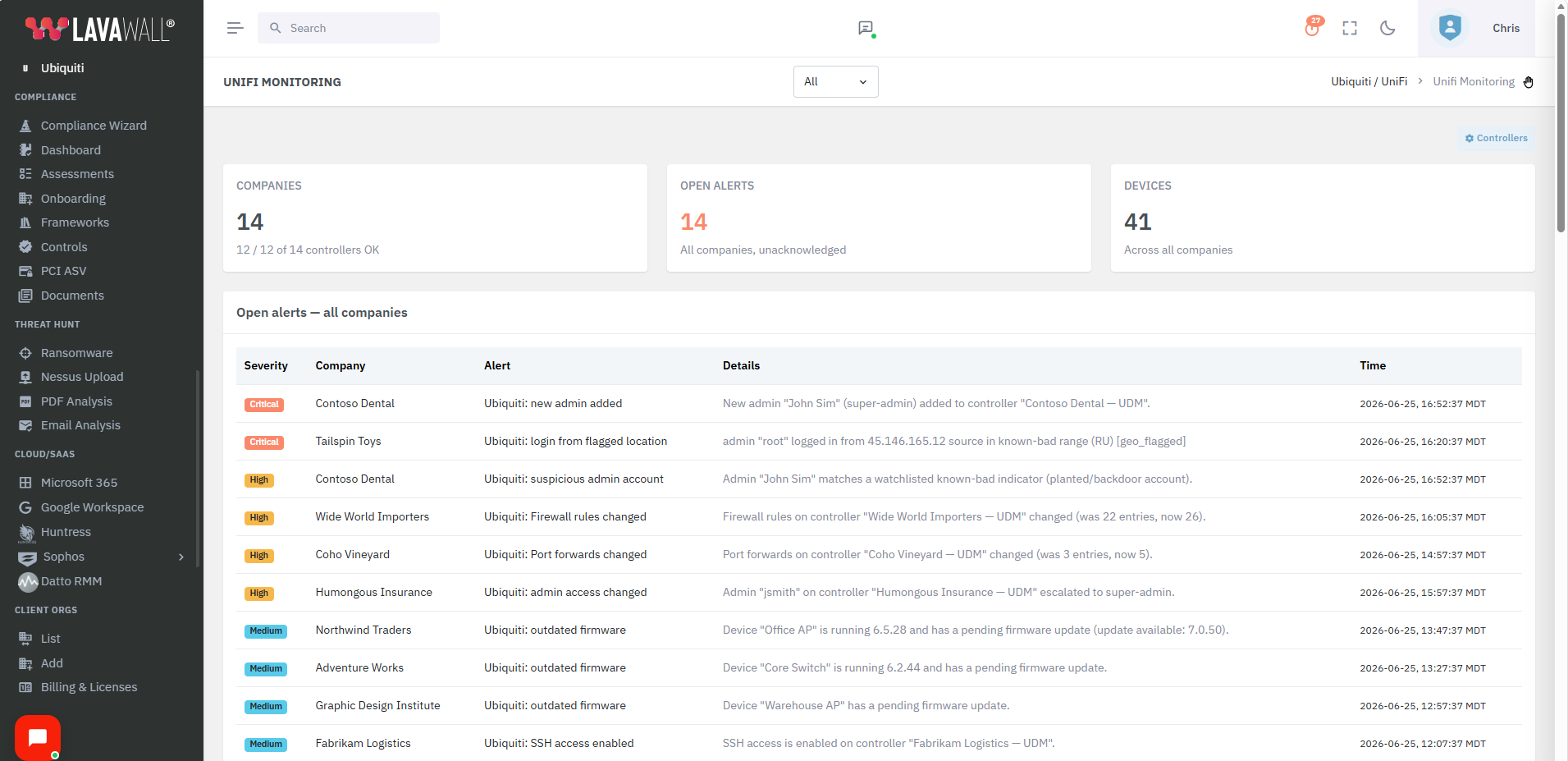
A new admin added, an admin promoted to super-admin, a login from a new IP or a flagged location, or a permission change: each one surfaces as an alert, so a quiet takeover of your network gear doesn't go unnoticed.
Security posture drift
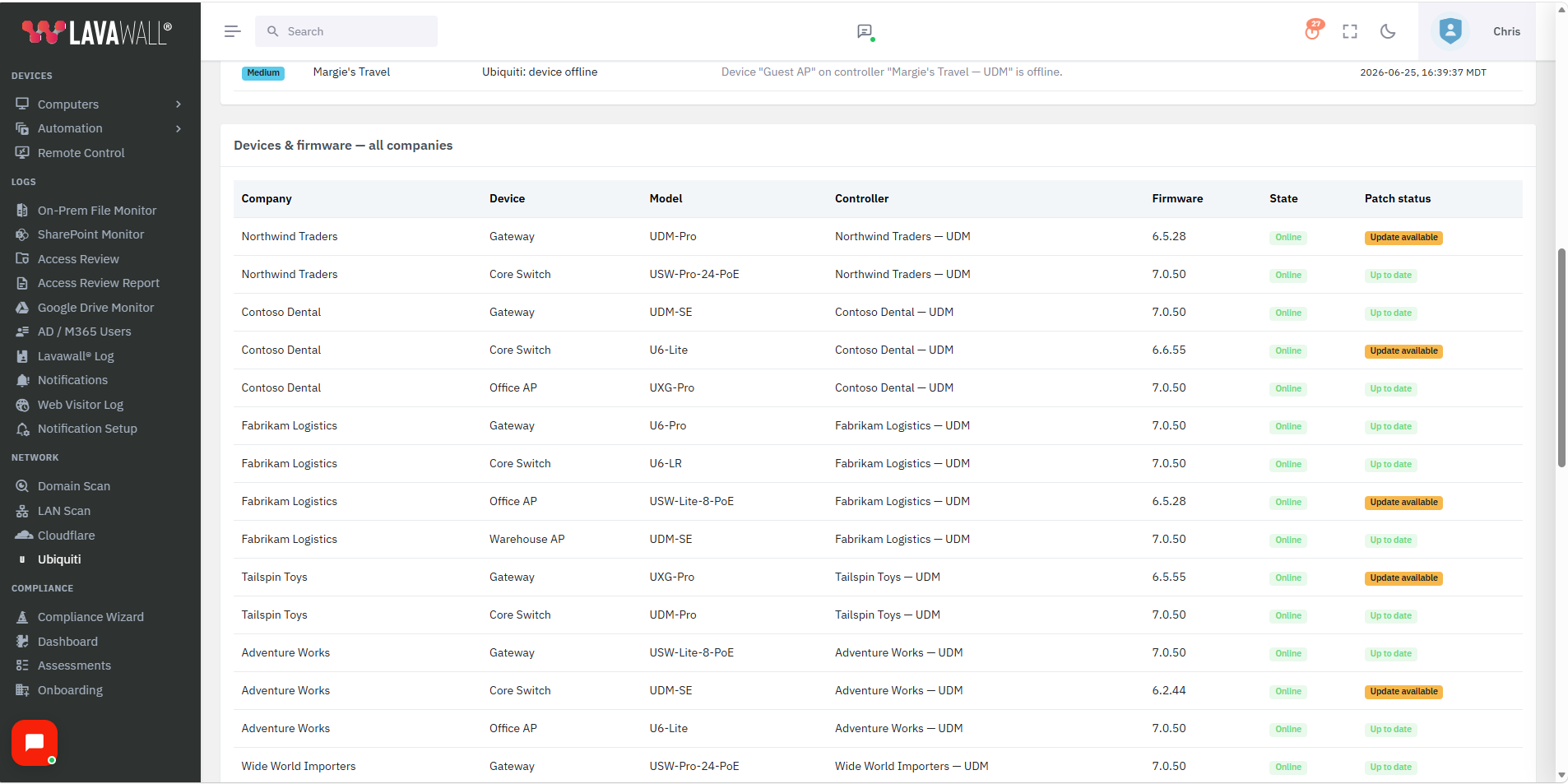
Remote or cloud access being enabled, firewall and port-forward changes, firmware downgrades, SSH and remote-management posture, and IPS/IDS threat-management status, plus outdated-firmware detection across the fleet.
Backup & availability
Configuration-backup creation is tracked, and a missing backup is flagged after seven days. Device offline and WAN-uplink-down alerts, plus per-device CPU and memory metrics, keep the network's health in the same view as its security.
Works with the rest of Lavawall
Device health & replacement
Pair network visibility with per-machine health and a ranked replacement list.
Learn more →Unified MDR alerts
Network signals join one prioritized feed with your MDR and M365 detections.
Learn more →Curious what's really on your network?
ThreeShield, the CISSP/CISA team that builds Lavawall®, will map your LAN and WAN and show you the devices, exposure, and quiet frustrations you didn't know were there.
Common questions
- What can Lavawall see on the network?
- It discovers and watches what's on your LAN and reaches across the WAN to remote and home devices. It surfaces new or unknown devices, risky exposure, and the everyday health of printers, NAS, and endpoints, so breaches and breakdowns both show up in one place.
- Does it cover people working from home?
- Yes. Coverage follows the device, not the office network, so a compromised laptop on home Wi-Fi is watched the same as one at HQ.
- Is this only for security, or day-to-day IT too?
- Both. The same visibility that catches a quiet breach also catches the low-toner printer, the offline NAS, and the device nobody told you about.
Visio, Illustrator, AutoCAD, FortiGate, Ubiquiti, and UniFi are trademarks of their respective owners. Other product and company names are trademarks of their respective owners.