Incident response
Know who to tell, and by when, before anything goes wrong.
Lavawall® builds an incident response plan that fills itself in: your team and contacts, your card acquirer's incident line, every regulator and card brand deadline for where you operate, and breach playbooks for the services you actually use. When something happens, each reporting deadline runs as a live clock, so a deadline does not slip by while you are busy fixing the problem.
Open Incident Response How it works
Filled-in contacts · regulator and card brand deadlines · service playbooks · live reporting clocks · review by private link
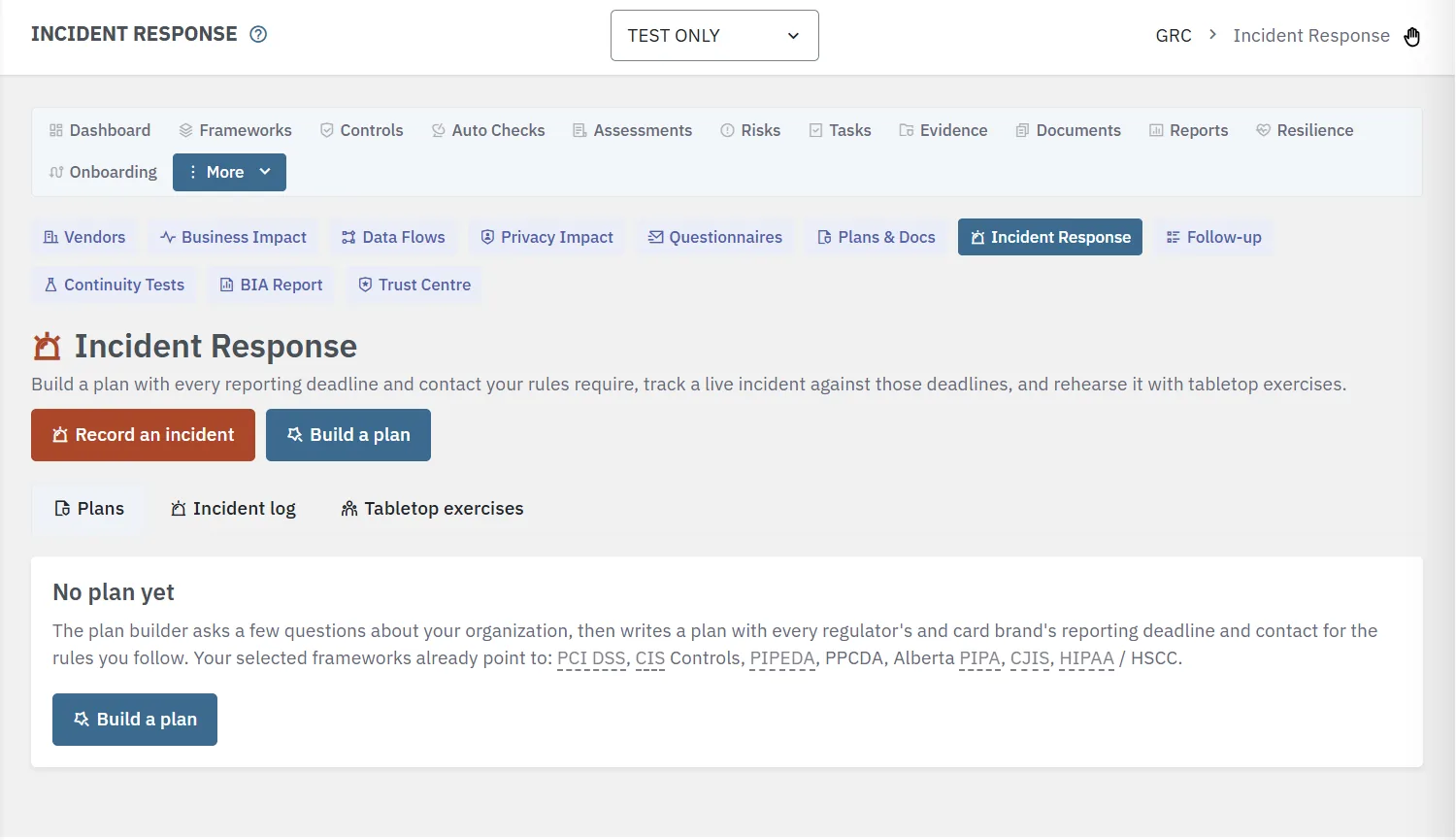
A plan that fills itself in
Answer a few plain-language questions and Lavawall writes the plan from what it already knows about your organization.
Your team and contacts
You start as the incident lead, and the plan asks for the deputy, technical lead, executive sponsor, cyber insurer, forensic firm, legal counsel, and police. Government help for each country your rules cover is listed for you, and every phone number in the plan is a tap-to-call link.
Your card acquirer
Choose your acquirer or payment processor from a searchable list of banks and processors in Canada, the United States, Europe, and beyond. Its published incident phone and email are filled in for you, and you can type over them with the line your acquirer gave you. Merchant IDs are stored encrypted and kept out of the plan's text, emails, and a reviewer's copy.
Regulators, by where you operate
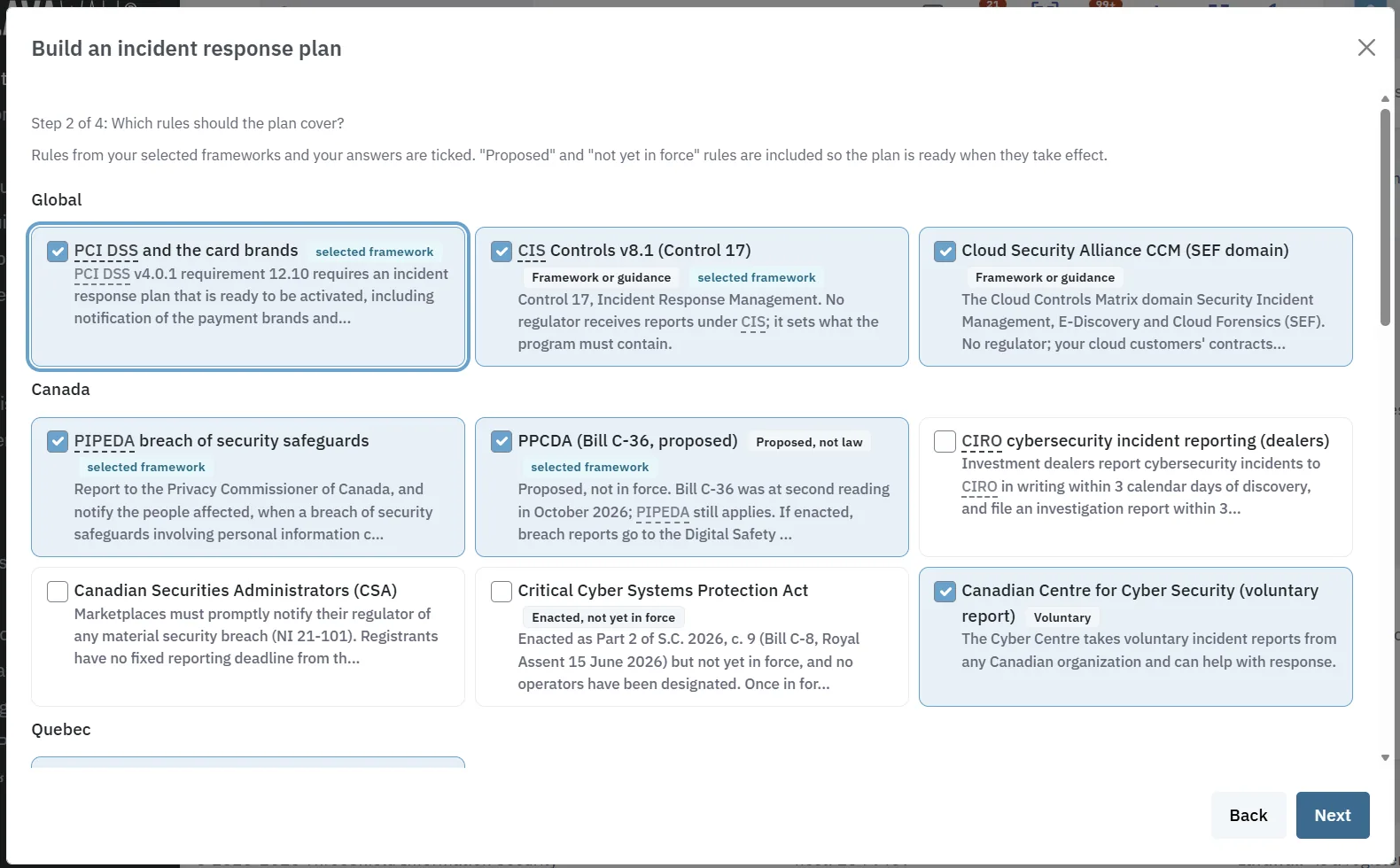
The rules your selected frameworks point to are already ticked, and your answers about where you operate and what you do add the rest. Each deadline and contact is checked against the regulator's or card brand's own text and names its source. Notices that apply only in the United States, such as reports to CISA, appear only when you operate there.
Playbooks for the services you use
Lavawall has breach playbooks for about 470 services. The ones it sees you using are switched on when the plan is created, from SaaS discovery, your Microsoft 365, Google Workspace, and AWS connections, and the domain scan of your registrar, name servers, mail provider, web host, and web application firewall. Each playbook says who to report to at the vendor, what to collect, and the steps to contain an account there.
Every reporting deadline, as a live clock
When something goes wrong, the hard part is often knowing who has to be told, and by when. Visa expects to hear within three calendar days, American Express within 72 hours, NYDFS within 72 hours of determining an incident occurred, a NIS2 entity within 24 hours, and a DORA financial entity within four hours of classifying an incident as major. Each clock starts from a different moment.
Record first, investigate second
Record the incident as soon as you suspect one. Every report your plan's rules require appears as a clock counting down from the times you enter, in your time zone, with the soonest deadline at the top.
To file, Check, or Does not apply
Each report says whether it applies, depends on a fact you have not recorded yet, or is ruled out by the facts. Mark a report filed and any report that depends on it starts its own clock.
Playbooks for what was hit
Choose the services affected and each one's playbook appears beside the incident, with the vendor's contacts and the steps to contain it. The plan's team, your acquirer, and your other contacts are one tap away.
A record that keeps everything
The timeline shows what was known and when, and nothing in it can be deleted. Every field saves on its own as you type, so a dropped connection or a closed tab does not lose your notes. Print an incident report for your insurer, a regulator, or your files.
Notifications you choose, and your own
The plan starts with every report your rules require. You decide what stays in it, and add the notices only you know about.
Leave out what does not apply
Untick In plan to leave a report out of the printed plan. Left-out reports are listed separately, and on an incident their clocks are still shown last, so you can still check whether one applies.
Add your own notifications
A customer contract with a notification window, a parent company, a franchisor, or a state attorney general: add who to tell, what to send, and a deadline in hours, days, or business days, counted from discovery or determination.
Clocks for those too
Every notification you add gets its own reporting clock on each incident under the plan, and can be marked filed like any regulator's report.
Review and approval, including people without an account
Send it to anyone who should sign off
Pick reviewers from Lavawall, from your Microsoft 365 or Google Workspace directory, or from people who reviewed a plan before. To add an owner, a board member, or outside counsel who has no Lavawall account, type their name or email address and add them as a new reviewer.
A private link with limits you set
Choose how many days the link stays open and how many visits it allows. The reviewer confirms it is them with a six-digit code emailed to them, then reads the plan exactly as it prints, without merchant IDs.
A clear answer, signed
A reviewer you allow to approve chooses Approve or Changes needed. Anyone else says No changes needed or Changes needed. Each answer is signed with a typed name, and the plan's approval line shows who approved it and how.
Separation of duties kept
Only someone who can approve plans can let a reviewer approve and, unless your administrator allows self-approval, not someone who wrote or last changed the plan. A link stops working once the plan is approved, returned, retired, or changed, so an approval always matches the plan it describes.
Tabletop exercises, recorded for you
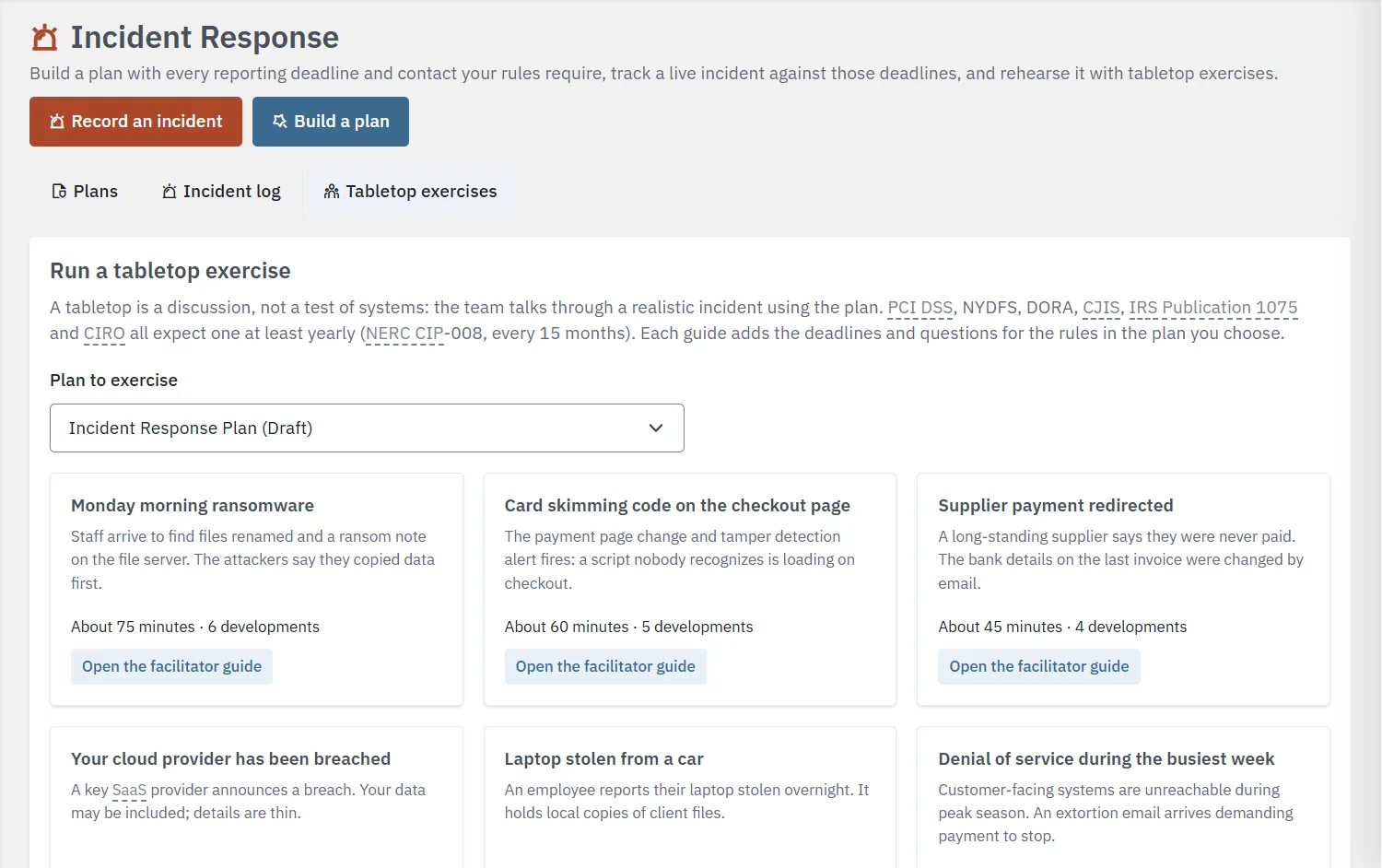
PCI DSS, NYDFS, DORA, CJIS, IRS Publication 1075, and CIRO all expect a tabletop exercise at least once a year, and NERC CIP-008 every 15 months. Lavawall builds a facilitator guide from your plan for six realistic scenarios: ransomware, card skimming on a checkout page, a redirected supplier payment, a breach at a cloud provider, a stolen laptop, and a denial of service with an extortion demand.
Each guide adds the questions and the deadlines the scenario would set off under the rules in your plan. Record how it went, who took part, and the findings, and the exercise goes into Continuity Tests with your other tests while the plan's last tested date updates.
A word of caution: these are starting drafts, generated from your records so you are not staring at a blank page. Have counsel or your advisors review them before you rely on them.
Works with the rest of the platform
Continuity & incident plans
The disaster recovery and business continuity plans that sit beside your incident response plan.
Learn more →GRC & compliance engine
An approved plan counts as evidence for the incident response controls in every framework that maps them.
See the engine →SaaS & vendor discovery
The apps Lavawall finds become the service playbooks in your plan.
Learn more →Business Impact Assessment
Know which systems matter most before an incident forces the question.
Learn more →Want the plan pressure-tested?
ThreeShield, the CISSP/CISA team behind Lavawall®, reviews your incident response plan and runs tabletop exercises with your team, so the first real incident isn't the first time you use it.
Common questions
- Which reporting rules does the Lavawall incident response plan cover?
- PCI DSS and the Visa, Mastercard, American Express, Discover, JCB, and UnionPay brands; CIS Controls; PIPEDA and the proposed PPCDA; Quebec Law 25; Alberta PIPA; NIS2; DORA; the GDPR; the FTC Safeguards Rule; NYDFS Part 500; CIRO; the Canadian Securities Administrators; the Cloud Security Alliance CCM; CJIS; the Critical Cyber Systems Protection Act; TSA pipeline directives; NERC CIP-008 and DOE OE-417; HIPAA with HSCC guidance; Iowa public sector; IRS Publication 1075; and voluntary reports to CISA and the Canadian Centre for Cyber Security.
- How does Lavawall know which services to put in the plan?
- When the plan is created, Lavawall switches on the services it already sees you using: apps found by SaaS discovery, your Microsoft 365 and Google Workspace connections, your AWS accounts, and what the domain scan finds for your domains (registrar, name servers, mail provider, web host, and web application firewall). You can add or remove any service, or type the name of one that is not listed. Each service you keep gets its own breach playbook in the plan.
- Can someone without a Lavawall account review or approve the plan?
- Yes. Send a private link to an owner, a board member, or outside counsel. They confirm it is them with a six-digit code emailed to them, read the plan as it prints, and answer. If you tick Can approve, they can approve the plan themselves; otherwise they say whether changes are needed. You choose how many days the link lasts and how many visits it allows.
- What happens when an incident starts?
- Record it as soon as you suspect one. Every report your plan's rules require appears as a clock counting down from the times you record, with the soonest deadline first. Mark each report filed as you go, follow the playbooks for the services affected, and keep a timeline that shows what was known and when.
- Is the plan legal advice?
- No. The plan is a starting draft, built from your records and from each regulator's and card brand's published text. Have counsel or your advisors review it before you rely on it.