Google Drive change monitoring
Who shared what, with whom, from which endpoint, when
Lavawall® watches every Google Drive and Shared Drive in every client tenant, records the actor, the recipient, the file, and the endpoint, and raises high-severity alerts on mass downloads, anomalous sharing, and ransomware-encryption patterns. Google Workspace Drive is where client data leaves an MSP without anyone noticing.
Start free, no credit card See what it monitors
File events · external sharing · mass downloads · departing employees · ransomware
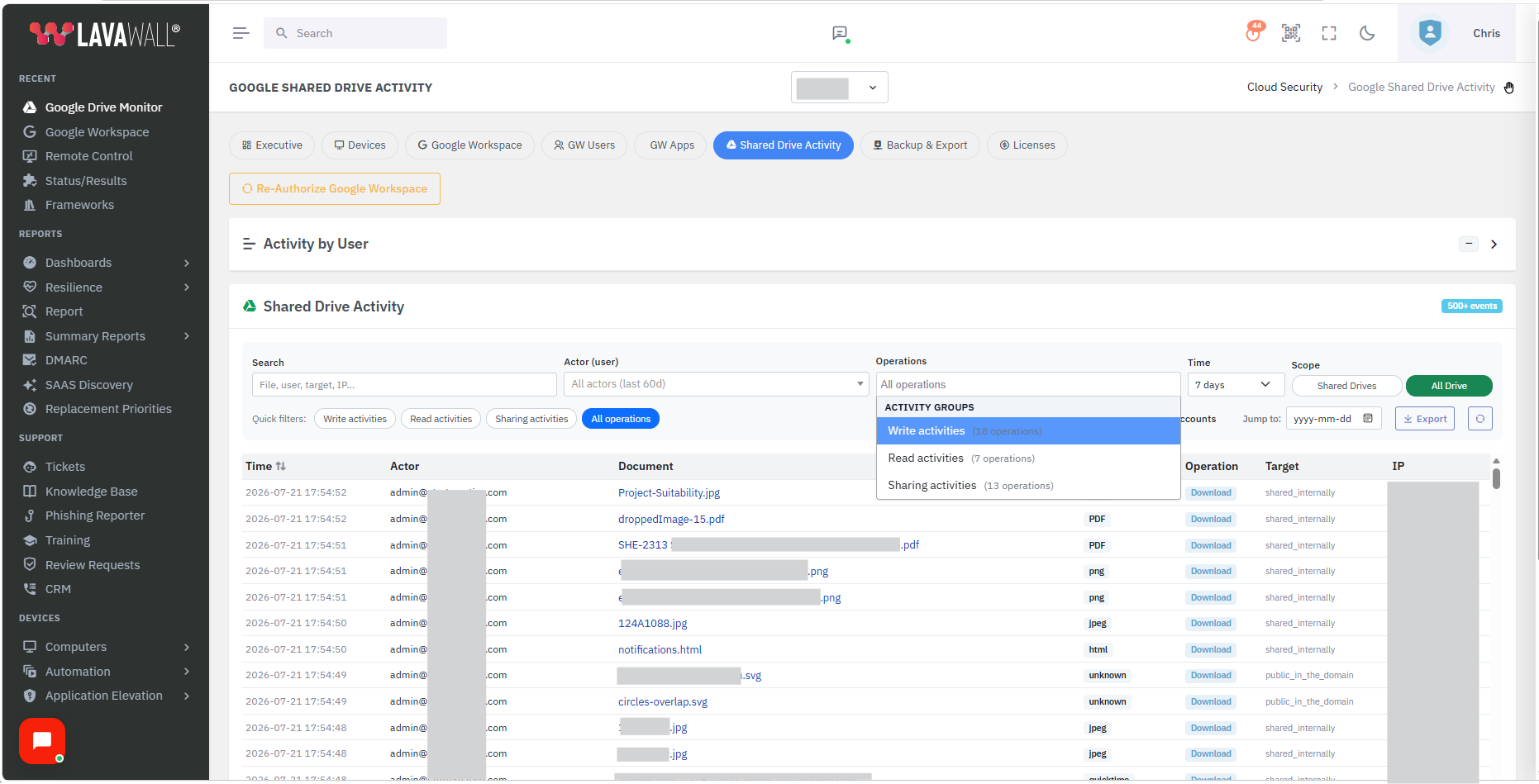
See it in the Lavawall® console
Real screens, shown with example data.
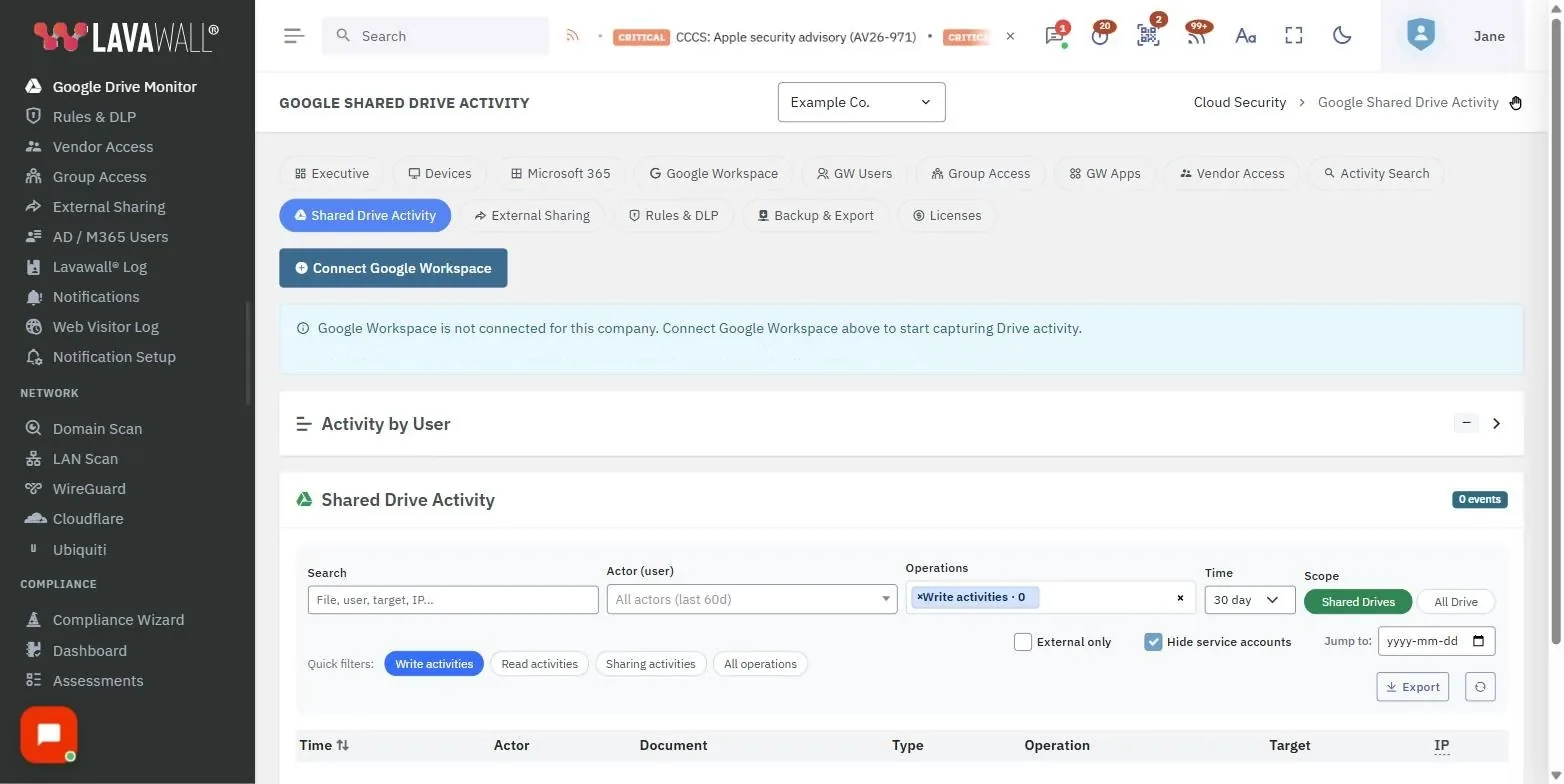
The gap this closes
Drive is where data quietly walks out the door. A user grants edit access to a personal Gmail account, a departing employee copies an entire Shared Drive to a personal account, or a compromised user generates anonymous sharing links on a sensitive folder. None of it looks like an attack, and none of it lands in an inbox you are watching. Lavawall® makes that activity visible and turns the dangerous patterns into alerts.
What it monitors
File activity events
Created, modified, viewed, downloaded, deleted, moved, copied, renamed, restored from trash, and permanently deleted, each with the actor email, source IP, file identifier, and drive scope.
External sharing
Sharing to an external Google account, a personal Gmail address, or a non-Google address, plus anonymous-link generation and target-audience changes, with recipient and permission level.
Mass-download detection
A user downloading N files in M minutes from a drive they do not normally access raises a high-severity finding, with thresholds configurable per drive.
Departing-employee pattern
Bulk owner transfers, broad sharing-link generation, and mass downloads recognized together as the classic exit-with-the-data behaviour.
Ransomware-encryption pattern
Mass-modify events with the content-replacement pattern characteristic of Drive ransomware, with revision history that helps identify a recovery path.
Membership and policy changes
Shared Drive members added, removed, or promoted, plus domain-level and OU-level sharing-policy changes, captured separately from file events.
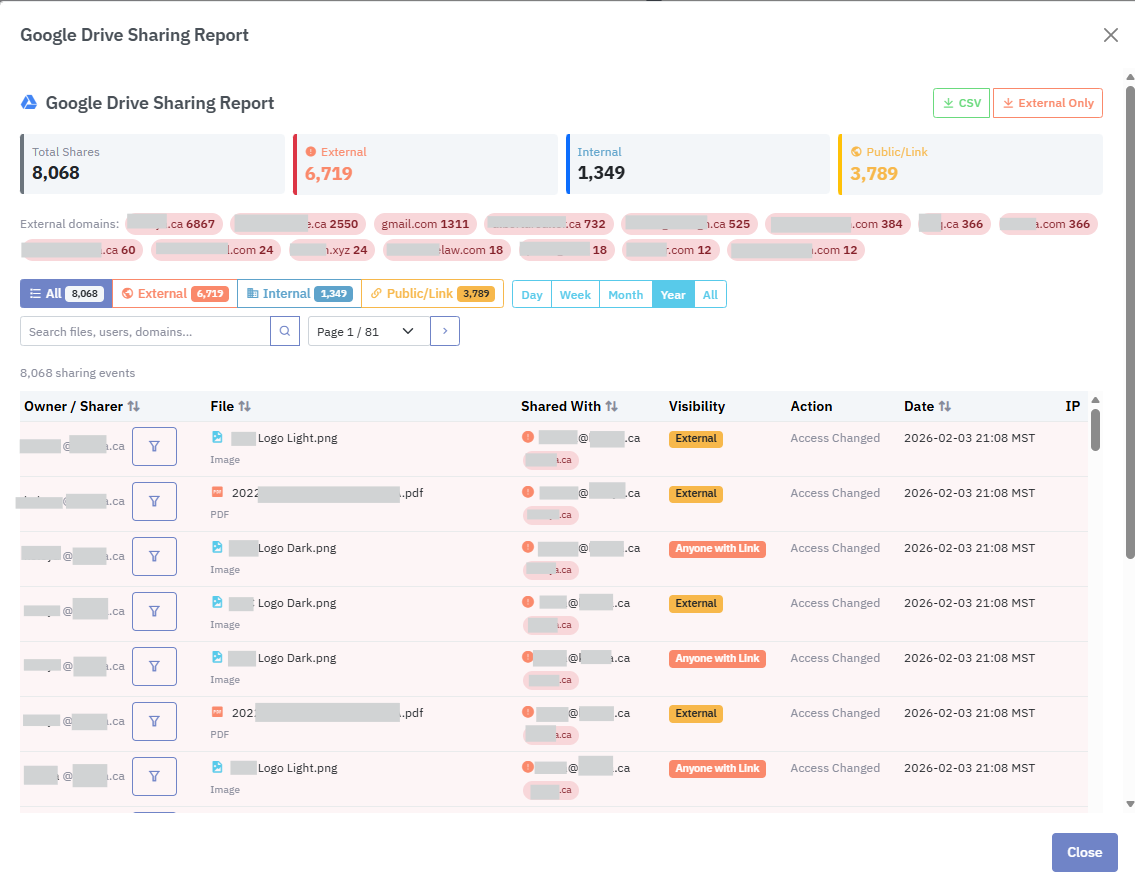
The full Drive sharing report: every share across the tenant, filterable by client, drive, user, and date.
How it works
The module uses the same Google Workspace connection as the Lavawall® Google Workspace breach-detection module, with read-only Drive Activity API and Reports API scopes and no write access to Drive content. The two APIs are polled per tenant on a configurable cycle, typically every 15 to 30 minutes, and high-severity detections trigger an immediate Lavawall® notification.
Where an event can be tied to a Lavawall®-managed endpoint, the change feed shows the endpoint hostname, the signed-in Google account, and the initiating application. A file-download event correlated with a known endpoint is far more informative than the raw event on its own, because it names the machine the data landed on.
Google Workspace retains audit data for 180 days on Business and Enterprise plans. Lavawall® ingests on the polling cycle and retains the data for the contract term, with export available in CSV, JSON, and the Lavawall®-native evidence-bundle format.
Audit and compliance use
Drive activity feeds the same compliance evidence base as the SharePoint module, covering SOC 2 access controls, HIPAA audit controls, NIST 800-171 audit-and-accountability requirements, the Canadian privacy bundle (PIPEDA, Alberta PIPA, BC PIPA, and Quebec Law 25), and ISO 27001 monitoring controls. Reports are filterable by client, drive, user, and date range, so producing evidence for a specific tenant and period is a few clicks rather than a manual export from the native console.
Frequently asked
- Does this cover Google Shared Drives as well as My Drive?
- Yes. The Drive Activity API surfaces events for both My Drive (per user) and Shared Drives (team owned), and Lavawall® shows both in the same change feed with a scope filter, so you never have to guess whether an event came from a personal or a team-owned drive.
- Does it catch external sharing to personal Gmail or non-Google accounts?
- Yes. Sharing to an external Google account, a personal Gmail address, or a non-Google address is captured with the actor, the recipient, the file or folder, and the permission level. Anonymous-link generation is flagged separately because it is a higher-risk pattern than a named-recipient share.
- How is this better than the native Google Workspace audit log?
- It keeps the data longer and alerts on more. Google Workspace retains audit data for 180 days. Lavawall® ingests the same data, retains it for the contract term, raises alerts the native console does not produce (mass downloads, anomalous sharing, and ransomware-encryption patterns on Drive), and correlates Drive activity with the endpoint the user signed in from.
- Can it catch the departing-employee export pattern?
- Yes, it is one of the defined detection patterns. A user adding their personal Gmail address to a Shared Drive, downloading the entire drive to their local machine, or generating broad anonymous sharing links in their last two weeks is exactly what the module is built to catch.